Stop Live Template Leaks: Document Template Versioning in 8 Steps
Stop live edits leaking into contracts. Team playbook maps Google Docs, M365, and GitOps to document template versioning with an 8 step rollout.

Document template versioning means tracking every change to a template, its metadata, and its approval status so teams can see exactly what changed, when, and by whom. The single most important rule: treat published templates as immutable. Manage edits in a draft, review, and publish cycle, whether that lives in Google Workspace, Microsoft 365, a dedicated platform like BeeSign, or a GitOps pipeline.
TL;DR:
- Teams should adopt a clear naming convention and semantic versioning to distinguish template versions and facilitate tracking.
- Automation and legal workflows must reference published or immutable versions, not drafts, to prevent unintended leaks into production.
- Using GitOps for templates becomes necessary when managing dozens of templates with complex automation, requiring pull requests, reviews, and strict governance.
- Retention policies, role-based permissions, and audit trails are critical to maintain compliance and enable accurate reconstruction of document history.
- BeeSign offers integrated draft, published, and audit-controlled template management with API support, suitable for organizations with strict regulatory or automation needs.
Table of Contents
- What Is Document Template Versioning and Why Does It Matter?
- Core Practices Every Team Should Adopt
- How Do Google Docs, Microsoft 365, and Template Editors Handle Versioning?
- When Should Engineering Teams Use GitOps for Templates?
- Governance, Retention, and Audit Requirements
- How Do You Safely Restore or Roll Back a Template?
- How to Add Document Template Versioning to Your Team in 8 Steps
- How Does BeeSign Support Template Versioning in Practice?
- What Most Teams Get Wrong About Template Versioning
- Get Draft, Publish, and Audit Controls in One Platform
- Sources
- FAQ
What Is Document Template Versioning and Why Does It Matter?
Document template versioning is the practice of assigning a distinct, trackable identity to each iteration of a template, along with a record of what changed and why. That’s different from ad hoc file versioning, where someone renames a file “Contract_final_v3_ACTUAL.docx” and hopes for the best. Real versioning ties each version to metadata, an approval state, and a rollback path.
Teams that skip this run into predictable trouble. A sales contact edits a contract template on a Tuesday, forgets to tell legal, and by Friday three different regional offices are sending out three different liability clauses. Automated systems that generate invoices or onboarding packets from templates are especially vulnerable: a single unreviewed edit can silently propagate into hundreds of documents before anyone notices.
Versioning solves this by making a few things possible:
- Traceability: you can see who changed what and when.
- Rollback: a bad edit gets reverted in minutes, not days.
- Auditability: regulators, auditors, or legal teams can reconstruct exactly which template version produced a given document.
- Reproducibility: the same inputs always generate the same output, which matters for billing templates and legal agreements where consistency isn’t optional.
Core Practices Every Team Should Adopt
Most template chaos comes from missing conventions, not missing tools. Fix the conventions first.
- Adopt a naming pattern that combines a human-readable name with a version number. Something like
nda_template_v2.3tells a reader both what the document is and where it sits in its history, using semantic versioning style numbering: major changes bump the first digit, minor edits bump the second. - Track metadata on every version, including the owner, a one-line change summary, the effective date, and a stable template ID that never changes even as the version number does.
- Separate draft and published states. Drafts are editable and invisible to production systems. Published versions are locked and require an approval gate before they go live.
- Point production systems at the published version or its immutable ID, never at a draft. This is the rule that prevents an in-progress edit from leaking into live contracts or invoices.
- Decide who can restore an old version before you need to. Restoring should require the same approval level as publishing a new version, not a quiet rollback by whoever has edit access.
Pro Tip: Give every published version a short, plain-English changelog entry, even something as simple as “updated indemnity clause per legal review.” Six months later, nobody remembers what “v4.1” was for, but everyone can read a sentence.
How Do Google Docs, Microsoft 365, and Template Editors Handle Versioning?
Platform behavior varies enough that a policy written for one tool can quietly break on another. Here’s what each one actually does.
- Google Workspace (Google Docs) lets you create up to 40 named versions per document, and you can pin a version with “Keep forever” so it survives cleanup. Unpinned revisions don’t get that protection: Google Drive can prune older versions after a certain time or once many newer versions accumulate, so anything you care about needs a name and a pin.
- Microsoft 365 shows version history for files stored in OneDrive or SharePoint, and users can view or restore prior versions directly from the Version History pane. How many versions stick around depends entirely on how the library is configured, so a policy that assumes unlimited history will eventually get a surprise.
- Template editors and API-driven platforms typically run on a draft versus published model, where drafts are editable and published versions are locked and referenced by an ID or version number in API calls. Platforms following this pattern, like DocSpring, let automation pin generation to a specific published version so nothing breaks when someone starts editing a draft.
The practical takeaway: automation and legal-sensitive workflows should always reference a published version, never a live editing session, and someone on the team needs to know each platform’s retention quirks before they become an incident.
When Should Engineering Teams Use GitOps for Templates?
Once a company has dozens of templates feeding automated pipelines, GUI-based version history starts to strain. Multiple editors, no code review, and inconsistent naming turn into a governance problem fast. That’s when it makes sense to treat templates as code.
Enterprise infrastructure guidance recommends Git-integrated workflows specifically because they bring pull requests, mandatory review, and branch protections into a process that used to rely on trust. A typical GitOps setup for templates looks like this:
- One repository per template, or one shared catalog repo with clear folder boundaries.
- Semver tags on every release, so
v2.3.0means something specific and consistent. - Pull request review and CI checks before any tag ships.
- A
migration.mdfile that explains breaking changes when downstream teams need to adopt an update.
Tools like tekton apply this pattern by letting downstream projects pull in template updates selectively, touching only the files the platform owns. GUI-managed versioning still works fine for smaller teams or a handful of contract templates. It’s the scale and the audit requirement that push you toward Git.
Governance, Retention, and Audit Requirements
Versioning without governance just moves the chaos somewhere else. Set these policies before you need them, not after an audit request.
- Define a retention policy: how long old versions stay archived before they’re deleted, and who approves permanent deletion versus routine archiving.
- Assign roles for who can publish, who can restore, and who can delete, keeping those permissions separate from general edit access.
- Log an audit trail for every version: who made the change, why, and when, timestamped and tied to the template ID.
- Always preserve the exact published version that generated a legal or financial document, even after a newer version replaces it. If a contract gets challenged two years later, you need the template that actually produced it, not the current one.
How Do You Safely Restore or Roll Back a Template?
Restoring a template directly into production is how regressions happen. The safer pattern treats every restore as a fresh draft that has to earn its way back to published status.
- Restore the older version into a working draft, never straight into the live slot.
- Test the draft: render sample outputs, check merge fields, and confirm any downstream automation still works.
- Republish only after the draft passes review, which creates a new version rather than reviving the old one.
- Keep backups outside the platform too, whether that’s periodic exports or SCM snapshots, so a platform outage doesn’t leave you stuck.
How to Add Document Template Versioning to Your Team in 8 Steps
- Decide canonical storage: a platform like Google Workspace, Microsoft 365, BeeSign, or a Git repository.
- Write down your naming and semver policy so everyone applies it the same way.
- Set draft, review, and publish gates, and name the people who own each gate.
- Configure retention rules and decide who is allowed to restore an old version.
- Connect templates to your CI pipeline or API if automation depends on them.
- Train template owners on the new process before rolling it out broadly.
- Pilot the process on one or two templates, not your entire library at once.
- Track rollback frequency and errors, then adjust the policy based on what the pilot actually shows.
Pro Tip: Run your pilot on a template nobody considers mission critical. You’ll find the gaps in your process without risking a contract or invoice run while you’re still working them out.
How Does BeeSign Support Template Versioning in Practice?
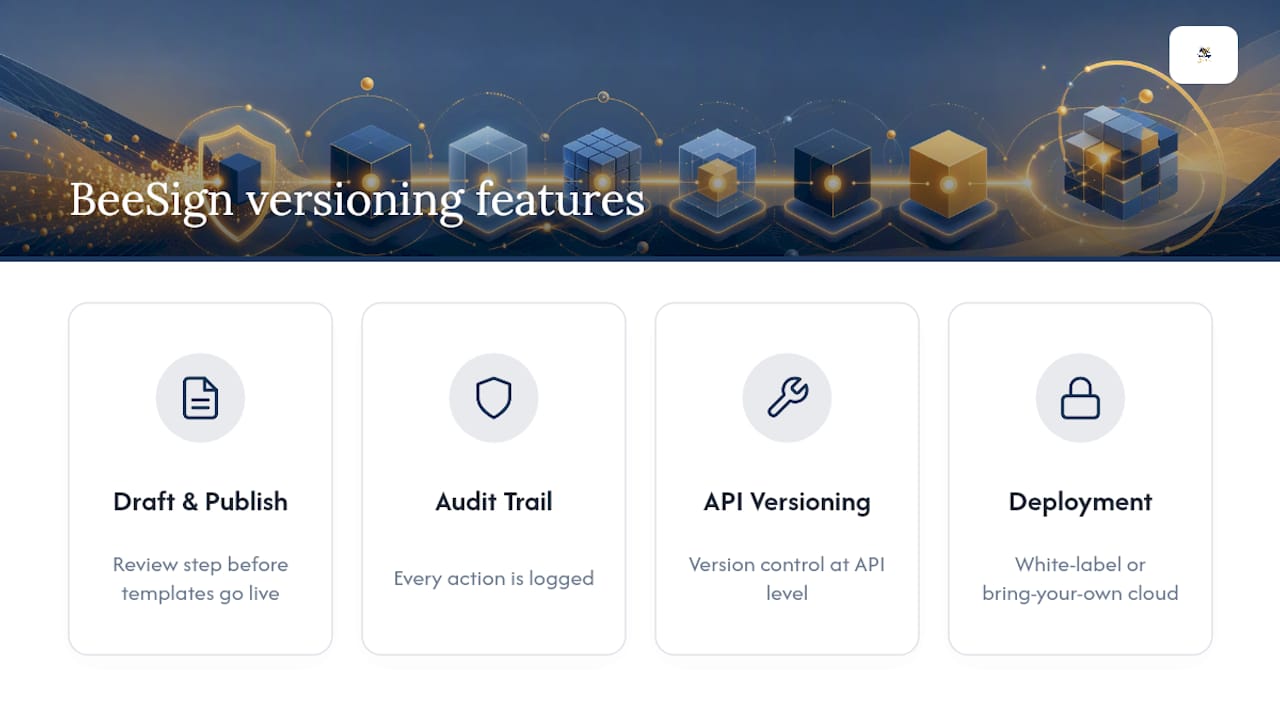
Teams evaluating an integrated platform want draft and publish states, an audit trail, and API-level version control without stitching three tools together. BeeSign’s feature set is built around that combination: templates move through review before they go live, every action gets logged, and white-label or bring-your-own-cloud deployment keeps the data inside your own infrastructure. For teams already building reusable contract templates, pairing that structure with a signing workflow closes the gap between “we have a template policy” and “we have a system that enforces it.”
What Most Teams Get Wrong About Template Versioning
The mistake I see most often isn’t a missing tool. It’s teams that write a versioning policy and then let one person quietly bypass it “just this once” on a live template. That one exception is usually where the incident starts. Pilot the checklist above before you scale it.
— Mustafa Abusharkh
Get Draft, Publish, and Audit Controls in One Platform
Beesign gives teams a single workflow for template versioning instead of stitching together a document editor, a separate audit log, and a signing tool. Templates move through draft and published states with a locked audit trail, and BeeSign’s API lets automation pin document generation to a specific published version, so an in-progress edit never leaks into a live contract or invoice.

That matters most for teams that also need approval gates between draft and publish, since BeeSign builds those checkpoints into the same platform rather than requiring a separate tool. White-label and bring-your-own-cloud deployment, covered on the White Label & BYOC page, keep template data inside your own infrastructure, which matters for teams under ESIGN, eIDAS, or HIPAA requirements. Pricing information is available on BeeSign’s pricing page, where you can find details about their plans and fees. Check BeeSign’s pricing page to see which plan fits your template volume or start a free trial to test the draft and publish workflow on your own templates.
Sources
For platform-specific detail beyond what’s covered here, review Google’s guide to version history in Docs, Microsoft’s version history support page, and the VMware design blueprint on template management. For a look at how collaborative editors surface version history in their interface, see AmmarAI’s history and versions feature.
- Find what’s changed in a file - Google Docs Editors Help
- View previous versions of Office files - Microsoft Support
- Template management and versioning — VMware design blueprints
FAQ
What Is Document Template Versioning?
It’s the practice of tracking every change to a template, along with metadata like owner and change summary, so teams can trace, restore, or audit any prior version.
How Many Versions Does Google Docs Keep?
Google Docs supports up to 40 named versions per document, and pinning a version with “Keep forever” protects it from automatic cleanup.
Does Microsoft 365 Automatically Save Version History?
Yes, for files stored in OneDrive or SharePoint, though how many versions are retained depends on how the library is configured.
When Should a Team Move to GitOps for Templates?
Once template volume, automation, and audit requirements outgrow GUI-based version history, Git-integrated workflows with pull request review and branch protections become worth the setup cost.
Does BeeSign Support Draft and Published Template Versions?
Yes, BeeSign separates draft and published states with an audit trail and API version support. Pricing details can be found on their pricing page.
Recommended
Ready to transform your workflow?
Start using BeeSign today and experience the future of document signing