Why Document Automation Helps Registrars Work Smarter
Discover why document automation helps registrars work smarter. Cut costs, reduce errors, and speed up processing with digital workflows.

Document automation is defined as the use of software to generate, route, process, and store documents without manual intervention. For registrar offices, it is the most direct path to cutting processing costs, reducing compliance risk, and freeing staff from repetitive data entry. Processing costs drop from $5–$25 per document manually to $0.50–$2.00 automated, a reduction that compounds across thousands of annual transactions. Platforms like Beesign, Banner, and PeopleSoft each play a role in this shift. The core argument for why document automation helps registrars is simple: it replaces low-value, error-prone manual work with reliable, auditable digital workflows.
Why document automation helps registrars process faster
Speed is the most visible benefit of automated documentation in registrar offices. The numbers are specific and significant. Automated transfer credit evaluation cuts processing time from 25 minutes to under 3 minutes per request. That means a task that once consumed nearly half an hour now takes less time than brewing a cup of coffee.

Transcript handling sees a similar shift. Manual processing takes days. Automated systems handle the same volume in minutes. Institutions processing 10,000 or more annual transfer credit requests can absorb that growth without adding headcount, which matters when hiring budgets are flat and enrollment numbers are not.
The workflows that benefit most from automation include:
-
Transfer credit ingestion and evaluation — bots extract course data from incoming transcripts and match it against institutional equivalency tables.
-
Enrollment form processing — digital forms route automatically to the right approvers based on student type, program, or residency status.
-
Degree audit requests — automated triggers pull the right records and generate audit reports without staff intervention.
-
Transcript ordering and delivery — requests submitted online move through verification and fulfillment without a staff member touching each file.
Pro Tip: Start by timing your three most repetitive document tasks this week. If any single task takes more than 10 minutes per request and happens more than 50 times a month, it is a strong candidate for automation.
The efficiency gains from document automation for registrars are not theoretical. They show up in processing queues, staff workloads, and student wait times within the first semester of deployment.
How does automation reduce errors and protect compliance?
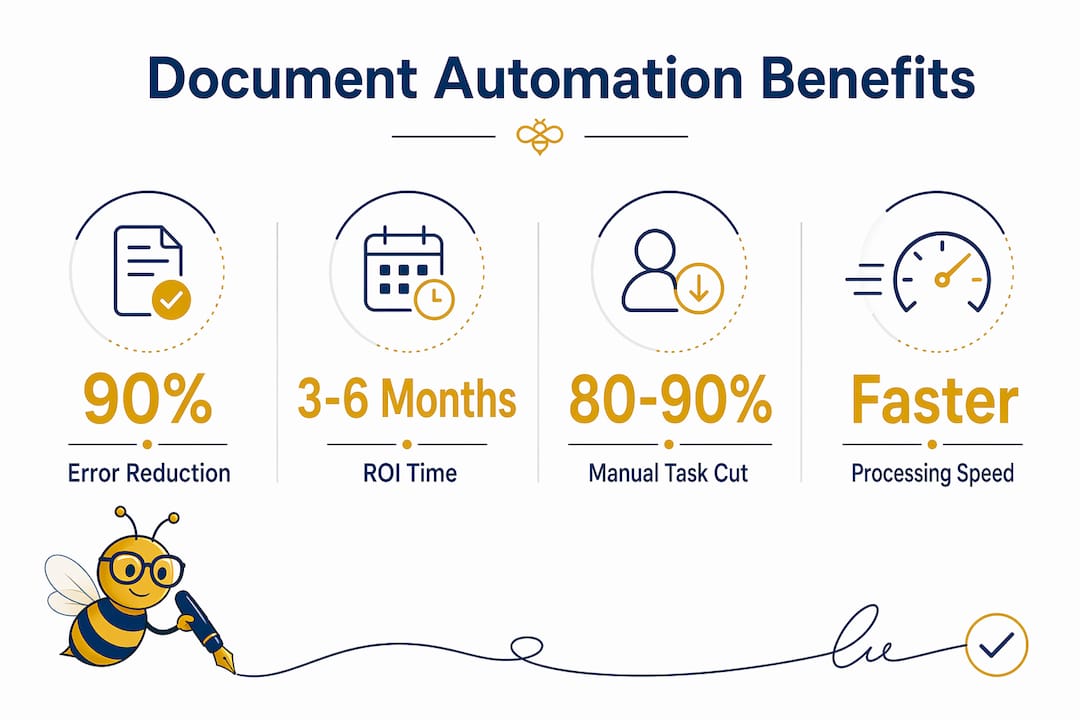
Manual data entry carries an error rate of approximately 1%. That sounds small until you multiply it across thousands of student records, enrollment forms, and transcript requests. Automated document processing reduces human error rates by up to 90%, which translates directly into fewer FERPA violations, fewer accreditation flags, and fewer corrective audits.
The compliance stakes in registrar work are high. FERPA governs how student records are accessed and shared. Accreditation bodies require accurate, consistent documentation. A single misrouted transcript or incorrectly entered credit transfer can trigger a formal review. Automation removes the human hand from the most error-prone steps, which is where most compliance failures originate.
Key compliance advantages of automated document workflows include:
-
Digital audit trails that record every action taken on a document, including who accessed it, when, and what changed.
-
Immutable records that cannot be altered after signing or submission, supporting legal integrity under ESIGN and FERPA.
-
Standardized processing rules that apply the same logic to every document, eliminating inconsistency between staff members.
-
Automated routing controls that prevent documents from reaching unauthorized recipients.
“Digitizing registrar workflows is fundamentally about re-engineering public trust through tamper-evident digital audit trails.” — Document Workflow for State Registries
AI pre-processes and standardizes data while humans retain control for FERPA enforcement, legal exceptions, and policy decisions. This human-in-the-loop model is not a workaround. It is the correct design for error-sensitive academic environments.
Pro Tip: Build your electronic signature audit trail into every document workflow from day one. Retrofitting audit controls after deployment is significantly harder than designing them in at the start.
Does automation work with existing SIS platforms?
Registrar offices do not need to replace Banner, PeopleSoft, or Ellucian to benefit from automation. The correct approach is to treat automation as a coordination layer that sits above your existing Student Information System. Automation handles routing, exception management, and policy enforcement without touching the core SIS architecture. This avoids the cost and disruption of a full system replacement.
The table below shows how an automation layer compares to a full SIS replacement across the dimensions that matter most to registrar teams.
| Factor | Automation layer | Full SIS replacement |
|---|---|---|
| Implementation time | 3–6 months for first workflows | 18–36 months typical |
| Upfront cost | Low to moderate | Very high |
| Staff disruption | Minimal, additive to existing tools | High, requires full retraining |
| Compliance continuity | Maintained throughout | Risk during transition |
| Scalability | Add workflows incrementally | Fixed at implementation scope |
| ROI timeline | 3–6 months | 3–5 years |
The governance model matters as much as the technology. Bid-vs-did governance defines quantitative targets before deployment and audits actual performance after release. For registrar offices, this means setting a measurable goal such as reducing transfer credit processing time by 80%, then verifying that the automation actually delivers it. Without this framework, automation projects drift and accountability disappears.
Phased deployment is the practical path forward. Start with one high-volume, high-pain workflow. Build confidence in the system’s outputs. Then expand. Institutions that start with transfer credit ingestion build the data foundations and institutional trust needed to scale automation across the full office.
What do real-world deployments look like for registrars?
The return on investment from document automation for registrars arrives faster than most administrators expect. ROI typically lands within 3 to 6 months due to the immediate reduction in per-document processing costs and staff hours reclaimed. The savings are not marginal. They are structural.
Real deployments follow a consistent pattern:
-
Identify the highest-volume repetitive workflow. Transfer credit evaluation is the most common starting point because it is high-frequency, rule-based, and time-consuming.
-
Map the current process in detail. Document every step, every decision point, and every handoff. This map becomes the blueprint for the automated workflow.
-
Deploy a limited pilot. Run the automated workflow alongside the manual process for 4–6 weeks. Compare outputs for accuracy and speed.
-
Validate AI outputs with staff review. Before trusting automation at full scale, have experienced registrar staff review a sample of automated decisions. This builds institutional confidence and catches edge cases.
-
Scale to adjacent workflows. Once transfer credit automation is stable, apply the same approach to enrollment forms, degree audits, and transcript requests.
Automation removes 80–90% of robotic manual data entry, reclaiming thousands of staff hours annually. Those hours do not disappear. They shift to complex academic advising, student exception handling, and policy work that genuinely requires human judgment.
The trust-building phase is not optional. Registrar teams that skip validation and deploy automation at full scale immediately tend to encounter resistance from staff and errors that erode confidence. Institutions that build trust in AI outputs incrementally see faster long-term adoption and fewer rollbacks.
Key Takeaways
Document automation helps registrars cut processing costs, reduce compliance risk, and reclaim staff time by replacing manual data entry with reliable, auditable digital workflows.
| Point | Details |
|---|---|
| Processing speed | Automated transfer credit evaluation drops from 25 minutes to under 3 minutes per request. |
| Cost reduction | Per-document costs fall from $5–$25 manually to $0.50–$2.00 with automation. |
| Error reduction | Automated workflows reduce human error rates by up to 90%, protecting FERPA and accreditation compliance. |
| SIS integration | Automation works as a coordination layer above Banner or PeopleSoft without replacing either system. |
| ROI timeline | Most registrar offices reach return on investment within 3 to 6 months of deployment. |
My honest view on automation in registrar offices
I have watched registrar teams resist automation for the wrong reasons and adopt it for the wrong reasons. Both paths lead to the same problem: a system that does not earn trust.
The teams that get it right treat automation as a staffing decision, not a technology decision. When you remove 80–90% of manual data entry from a staff member’s day, you are not eliminating their job. You are changing what their job is. That shift requires deliberate planning, clear communication, and a phased rollout that gives staff time to adapt.
The risk I see most often is automation without accountability. A team deploys a transfer credit bot, it produces outputs, and no one checks whether those outputs are accurate at scale. Six months later, a compliance audit finds systematic errors that the bot introduced quietly. The bid-vs-did governance framework exists precisely to prevent this. Define your targets. Measure your results. Audit continuously.
My advice is direct: pick one workflow, automate it well, and measure everything. Do not attempt to automate the entire office at once. The advantages of automated documentation compound over time, but only if the foundation is solid. Start small, build trust, and scale from a position of confidence rather than urgency.
— Mustafa
Beesign makes registrar document workflows secure and compliant
Registrar offices need more than speed. They need audit trails, compliance controls, and signing workflows that hold up under FERPA and accreditation review.

Beesign centralizes contracts, enrollment forms, and identity verification in one platform built for compliance. Every signed document carries a hash-chained audit trail that records each action, timestamp, and signer identity. Automated routing reduces manual follow-ups and eliminates the gaps where errors enter. Beesign integrates with existing registrar systems through its API, so you add capability without replacing infrastructure. Explore Beesign’s secure eSignature platform to see how registrar teams are cutting processing time and strengthening compliance without a full system overhaul. You can also review Beesign’s electronic signature product for specific signing workflow features designed for education environments.
FAQ
What is document automation for registrars?
Document automation for registrars is the use of software to process, route, and store student records without manual data entry. It covers workflows like transfer credit evaluation, transcript handling, and enrollment form processing.
How does automation improve compliance in registrar offices?
Automated workflows reduce human error rates by up to 90% and generate digital audit trails that support FERPA and accreditation requirements. Every document action is logged, timestamped, and tamper-evident.
Does document automation replace Banner or PeopleSoft?
No. Automation works as a coordination layer above existing Student Information Systems like Banner or PeopleSoft. It handles routing and exception management without requiring a full system replacement.
How long does it take to see ROI from registrar automation?
Most registrar offices reach return on investment within 3 to 6 months. The primary drivers are reduced per-document processing costs and staff hours reclaimed from repetitive data entry.
What is the best workflow to automate first in a registrar office?
Transfer credit evaluation is the strongest starting point. It is high-volume, rule-based, and time-consuming, which makes it ideal for automation and a reliable foundation for scaling to other workflows.
Recommended
Ready to transform your workflow?
Start using BeeSign today and experience the future of document signing