Cloud Document Storage Security Basics: 2026 Guide
Discover the cloud document storage security basics every organization needs. Protect your data with essential encryption and access controls.

Cloud document storage security is defined as the practice of protecting digital documents in cloud environments through encryption, access controls, and governance policies that prevent unauthorized access and data breaches. The cloud document storage security basics every organization needs cover two foundational pillars: encryption standards like AES-256 and TLS 1.3, and access management frameworks aligned with ISO 27001. Regulatory requirements under HIPAA, ESIGN, and eIDAS make these controls mandatory for most professional environments. Getting these basics right from the start is far easier than retrofitting security after a breach.
What are the main encryption methods for cloud documents?
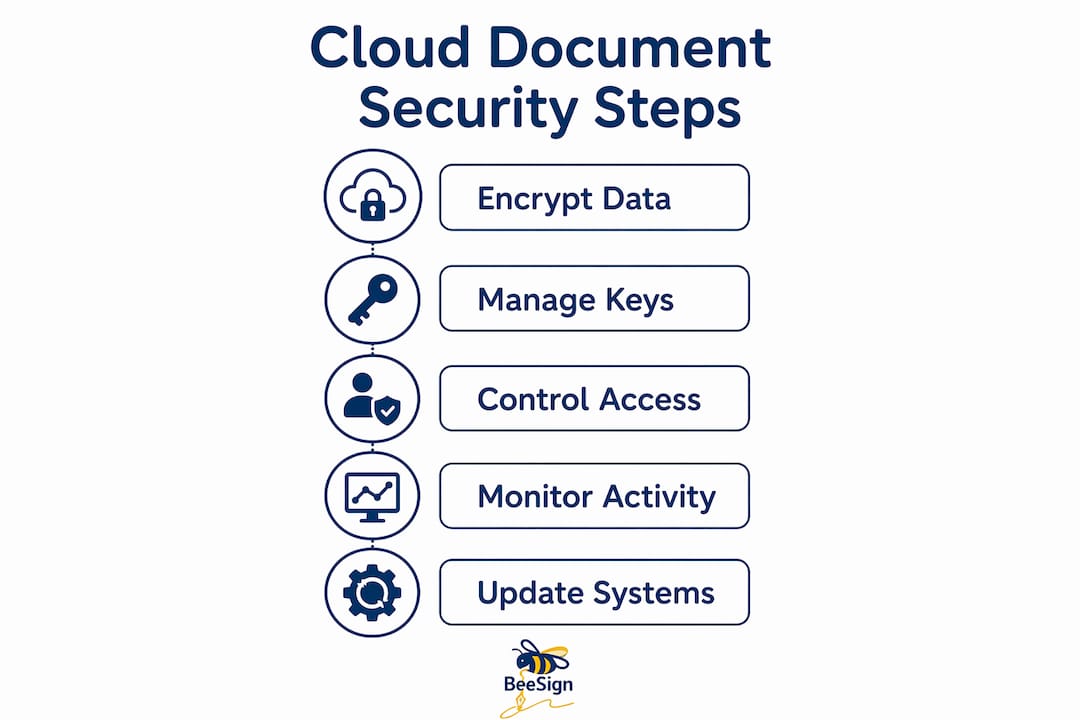
Encryption is the first line of defense for any document stored in the cloud. Two distinct encryption contexts apply: data at rest and data in transit. Each requires a different standard and a different configuration approach.
Encryption at rest protects documents sitting on cloud servers. AES-256 is the globally recognized standard for at-rest encryption, recommended by NIST and required by ISO 27001 Annex A.10.1 for high-security environments. The 256-bit key length makes brute-force attacks computationally infeasible with current hardware.

Encryption in transit protects documents moving between your device and the cloud server. TLS 1.3 is the current standard for securing these transfers. It eliminates several vulnerabilities present in TLS 1.2, including weak cipher suites and unnecessary handshake round-trips that slowed earlier connections.
| Encryption type | Standard | What it protects | Key consideration |
|---|---|---|---|
| At rest | AES-256 | Stored files on servers | Key management lifecycle |
| In transit | TLS 1.3 | Data during transfer | Certificate validity |
| End-to-end | Client-side AES | Files from sender to recipient | Provider cannot decrypt |
| Zero-knowledge | User-controlled keys | Full confidentiality | Provider has no key access |
One critical nuance most organizations miss: not all providers offer zero-knowledge encryption. Many retain decryption keys, which means the provider can technically access your files and may be compelled to disclose them under legal orders. True confidentiality requires client-side encryption with user-controlled keys.
Encryption key management is where most organizations fail. Improper key reuse or storing keys alongside encrypted data compromises all encryption efforts. A proper key lifecycle includes creation, storage in a dedicated key management service, scheduled rotation, and revocation when a key is no longer needed.
Pro Tip: Never store encryption keys in the same location as the encrypted files. Use a dedicated key management service like AWS KMS or Azure Key Vault to maintain separation and enforce rotation policies.
How do access controls and authentication protect cloud documents?
Encryption protects data at the file level. Access controls determine who can reach those files in the first place. Both layers must work together.
The principle of least privilege is the governing rule for access management. Every user gets access only to the documents their role requires, and nothing more. Granular permission mapping enforces this by assigning rights at the folder, file, or even field level rather than granting broad department-wide access. This approach limits the blast radius when any single account is compromised.
Role-based access control (RBAC) makes least privilege scalable. Instead of configuring permissions for each individual user, you define roles such as “legal reviewer,” “HR manager,” or “finance auditor” and assign permissions to those roles. Users inherit the rights of their role. When someone changes jobs internally, you update their role assignment rather than manually adjusting dozens of individual permissions.
Multi-factor authentication (MFA) is the single highest-return security measure to prevent unauthorized cloud access. MFA prevents account takeover even when passwords are stolen, which is the most common entry point for cloud breaches. Authenticator apps and hardware keys are the preferred MFA methods. SMS codes are weaker because SIM-swapping attacks can intercept them.
Top access control practices for cloud document security:
- Enforce MFA for every user account, with no exceptions for administrators or executives
- Apply RBAC with clearly defined roles tied to job functions, not individual preferences
- Restrict public access to cloud storage to documented business cases only, isolated from internal data
- Conduct quarterly access reviews to remove stale permissions from former employees or changed roles
- Require re-authentication for high-sensitivity actions like bulk downloads or permission changes
Pro Tip: Set up automated alerts for any permission escalation event. If a standard user account suddenly gains admin rights, you want to know within minutes, not during the next quarterly review.
What operational practices maintain strong cloud document security?
Encryption and access controls are configurations. Operational practices are what keep those configurations effective over time. Without ongoing maintenance, even a well-configured environment degrades.
Comprehensive audit trails are the backbone of operational security. Audit trails must log granular user actions such as downloads, permission changes, and document status transitions to be effective for compliance and forensic investigations. Immutable logs, meaning logs that cannot be altered or deleted by any user including administrators, are the standard for regulated industries. When a security incident occurs, these logs tell you exactly what happened, who did it, and when.
Configuration drift is a serious and underappreciated risk. When organizations use multiple cloud storage platforms without centralized governance, each platform develops its own permission settings and security configurations over time. Configuration drift among multiple platforms leads to inconsistent permissions and security gaps that attackers exploit. Centralized identity governance solves this by enforcing uniform policies across all platforms from a single control point.
Operational security also requires a disciplined patching schedule. Cloud environments receive frequent updates, and unpatched systems carry known vulnerabilities. Assign a specific team member to track vendor security advisories and apply patches within a defined window, typically 72 hours for critical vulnerabilities.
Document classification is the operational practice that ties everything together. Assign sensitivity labels to every document category: public, internal, confidential, and restricted. These labels drive permission assignments automatically. Effective classification uses fewer than 10 intuitive labels to avoid confusion that leads employees to bypass the system entirely.
What steps should organizations take to implement cloud document security?
Implementation works best as a structured sequence. Skipping steps or running them in parallel creates gaps that are hard to detect later.
-
Audit your current state. Inventory every cloud storage location your organization uses, including unofficial ones employees have adopted on their own. You cannot secure what you cannot see.
-
Enable AES-256 encryption at rest and TLS 1.3 in transit on every platform. Verify these settings in the provider’s security console rather than assuming defaults are sufficient. Many providers default to weaker settings for backward compatibility.
-
Configure key management. Move encryption keys out of provider-managed storage if your compliance requirements demand it. Set a rotation schedule of 90 days or less for keys protecting sensitive documents.
-
Build your RBAC structure. Define roles before assigning users. Map each role to the minimum document access it requires. Assign users to roles, not to individual files.
-
Enforce MFA across all accounts. Disable SMS-based MFA where possible and migrate users to authenticator apps or hardware keys. Document any exceptions with a formal risk acceptance sign-off.
-
Enable audit logging with real-time alerts. Configure alerts for high-risk events: bulk downloads, permission escalations, failed login attempts above a threshold, and access from unusual geographic locations.
-
Classify your document library. Apply sensitivity labels to existing documents in batches, starting with the highest-risk categories. Build classification into your document creation workflow so new files are labeled at creation.
-
Test your security posture quarterly. Run access reviews, simulate a permission escalation scenario, and verify that audit logs capture the event correctly. Security configurations that are never tested are configurations you cannot trust.
Pro Tip: Pair your document signing workflows with your classification framework. Documents that require a signature are almost always confidential or restricted, and treating them that way from creation prevents misclassification.
Key Takeaways
Effective cloud document security requires AES-256 encryption, TLS 1.3 in transit, role-based access control, MFA, and immutable audit trails working together as a unified system.
| Point | Details |
|---|---|
| Encryption standards matter | Use AES-256 at rest and TLS 1.3 in transit; verify these settings rather than assuming provider defaults. |
| Key management is critical | Store encryption keys separately from encrypted files and rotate them on a defined schedule. |
| Access control limits damage | Apply least privilege and RBAC so a compromised account cannot reach documents outside its role. |
| MFA is non-negotiable | Authenticator apps and hardware keys prevent account takeover even when passwords are stolen. |
| Audit trails enable compliance | Immutable logs capturing downloads and permission changes are required for forensic investigations and regulatory audits. |
What I’ve learned about cloud document security that most guides skip
Most security guides treat encryption as a checkbox. Enable AES-256, enable TLS 1.3, done. That thinking is where organizations get into trouble.
The real risk I see repeatedly is key governance. Organizations enable strong encryption but leave key management entirely to the cloud provider. That means the provider holds the decryption key. In practice, provider-managed keys mean the provider can decrypt your files. For most business documents, that is an acceptable tradeoff. For legal contracts, health records, or financial data, it is not. Client-side key management is harder to set up, but it is the only way to guarantee that your encryption actually means something.
The second thing I have seen underestimated is the multi-cloud problem. Most organizations now use three or more cloud storage services. Each one has its own permission model, its own audit log format, and its own security defaults. Without centralized identity governance, these platforms operate as isolated security domains. A document that is tightly controlled in one system can be freely shared in another, and no one notices until something goes wrong.
The third gap is the friction problem. Security controls that employees find difficult to use get bypassed. I have watched organizations deploy sophisticated permission frameworks that employees route around by emailing documents as attachments instead. The answer is not to loosen security. The answer is to choose platforms where secure behavior is also the easiest behavior. When your document workflow makes the secure path the default path, compliance follows naturally.
— Mustafa Abusharkh
Beesign brings security and workflow together
Professionals who need both document security and signing efficiency do not have to choose between the two. Beesign centralizes contracts, templates, and identity verification in one platform built for compliance with ESIGN, eIDAS, and HIPAA. Every document signed through Beesign benefits from encryption in transit and at rest, tamper-evident audit trails, and identity verification that ties each signature to a verified individual.

Legal teams, HR departments, and sales organizations use Beesign to close agreements faster without sacrificing the security controls that regulators require. The platform’s security architecture keeps data within your infrastructure when you need it, and the white-label option lets you run the entire workflow under your own brand. For organizations that need defensible, compliant document workflows, Beesign is a direct fit.
FAQ
What is the strongest encryption standard for cloud document storage?
AES-256 is the strongest widely deployed standard for encrypting documents at rest in cloud storage. NIST recommends it, and ISO 27001 Annex A.10.1 requires it for high-security environments.
Why is MFA more effective than a strong password alone?
MFA prevents account takeover even when a password is stolen or guessed. Authenticator apps and hardware keys are the most secure MFA methods because they cannot be intercepted through SIM-swapping attacks.
What is the difference between provider-managed and client-side encryption keys?
Provider-managed keys mean the cloud provider controls decryption and can access your files. Client-side keys mean only your organization holds the decryption key, giving you true confidentiality that the provider cannot override.
How do audit trails support regulatory compliance?
Audit trails log granular actions such as downloads, permission changes, and document status transitions. Immutable logs tied to specific user accounts give regulators and investigators a verifiable record of every document interaction.
How does configuration drift create security vulnerabilities?
Configuration drift occurs when multiple cloud platforms develop inconsistent permission settings over time without centralized governance. These gaps create access paths that bypass your intended security controls, often without triggering any alerts.
Recommended
Ready to transform your workflow?
Start using BeeSign today and experience the future of document signing