How to Embed Signature Workflows in Your App
Learn how to embed signature workflows in your app with secure APIs, branded signing, audit trails, and identity checks that keep agreements moving fast.
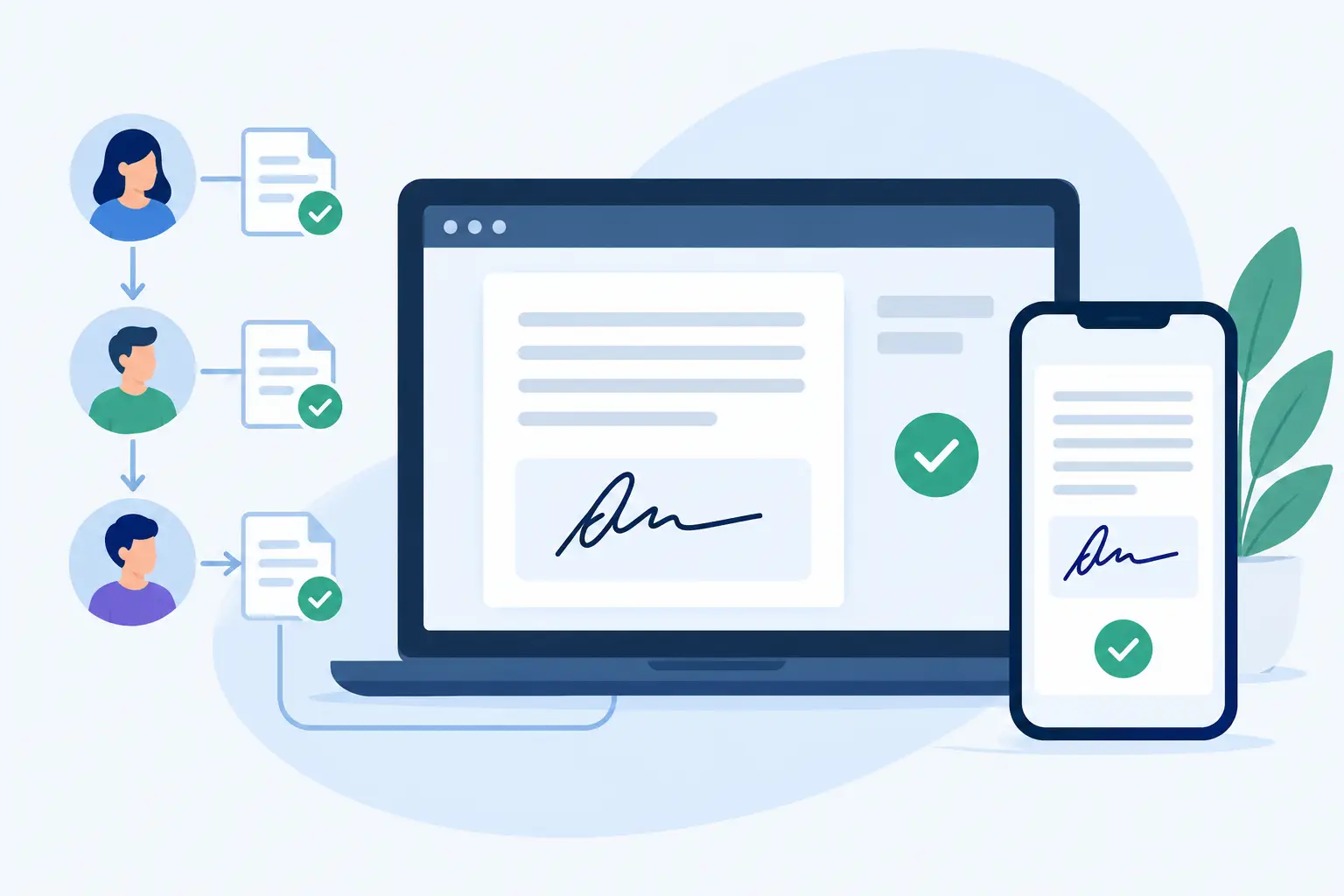
A customer accepts your quote, completes onboarding, or submits an application - then gets pushed into email to download, print, sign, scan, and send a document back. That handoff is where good product experiences slow down. Learning how to embed signature workflows lets you keep the agreement inside the process your customer already started, without taking on the burden of building a signature system from scratch.
For product, operations, and compliance teams, embedded signing is not just a convenience feature. It is a way to move contracts and approvals faster while keeping a defensible record of every action. Done well, it feels like a natural part of your application. Done poorly, it creates identity gaps, unclear document status, and support tickets when a signer cannot get back to where they were.
What Embedded Signature Workflows Actually Include
An embedded signature workflow places the signing experience in your product, portal, or internal tool. Your application creates an agreement through an API, identifies the people who need to act, and displays the signing experience in a controlled context. When the agreement is viewed, signed, declined, or completed, your system receives the event and updates its own records.
The signature screen is only one part of the workflow. A complete implementation also handles document generation, recipient roles, signing order, approvals, reminders, authentication, completed-document storage, and audit evidence.
For example, a property management platform might generate a lease from application data, send it to the tenant first, route it to a guarantor next, and then assign it to an internal manager for final approval. Each party should see the right fields at the right time. The platform should know immediately whether the lease is waiting, signed, rejected, or expired.
That is the difference between embedding a signature box and embedding a workflow.
Start With the Agreement Journey, Not the API
Before an engineering team chooses endpoints, map the journey from the user action that starts the agreement to the event that closes it. This prevents a common mistake: implementing document signing first, then discovering that approvals, conditional routing, and status updates have nowhere to go.
Ask where the document originates. It may be a PDF uploaded by an operations team, a template populated with CRM data, or a form completed by a customer. Then define who acts on it and in what order. Some agreements require parallel signatures. Others need one signer to finish before the next person receives an invitation. A sales order might require a manager approval only when its value exceeds a threshold.
Also decide which system owns the status. Your application may remain the source of truth for the customer relationship, while the eSignature platform becomes the system of record for the agreement, its completed copy, and its audit trail. Those responsibilities should be explicit. If two systems can both mark an agreement complete without reconciliation, reporting will eventually drift.
Define roles and exceptions early
Name roles by purpose, not by individual email address. “Customer signer,” “legal approver,” and “internal counter-signer” are easier to reuse and maintain across templates. Then document the exceptions: a signer declines, an email bounces, a link expires, the wrong person receives the document, or an approval is denied.
A mature workflow gives users a clear next step in each of those cases. It should also give your operations team enough visibility to intervene without asking engineering to inspect logs.
How to Embed Signature Workflows Step by Step
1. Create documents from controlled templates
Use templates for agreements that repeat, such as service contracts, offer letters, intake packets, and consent forms. Your application can send data such as names, pricing, addresses, dates, and account IDs when it creates the document. The platform then places that information into predefined fields rather than relying on someone to edit a PDF manually.
Templates reduce errors, but they need governance. Lock the legal language that must not change, allow controlled variables where business data belongs, and version templates when terms are updated. For regulated workflows, record which template version produced each signed agreement.
2. Set recipients, fields, and routing rules
Each recipient should receive only the fields and actions assigned to them. A customer signs acceptance terms, an internal reviewer approves, and a finance contact may fill in billing details. Clear field assignment keeps confidential information from being exposed to the wrong party and prevents incomplete documents.
Set the routing logic based on the real business process. Sequential signing works well when each signer needs to see prior actions. Parallel signing can shorten the cycle for independent acknowledgments. Approval steps are useful when a document needs internal review before it reaches an external signer.
Avoid adding a signature requirement where a simple approval will do. Every unnecessary signer slows completion and makes a workflow harder to support.
3. Launch an embedded signing session
When a user is ready to sign, your application requests a short-lived signing session from the eSignature provider and opens it within your product experience or a branded signing page. The signer should not need a separate account or app just to complete a document.
The return path matters. After signing, take the user back to a meaningful screen, such as their application status, deal workspace, or account dashboard. Show a plain-language confirmation and explain what happens next. If the agreement still needs another signer or approval, say so instead of implying that the entire process is finished.
For customer-facing products, use your own domain, logo, and verified sending address where possible. Branding reduces confusion and makes legitimate signature requests easier to recognize. It should not, however, hide who is collecting the agreement or what the signer is agreeing to.
4. Use webhooks to keep records current
Do not rely on a user closing a browser window to determine whether they signed. Your application should receive secure event notifications for meaningful changes, including document sent, viewed, completed, declined, and expired.
Verify webhook signatures, store the event ID, and make event processing idempotent. In practical terms, your system should safely handle the same event twice without creating duplicate notifications or changing an agreement back to an earlier state. This matters because distributed systems retry deliveries when networks fail.
Use webhooks to trigger the next business action: provision an account after an order form is complete, notify HR after an offer letter is signed, or release a case to fulfillment after required consents are collected. Keep the original event data with the agreement record so your team can explain what happened later.
Build for Trust, Not Just Completion
A fast signature flow is valuable only if it can stand up to scrutiny. At minimum, retain a tamper-evident audit trail that captures sends, views, signatures, timestamps, and IP addresses. Preserve the finalized document and its completion certificate together, rather than treating the signed PDF as the only evidence.
Protect documents while they move and while they are stored. Look for TLS in transit and 256-bit AES encryption at rest, along with controlled access, expiring links, and workspace isolation. If your use case involves sensitive health, financial, employment, or legal information, your vendor review may also require clear answers about storage location, access controls, retention, and compliance support.
Identity assurance should match the risk of the agreement. An emailed signing link may be appropriate for a low-risk acknowledgment. Higher-value or regulated transactions may call for government ID capture, biometric face matching with liveness detection, and database validation. For European requirements, this can support eIDAS-compliant Advanced Electronic Signatures when the workflow needs stronger proof of who signed.
There is a trade-off. More verification can reduce fraud and strengthen evidence, but it can also add friction. Apply it where the consequences justify it rather than forcing every signer through the same high-assurance process.
Keep the Experience Simple for Signers and Teams
The best embedded workflow needs almost no explanation. Prefill known information, clearly label required fields, support mobile signing, and use concise error messages. A signer should understand whether they need to review, approve, fill out a field, or sign.
Your internal teams need a similarly clear view. Give them searchable agreement status, recipient activity, reminders, and a way to resend or cancel a request without changing the underlying document improperly. For high-volume teams, dashboards and role-based access become operational necessities, not extras.
BeeSign is designed for this model: its REST API mirrors the dashboard, so product teams can create documents, manage templates, send agreements, and administer workflow activity from their own application while maintaining a secure agreement record.
Test the Workflow Like a Business Process
Before release, test more than the happy path. Run through a completed signature on desktop and mobile, an expired link, a declined agreement, a missing required field, a signer who returns later, and a webhook retry. Test what happens when recipients are in different time zones and when a document is reopened after completion.
Then test permissions. A standard user should not be able to view another customer’s agreement, modify a locked document, or download records outside their role. Confirm that your logs, document IDs, and customer IDs make support investigations possible without exposing more data than necessary.
Once the workflow is live, measure completion time, abandonment by step, reminder volume, decline reasons, and manual intervention rates. Those signals tell you whether the problem is the document, the routing logic, the identity check, or the surrounding product flow.
The goal is not to make signing feel like a separate task. It is to make the next valid agreement action obvious, secure, and easy - so your customers can keep moving and your team can trust the record left behind.
Ready to transform your workflow?
Start using BeeSign today and experience the future of document signing