Secure Vendor Document Storage: A Compliance Guide
Discover best practices for secure vendor document storage. Learn how to protect sensitive files and meet compliance standards effectively.

Secure vendor document storage is the practice of housing sensitive vendor files in encrypted systems with strict access controls, automated retention policies, and audit trails that satisfy regulatory standards like SOC 2 Type II, HIPAA, and GDPR. Without these controls, your business faces real exposure: unauthorized access, competitive bid leaks, and failed audits. AES-256 encryption applied to both data at rest and data in transit is the baseline standard for any compliant vendor file security setup. Getting this right requires more than choosing a storage platform. It demands a deliberate architecture of access rules, compliance documentation, and monitoring that keeps sensitive files protected at every stage of the vendor relationship.
What does secure vendor document storage actually require?
Before you configure a single folder or upload a single contract, your infrastructure and policies need to be in place. Skipping this step is the most common reason businesses end up with a storage system that looks secure but fails under audit scrutiny.
Encryption and system requirements
Enterprise-grade storage systems use AES-256 encryption for both data at rest and data in transit to meet SOC 2 Type II and HIPAA standards. That means your chosen platform must encrypt files the moment they are uploaded and keep them encrypted during every transfer. Platforms that only encrypt in transit leave stored files exposed if the server is compromised.

Document management features to confirm
Your document management system needs these capabilities before you go live:
- Role-based access control (RBAC): Assigns permissions by job function, not by individual. A procurement manager sees all vendor bids; a vendor sees only their own submission.
- Automated workflows: Automated routing and approvals can be implemented within one week and reduce manual admin errors that create compliance gaps.
- Audit trail logging: Every file view, download attempt, and permission change must be recorded with a timestamp and user ID.
- Two-factor authentication (2FA): Required for all users with access to vendor files, especially external vendors logging in through a portal.
- HTTPS enforcement: All traffic to and from the storage system must travel over encrypted connections.
Compliance documentation to prepare
| Document | Purpose |
|---|---|
| Data Processing Agreement (DPA) | Defines how vendor data is handled under GDPR |
| Retention policy | Sets how long each document type is stored before deletion |
| Access control policy | Documents who can access what and under what conditions |
| Incident response plan | Outlines steps if a breach or unauthorized access occurs |
Prepare these documents before implementation. Auditors ask for them first, and having them ready signals that your program is managed, not improvised.
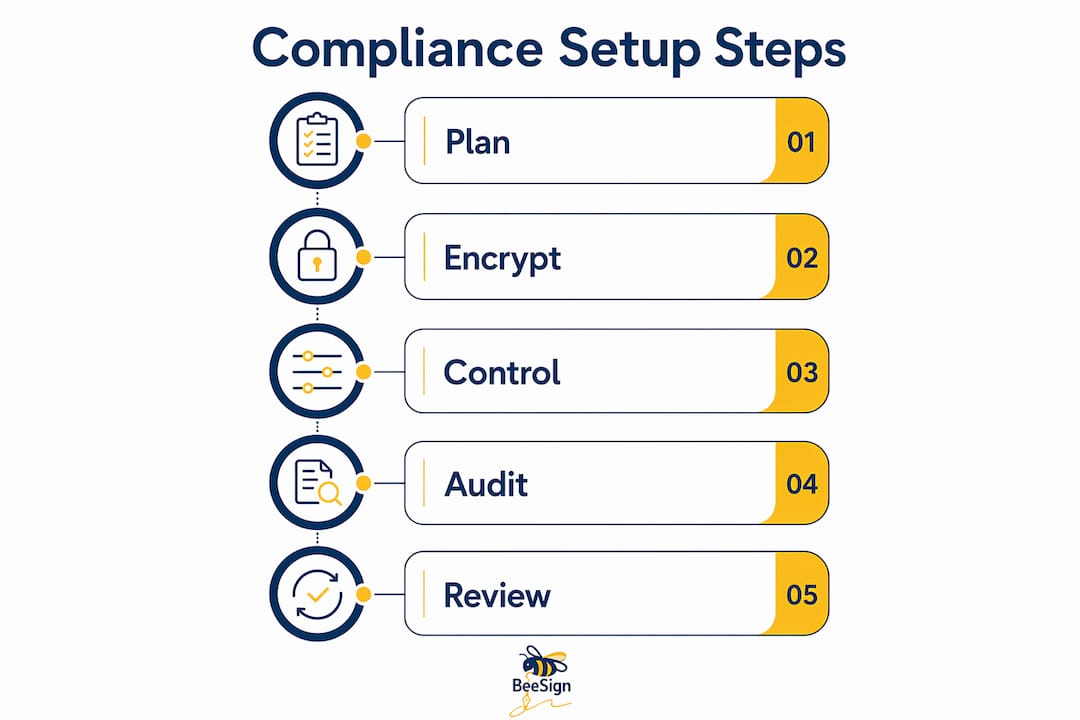
How to set up a secure vendor document storage system
A working setup follows a clear sequence. Each step builds on the last, and skipping any one of them creates a gap that auditors or attackers will find.
-
Create a dedicated vendor document workspace. Never store vendor files in the same environment as internal documents. Separate workspaces prevent accidental exposure and make access control far easier to manage. Competitive bid data must be isolated per vendor to prevent inference or leakage between competing suppliers.
-
Enable AES-256 encryption at the storage layer. Confirm that your platform encrypts files at rest, not just during upload. If you are using a self-hosted solution, this setting is often disabled by default and must be manually activated.
-
Configure role-based access for each vendor. Assign each vendor account access only to the specific project folder or document set relevant to their engagement. Secure vendor portals restrict access so vendors can view only their assigned project files, with automatic access revocation after bid periods end. Set an expiration date on every vendor access grant.
-
Enable view-only mode for sensitive documents. View-only modes prevent printing, forwarding, or downloading during collaboration. This protects your intellectual property even when a vendor is actively working with a document. Apply this setting to RFQ files, technical specifications, and any proprietary process documentation.
-
Set automated retention and deletion policies. Define how long each document category is retained. Contracts typically follow a seven-year retention rule under many U.S. regulations. Certificates of insurance and compliance documents need shorter cycles with automatic renewal reminders.
-
Configure audit trail reporting. Your system should log every access event automatically. Set up weekly or monthly audit trail exports and route them to your compliance team. Automated audit trails and access control reporting are the primary tools for fast investigation when a data incident occurs.
-
Test access revocation before going live. Create a test vendor account, grant access, then revoke it and confirm the account can no longer reach any files. This single test catches the majority of misconfiguration errors before real vendor data is involved.
Pro Tip: Set a calendar reminder to review all active vendor access grants every 30 days. Vendors whose projects have ended often retain access longer than intended simply because no one scheduled the revocation.
Common mistakes in vendor document security and how to avoid them
Most vendor document breaches do not come from sophisticated attacks. They come from predictable, avoidable mistakes that businesses make during setup or ongoing management.
Sharing documents via email is the single most dangerous habit in vendor management. Manual vendor document collection via email creates audit risks. Email attachments bypass every access control you have configured. Once a file leaves your system as an attachment, you have no visibility into who reads it, forwards it, or stores it on an unprotected device.
Using shared folders without isolation is nearly as risky. When multiple vendors can see each other’s submissions or pricing data, you create both a security breach and a legal liability. Vendor data leaks frequently occur via shared folder workflows when competitive bid data is not isolated per vendor.
Watch for these additional pitfalls:
- Self-hosted setups without hardening: Basic self-hosted solutions store documents as raw files unless encryption at rest is manually enabled. A reverse proxy with HTTPS and 2FA must be configured separately. Out-of-the-box installs are not secure.
- No expiration on vendor access: Access that never expires is access that will eventually be misused. Every vendor account needs an end date.
- Ignoring document expiration dates: Certificates of insurance, business licenses, and compliance attestations all expire. Storing an expired document as if it were current creates audit failures.
- Skipping penetration testing: A storage system that has never been tested has unknown vulnerabilities. Schedule at least one external penetration test per year.
Pro Tip: Run a quarterly access audit by exporting your full user permission list and comparing it against your active vendor roster. Any account not tied to a current engagement should be deactivated immediately.
How to verify and maintain compliance in your storage system
Setting up a secure system is a one-time effort. Keeping it compliant is an ongoing practice that requires scheduled reviews and automated monitoring.
Automated notifications for expired or soon-to-expire vendor documents reduce manual tracking errors and prevent audit failures caused by outdated compliance artifacts. Configure your system to send alerts at 60 days, 30 days, and 7 days before any document expiration. This gives your team time to collect updated versions without scrambling.
Your ongoing compliance checklist should include:
- Monthly audit trail reviews: Export access logs and review for anomalies such as access attempts outside business hours or repeated failed login events.
- Quarterly permission audits: Verify that every active vendor account matches a current, active engagement.
- Annual security assessments: Engage an external security firm to test your storage environment. Internal reviews miss blind spots that outside testers find quickly.
- Regulatory update monitoring: GDPR, HIPAA, and SOC 2 requirements evolve. Subscribe to updates from the relevant regulatory bodies and review your policies against any changes.
- Backup and disaster recovery testing: Confirm that encrypted backups exist and that you can restore a specific vendor document within a defined recovery time objective.
| Compliance activity | Recommended frequency |
|---|---|
| Audit trail export and review | Monthly |
| Vendor access permission audit | Quarterly |
| Document expiration check | Automated, with 60/30/7 day alerts |
| External security assessment | Annually |
| Disaster recovery test | Annually |
Rapid integration with identity verification platforms and existing workflows reduces disruption during compliance upgrades. Prioritize platforms that connect to your identity provider so that vendor authentication stays consistent across your entire document environment.
Key takeaways
Secure vendor document storage requires AES-256 encryption, role-based access control, vendor isolation, and automated compliance monitoring to protect sensitive files and pass regulatory audits.
| Point | Details |
|---|---|
| Encryption is non-negotiable | Apply AES-256 to both data at rest and in transit before storing any vendor files. |
| Isolate each vendor’s data | Separate workspaces prevent bid leaks and satisfy competitive fairness requirements. |
| Automate expiration alerts | Set 60/30/7 day notifications to keep compliance documents current and audit-ready. |
| Revoke access on a schedule | Review and deactivate vendor accounts every 30 days to eliminate orphaned permissions. |
| Test before you trust | Run access revocation tests and annual penetration tests to confirm your controls actually work. |
What I’ve learned after years of watching vendor security fail in predictable ways
— Mustafa Abusharkh
The pattern I see most often is this: a business invests real effort in setting up encryption and access controls, then undermines all of it by continuing to send documents via email “just this once.” That one exception becomes the norm, and the secure system becomes a filing cabinet that nobody actually uses for sensitive exchanges.
The second thing I’ve learned is that self-hosted solutions attract teams who want control but underestimate the operational burden. Basic encryption for self-hosted setups is often not enabled by default. You have to manually configure HTTPS proxies, 2FA, and access restrictions. Most teams do the initial setup correctly, then skip the hardening steps because they feel like optional extras. They are not optional.
The area where I think conventional wisdom falls short is intellectual property protection. Most guides focus on preventing unauthorized access to stored files. Fewer address what happens when an authorized vendor actively works with a document. View-only modes that block printing and forwarding are not a premium feature. They are a baseline requirement for any document containing proprietary specifications or pricing models.
My practical recommendation: pair your storage system with identity verification at the point of document signing. Knowing that the person who accessed and signed a vendor agreement is verifiably who they claim to be closes the last gap that encryption alone cannot address.
— Mustafa Abusharkh
Beesign brings encryption and compliance into one vendor workflow
Businesses that have built out their secure document storage setup often discover a gap at the signing stage. Files are stored securely, but the signature process pulls documents out of the controlled environment and into email threads or unverified portals.

Beesign addresses this directly. The platform applies AES-256 encryption to every document, integrates identity verification at the point of signing, and keeps the entire workflow inside a single compliant environment. Audit trails, access controls, and automated retention policies are built in, not bolted on. For businesses managing vendor contracts under ESIGN, eIDAS, or HIPAA requirements, Beesign’s secure document platform connects signing, storage, and compliance into one place. White-label options let you run the service under your own brand and domain, keeping vendor data within your infrastructure.
FAQ
What encryption standard should vendor document storage use?
AES-256 encryption applied to both data at rest and data in transit is the recognized standard for compliant vendor document storage under SOC 2 Type II and HIPAA frameworks.
How do I prevent vendors from downloading sensitive documents?
Enable view-only mode on any document containing proprietary specifications or pricing data. View-only access blocks printing, forwarding, and downloading while still allowing vendors to review the content they need.
Why is email a risk for vendor document sharing?
Email attachments bypass access controls entirely. Once a file is sent as an attachment, you lose visibility into who reads, forwards, or stores it, which creates direct audit exposure and potential data breaches.
How often should I audit vendor access permissions?
Audit vendor access permissions at least once per quarter. Compare your active permission list against your current vendor roster and deactivate any account not tied to an ongoing engagement.
What compliance regulations apply to vendor document storage?
GDPR, HIPAA, and SOC 2 Type II are the most commonly applicable frameworks for businesses storing vendor documents. The specific regulations that apply depend on your industry, the type of data you handle, and the geographic location of your vendors.
Recommended
Ready to transform your workflow?
Start using BeeSign today and experience the future of document signing