Build a Team Document Approval Workflow
Build a team document approval workflow that cuts delays, improves visibility, and keeps contracts, HR, and compliance documents moving fast.
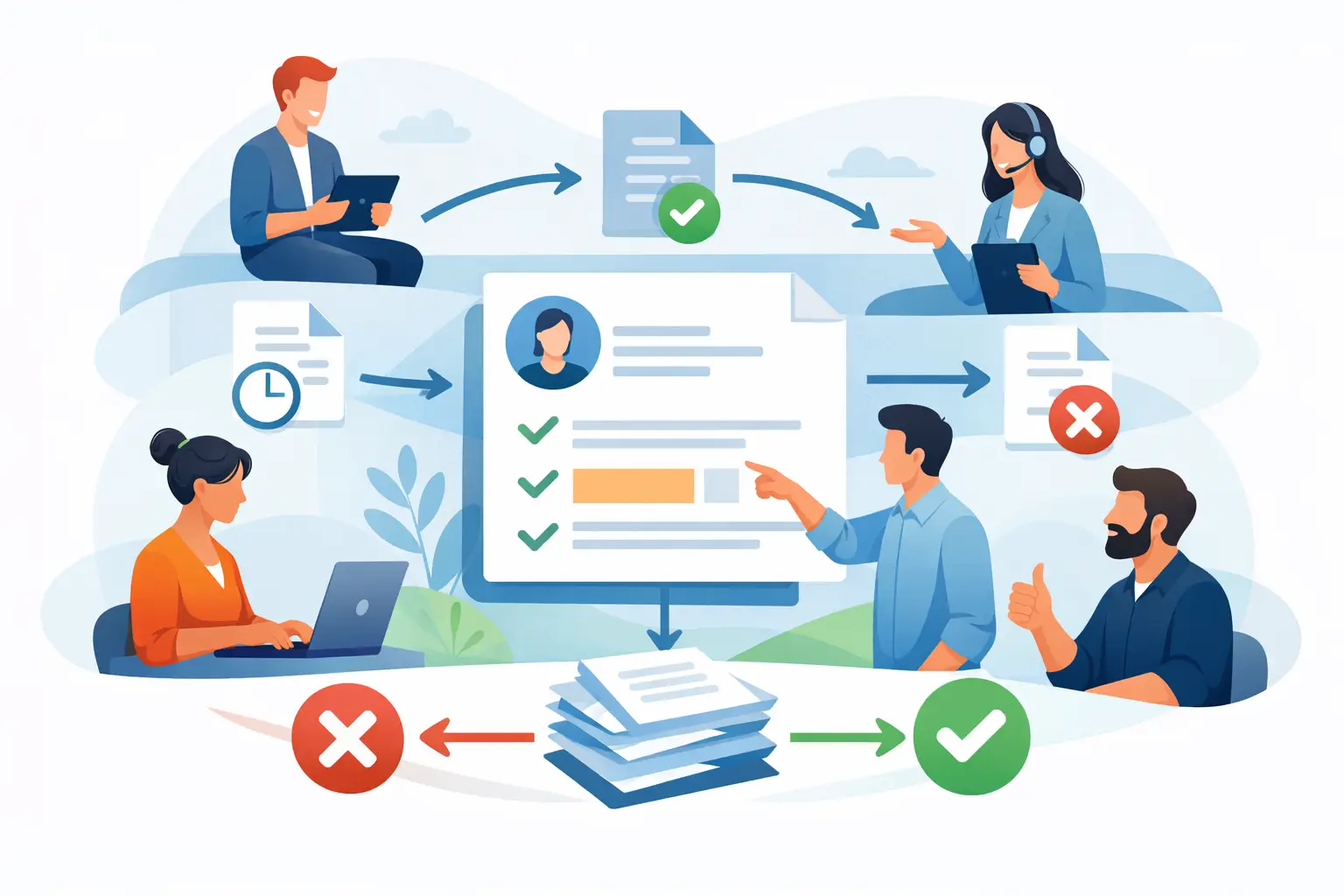
A contract is ready to go, but it sits in someone’s inbox for two days because legal thought finance had the next review. That kind of delay is rarely caused by the document itself. It happens because the team document approval workflow is unclear, manual, or split across too many tools.
When approvals depend on email chains, chat pings, and version names like Final-v7-REAL-final.pdf, teams lose speed and control at the same time. Sales waits on redlines, HR waits on manager signoff, and operations has no reliable view of what is approved, what is blocked, and who is holding it up. A good workflow fixes that. It gives every document a defined path from draft to decision to signature.
What a team document approval workflow should actually do
At its core, a team document approval workflow is a repeatable process that routes a document to the right people in the right order, with clear status at every step. It is not just about getting a yes or no. It is about reducing ambiguity.
For most businesses, that means answering five questions before a document goes out. Who owns the document? Who needs to review it? Who must approve it? Does approval happen in sequence or at the same time? What happens after approval is complete?
If those answers live only in someone’s head, the process will break as volume grows. The more teams you involve, the more expensive that confusion becomes. Legal may need to review contract language, finance may need to confirm pricing or payment terms, and leadership may only need to step in above a certain threshold. Without rules, every approval becomes a custom project.
The best workflows remove that guesswork. They standardize routine approvals while leaving room for exceptions when the document is high risk, high value, or time sensitive.
Why manual approval systems slow teams down
Manual systems feel manageable when document volume is low. A founder can approve everything. A small HR team can forward PDFs by email. A real estate office can chase signatures one by one. Then the business grows.
At that point, the weak spots show up fast. People review outdated files. Approvers are skipped by mistake. Nobody knows whether a delay is waiting on edits, waiting on approval, or waiting on signature. If an audit question comes up later, reconstructing the history takes far longer than it should.
There is also a trust problem. Teams move faster when they know the process is consistent. If one sales manager gets a contract approved in an hour and another waits three days for the same type of deal, the process starts to feel political instead of operational. That creates workarounds, and workarounds create risk.
A structured approval workflow does not just save time. It makes turnaround more predictable. For operations leaders, that predictability matters almost as much as speed.
How to design a team document approval workflow
The fastest way to improve approvals is not to add more checkpoints. It is to remove unnecessary decisions.
Start by grouping documents by type. Sales contracts, offer letters, policy updates, vendor agreements, and compliance forms should not follow the same approval route unless they truly carry the same level of risk. Each category should have a default path based on what usually needs review.
Map approvals by role, not by person
This is where many workflows get stuck. If approvals depend on one named individual, the process stalls every time that person is out of office or changes roles. Build the workflow around roles such as sales director, HR manager, finance approver, or legal reviewer. That keeps the process stable even when staffing changes.
Role-based routing is also easier to scale across departments. A growing company can keep the same logic while expanding the number of users involved.
Set thresholds for exceptions
Not every document deserves executive attention. A low-risk renewal should not be treated like a custom enterprise contract. Define clear thresholds based on dollar amount, non-standard terms, geography, or compliance sensitivity.
This is where trade-offs matter. If you make the exception rules too loose, risk slips through. If you make them too strict, every document ends up in the slow lane. Good workflow design balances control with throughput.
Separate review from final approval
Review and approval are not the same thing, and mixing them creates confusion. A reviewer may suggest edits, flag missing information, or confirm accuracy. An approver is the person who gives authorization to move forward.
Keeping those stages distinct helps teams understand whether a document is still being worked on or is simply waiting for a final decision. It also reduces the common problem of someone assuming that comments on a draft count as formal approval.
What strong approval workflows have in common
A reliable team document approval workflow usually shares a few practical traits. First, the current version is obvious. Second, status is visible without sending follow-up messages. Third, routing happens automatically based on predefined rules. Fourth, the completion record is easy to prove later.
Those points sound simple, but together they solve most of the delays teams face every day. Visibility reduces chasing. Automation reduces handoffs. Audit trails reduce uncertainty.
For documents that move to signature after approval, the handoff should be immediate. There should be no extra step where someone downloads the approved file, starts a separate process, and manually re-enters recipients. That creates friction right when the document is finally ready to move.
This is where an electronic signature platform can do more than collect signatures. It can support the approval stage before signing, keep internal collaboration tied to the document, and give everyone a real-time view of what happens next.
Where teams usually overcomplicate the process
The most common mistake is designing the workflow around edge cases instead of the normal path. Businesses often stack on reviewers because they want to avoid mistakes, but too many approval layers create a different mistake: preventable delay.
A second issue is forcing every team into the same process. HR documents may need manager approval and employee signature. Procurement may require finance and legal. Sales may need fast parallel review to avoid losing momentum. One rigid path for every document rarely works well.
The fix is not complexity for its own sake. It is a simple default workflow with smart branching. Straightforward documents should move quickly. Sensitive documents should trigger extra checks only when needed.
Another common problem is weak ownership. If no one is responsible for moving the document forward, everyone assumes someone else is handling it. Every workflow needs a clear owner, even when multiple departments are involved.
How to measure whether your workflow is working
If you want to improve approvals, measure the process like an operational system, not just an administrative task. Start with turnaround time. How long does approval take from submission to completion? Then look at where documents stall most often.
You should also track rework. How often are documents sent back because the wrong version was used, a reviewer was missed, or required fields were incomplete? High rework usually points to a process problem, not a people problem.
For some teams, completion rate matters just as much. An approved document still has to be signed, and every extra handoff lowers the chance of fast completion. When approval and signature live in one controlled flow, teams usually see fewer drop-offs.
If you work in regulated or higher-trust environments, proof matters too. You need a clean record of who reviewed, who approved, when each action happened, and what version was signed. Speed is valuable, but traceability is what protects the business later.
Choosing tools for a team document approval workflow
The right tool should fit the way your team already works, while removing the manual steps that waste time. That means easy document upload, clear routing, visible status, reminders, mobile access, and a defensible audit trail.
It should also be easy enough for external recipients and occasional users. A powerful system that needs heavy training often creates a new bottleneck. For most business teams, adoption wins over complexity.
If your documents need signatures after approval, look for a platform that handles both stages without forcing users to switch systems. BeeSign is built around that practical need: upload the file, route it to the right people, place fields, track progress in real time, and complete the document securely without stretching the process across multiple tools.
For higher-risk documents, stronger identity verification may also matter. That depends on the use case. A routine internal form may not need it. A sensitive agreement or regulated transaction might. The best workflow gives you that option without making every document harder than it needs to be.
Make approvals easier to finish
A good workflow should feel almost boring. People know where the document is, what they need to do, and what happens after they do it. That kind of clarity is what keeps contracts moving, onboarding on schedule, and compliance records clean.
If approvals are slowing your team down, the answer is usually not more chasing. It is a better path. Build the process so the next decision is obvious, and your documents will stop waiting for someone to figure out what comes next.
Ready to transform your workflow?
Start using BeeSign today and experience the future of document signing