White-Label E-Signatures: Run BeeSign on Your Own Domain and Brand
Put your company's name, logo, and domain on a full e-signature platform. Learn how BeeSign white labeling works — your own signing domain in ~30 minutes, team management, branded emails, API keys, and billing, all under your brand.
Mustafa Abusharkh
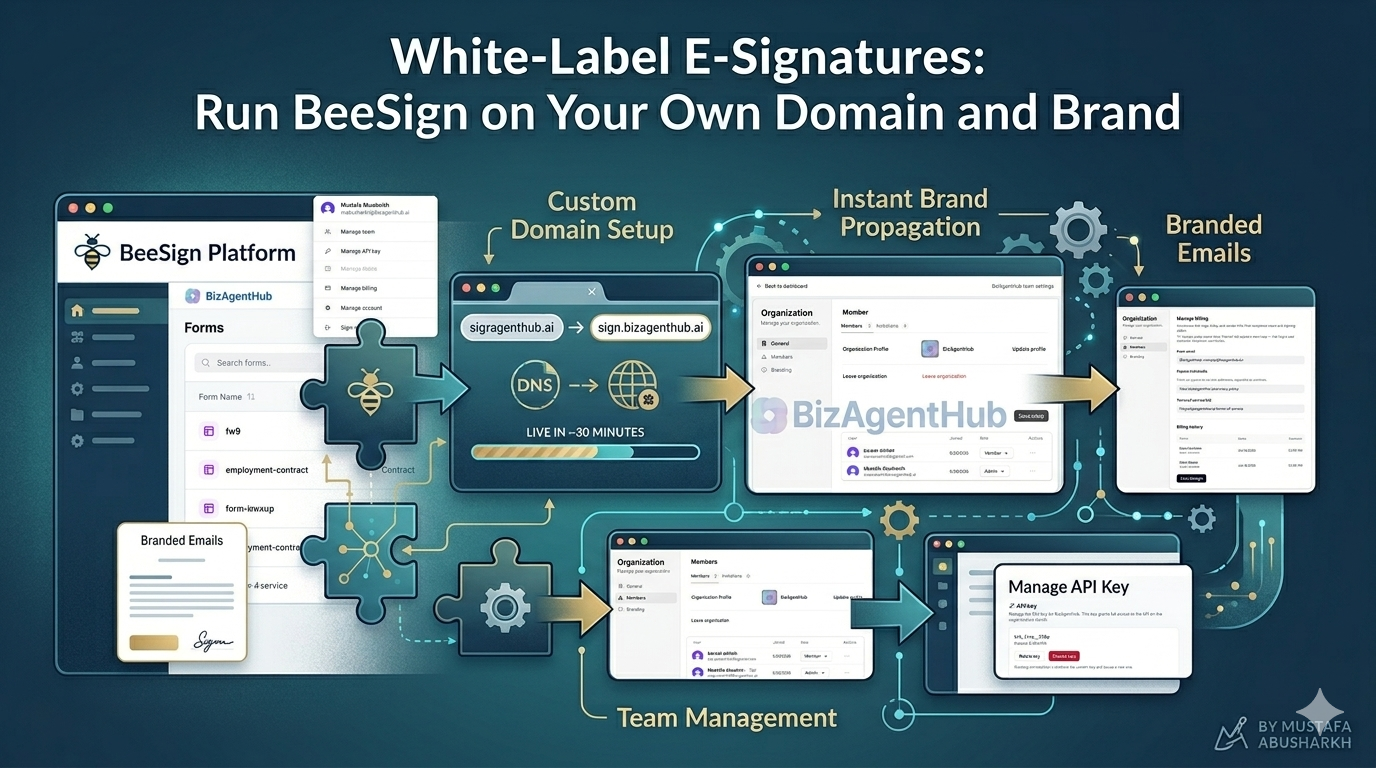
What if your customers never saw the name "BeeSign" at all? With white labeling, the entire signing experience runs under your brand — your company name, your logo, and your own domain. Your team and your signers see a product that looks and feels like it's yours, because for all practical purposes, it is. In this guide, we'll walk through everything white labeling gives you: your own signing domain, branded forms, team management, branded emails, API keys, and billing.
Your Brand, Your Domain
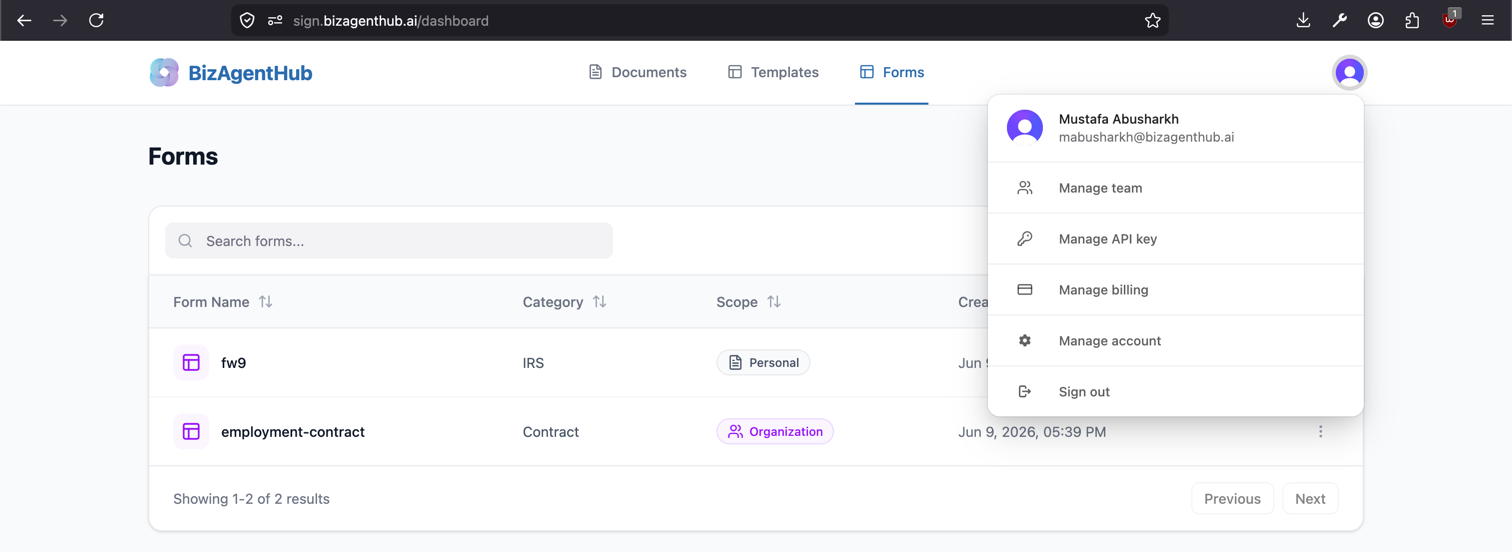
The first thing you'll notice in a white-labeled workspace is that it doesn't live on beesign.net — it lives on your own domain. In the screenshot below, the platform is running at sign.bizagenthub.ai, the company's domain, not a BeeSign URL. Your company name and logo sit right in the header, and your dashboard is split into personal and organizational forms so your team can keep their own documents separate from shared, company-wide ones.
The best part? Getting onto your own domain doesn't require a complicated migration or a dedicated server. Setting up white labeling only takes a couple of DNS records added on your side — a process that typically takes around 30 minutes. Once those records propagate, your custom signing domain is live and every page, email, and signature link runs under your brand.
From the profile menu in the top-right corner, admins get quick access to everything that powers the workspace — Manage Team, Manage API Key, Manage Billing, and more. We'll cover each of these below.
Manage Your Team and Logo
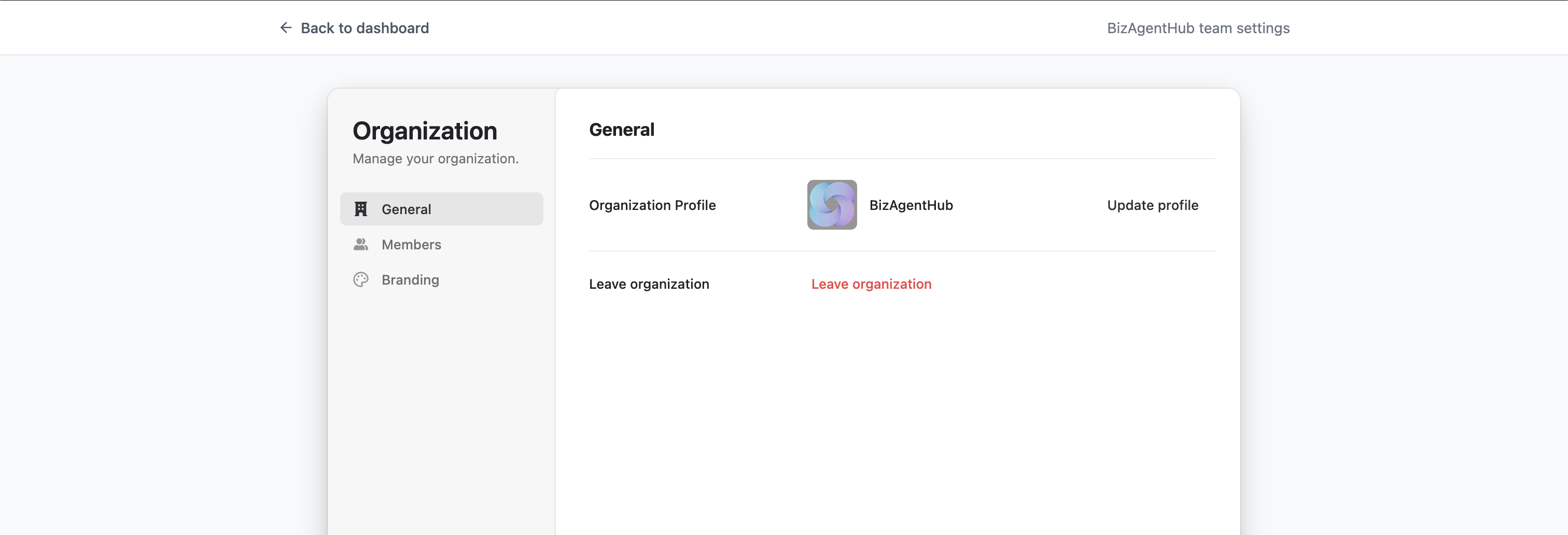
Clicking Manage Team opens your team management page. This is your control center for everything organization-wide. Right here you can update your organization's logo — the same logo that appears across the dashboard, on your signing pages, and in the emails your signers receive. Upload it once and it propagates everywhere your brand shows up.
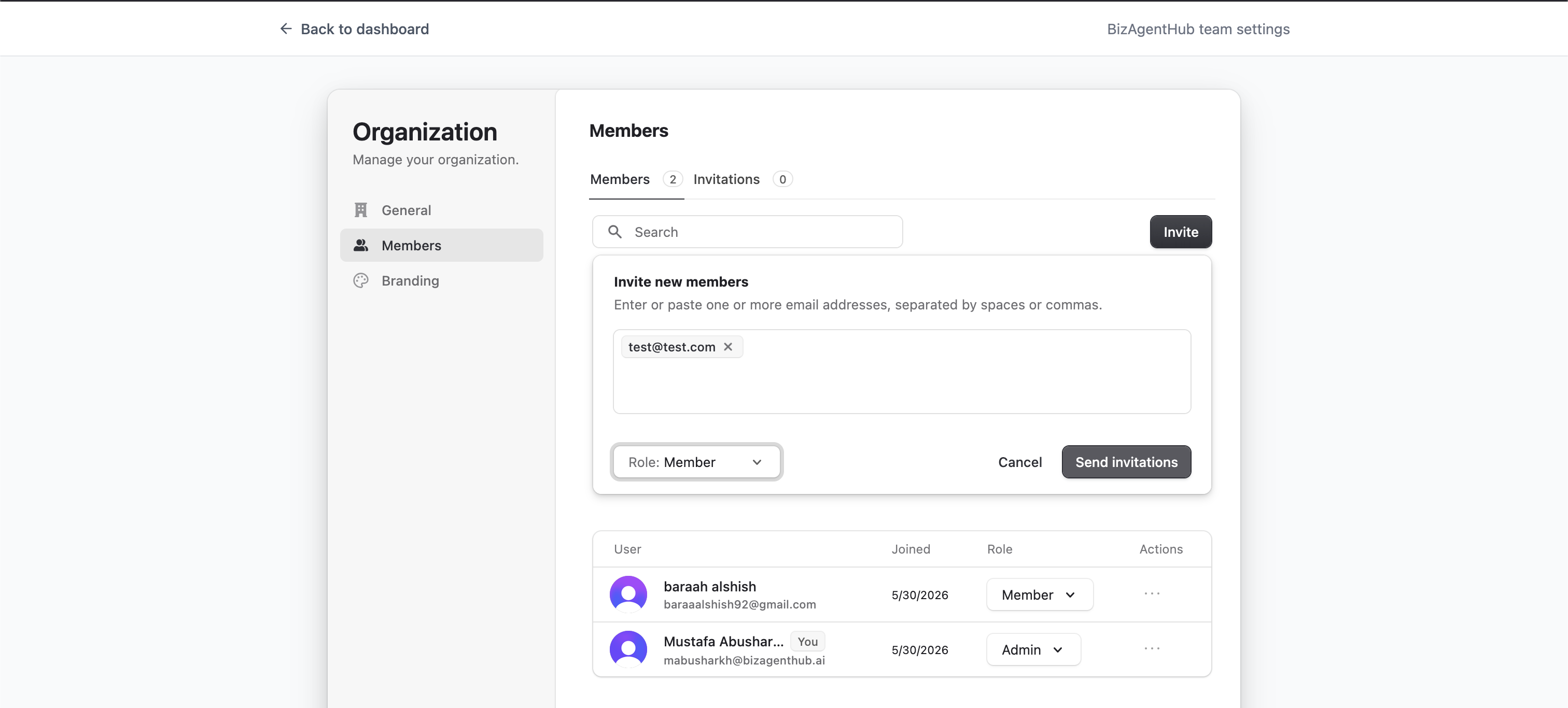
Invite and Manage Members
As an admin, you decide who's in your organization. The members view lists everyone in your workspace and lets you send invitations to new members by email. When someone leaves or no longer needs access, you can remove existing members just as easily. Each member gets their own private space for personal documents while still sharing the organization's branded environment.
Brand Your Emails
White labeling goes beyond the screen — it extends to every email your signers receive. From the branding settings, you can control the details that make those emails unmistakably yours:
- ✓From email — send signing notifications from your own domain instead of a generic address.
- ✓Privacy URL and Terms of Service URL — link signers to your own legal pages.
- ✓Postal address — show your company's address in the email footer for a professional, compliant touch.
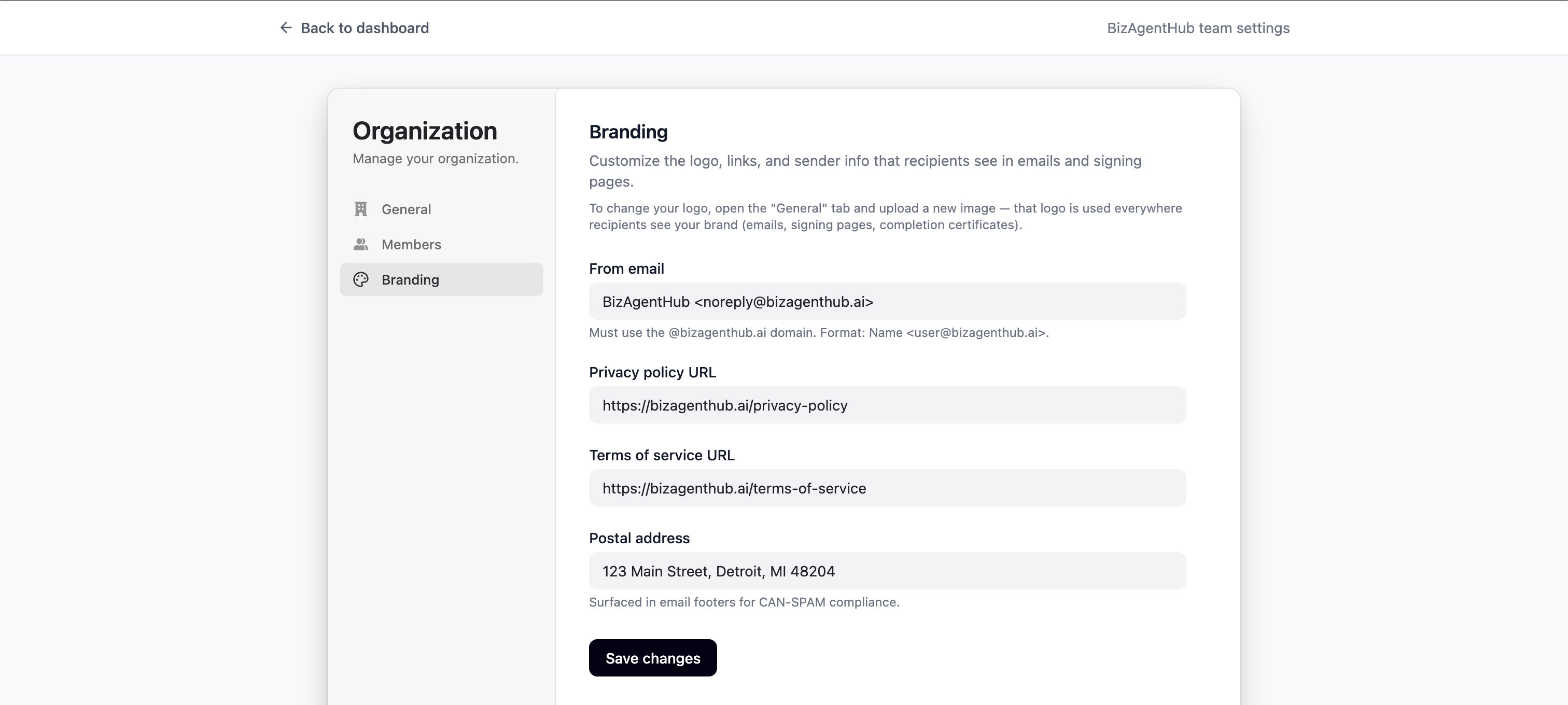
Together, these settings mean a signer can go through an entire signing flow — receive the email, open the link, verify, and sign — without ever seeing anything but your brand.
Manage Your API Key
White labeling and automation go hand in hand. From Manage API Key, you can create a new key or rotate an existing one at any time. Your key acts on your organization's behalf, so anything you can do in the branded dashboard — sending documents, working with forms and templates — you can also wire directly into your own product or internal tools.

New to the API? Our guide to using the BeeSign API walks through authenticating and making your first request.
Billing and Invoices
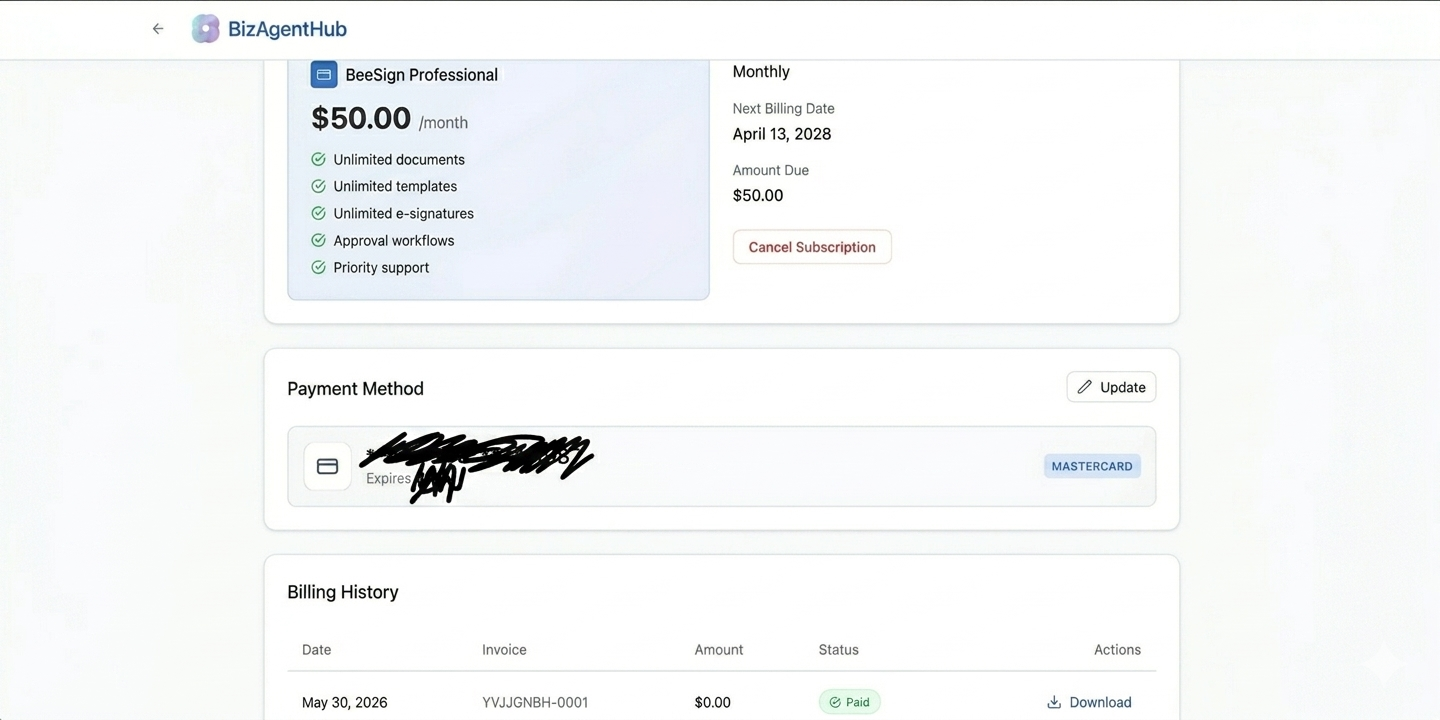
Finally, Manage Billing gives you full visibility into your subscription. You can see your history of invoices, review your monthly subscription, and manage your payment method — updating your card whenever you need to. Everything you need to run the platform as your own product lives in one place.
Recap: A Platform That's Truly Yours
- 1Your own domain — live in ~30 minutes with just a couple of DNS records.
- 2Your name and logo across the dashboard, signing pages, and emails.
- 3Team management — invite, remove, and organize members as an admin.
- 4Branded emails — your from address, legal links, and postal address.
- 5API keys and billing — automate your workflows and manage your subscription, all under your brand.
White labeling turns BeeSign into your e-signature platform — the same powerful signing, identity verification, and workflow tools, wrapped entirely in your brand. If you want to offer e-signatures to your own customers without building from scratch, this is the fastest way to get there. Get in touch to set up your white-labeled workspace today.
Ready to transform your workflow?
Start using BeeSign today and experience the future of document signing