Why Employee Document Security Matters for Your Business
Discover why employee document security matters. Protect sensitive records, avoid legal issues, and maintain trust in your organization.

Employee document security is the practice of protecting sensitive employee records from unauthorized access, data breaches, and compliance failures. Every organization handles payroll data, medical records, performance reviews, and signed contracts. Mishandling any of these exposes you to financial penalties, legal liability, and lasting damage to employee trust. Regulations like GDPR and the Americans with Disabilities Act (ADA) set strict rules for how you store, access, and delete employee data. Understanding why employee document security matters is the first step toward building a protection strategy that actually works.
What are the key risks of poor employee document security?
Poor document security creates three categories of risk: financial, legal, and reputational. Each one compounds the others, and none of them resolves quickly once triggered.
The financial exposure alone is significant. The average cost of a data breach now exceeds $4.45 million. That figure includes investigation costs, regulatory fines, legal fees, and lost business. For mid-sized organizations, a single incident can consume an entire year’s IT budget.

Legal penalties follow closely behind. GDPR applies to all employment-related personal data, including health records, disciplinary files, and payroll information. A qualifying breach requires notification to the supervisory authority within 72 hours. Missing that window adds penalties on top of the underlying violation.
The causes of most breaches are less dramatic than you might expect:
- Misdirected emails containing sensitive attachments sent to the wrong recipient
- Unsecured shared drives where permissions were never scoped to specific roles
- Outdated access rights left active after an employee changes roles or leaves
- Physical files left unattended or stored without access controls
Most HR security incidents come from accidental internal exposures, not external hacking. That distinction matters because it shifts your defense strategy from perimeter security to file-level controls.
Reputational damage is harder to quantify but equally serious. Employee document security breaches lead directly to demoralization and disengagement. Employees who learn their personal data was exposed lose confidence in their employer. That loss of trust affects retention, productivity, and your ability to recruit.
How do regulatory requirements shape document security practices?
Regulatory compliance is not optional, and the rules governing employee data are more specific than most business leaders realize. Three frameworks define the baseline for most U.S. organizations.
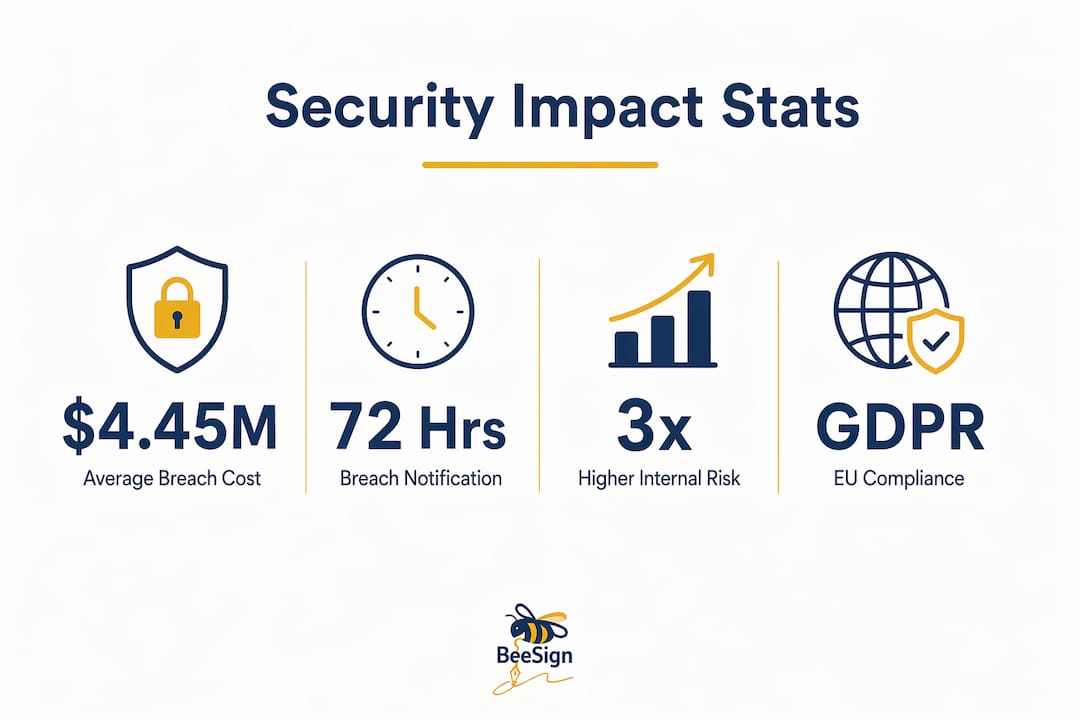
GDPR applies whenever you process personal data of employees who are EU residents, regardless of where your company is headquartered. GDPR requires reporting qualifying breaches to the supervisory authority within 72 hours. It also mandates lawful basis for processing, data minimization, and defined retention periods for every category of employee data.
ADA creates a specific storage requirement that many organizations overlook. Medical and accommodation documents must be stored separately from main personnel files. Combining them in a single folder, whether physical or electronic, is a compliance violation. This rule applies to any record related to a disability, a medical leave request, or a workplace accommodation.
State-level privacy laws add another layer. California’s CPRA, Virginia’s CDPA, and similar statutes extend data subject rights to employees, including the right to access, correct, and delete their personal information. Your document management practices must support those rights with audit trails and documented retention schedules.
The practical requirements these regulations create include:
- Separate storage for medical, disciplinary, and standard personnel records
- Access controls that restrict each record type to authorized roles only
- Retention schedules with documented deletion timelines for each document category
- Audit logs that record who accessed, modified, or shared each file
| Regulation | Key requirement | Document type affected |
|---|---|---|
| GDPR | 72-hour breach notification, lawful basis for processing | All employee personal data |
| ADA | Separate storage from personnel files | Medical and accommodation records |
| CPRA / CDPA | Employee data subject rights, deletion on request | All personal employee data |
| HIPAA | Protected health information controls | Health plan and benefits records |
Compliance is not a one-time audit. It requires ongoing controls built into your document workflows from the moment a file is created.
What technical controls protect employee documents effectively?
The most common gap in document security is relying on platform-level protection alone. If a file leaves your system, platform controls stop working. File-level encryption with context-aware controls ensures protection wherever the document travels, using per-file keys and active access verification. That means a payroll spreadsheet emailed to the wrong address remains unreadable to the recipient.
Role-Based Access Control (RBAC) is the most reliable method for managing who sees what. RBAC mapped dynamically to job functions prevents permission drift better than named-user access lists. When an employee moves from HR coordinator to HR manager, their access updates automatically. Manual permission management always falls behind organizational changes.
Pro Tip: Audit your access permissions quarterly. The most common internal exposure comes from employees who changed roles six months ago but still hold access to their previous department’s files.
Audit logging closes the accountability gap. Every access event, download, and share should generate a timestamped record tied to a specific user. Scoped external sharing, where you grant access to a specific document rather than sending an attachment, keeps that audit trail intact even when working with external parties like legal counsel or auditors.
Automated document retention and deletion is the control most organizations skip. Automated deletion after retention periods reduces exposure risk and functions as a security control, not just a compliance checkbox. The longer a document exists beyond its required retention period, the more opportunities exist for accidental or unauthorized access. Retention policies should trigger automatic deletion with a logged proof of destruction.
The table below compares two common approaches to document access management:
| Approach | How it works | Key weakness |
|---|---|---|
| Named-user access | Permissions assigned to individuals | Requires manual updates with every role change |
| Role-based access (RBAC) | Permissions tied to job function | Requires accurate role mapping in your HR system |
RBAC wins on sustainability. Named-user access works at small scale but creates compounding risk as your organization grows.
How does document security support organizational trust and business advantage?
Employee trust is a direct output of how you handle their data. Security breaches impair employer-employee relationships in ways that persist long after the technical incident is resolved. Employees who experience a breach involving their medical records or compensation data do not quickly forget it. The damage shows up in engagement scores, exit interviews, and Glassdoor reviews.
The business case extends beyond internal trust. Clients and partners increasingly evaluate your data handling practices before signing contracts. Document security is a competitive differentiator because clients prefer working with organizations that demonstrate responsible data management. A mature security posture, backed by documented controls and audit trails, gives your sales and legal teams a concrete answer when prospects ask about data protection.
“Organizations that treat document security as a business priority, not just a compliance obligation, build stronger client relationships and face fewer regulatory challenges over time. The investment in proactive controls pays back through reduced incident costs and increased partner confidence.”
For business leaders, the framing shift is important. Document security is not a cost center. It is a risk management function that protects revenue, preserves workforce stability, and supports growth by making your organization a trustworthy counterparty. You can learn more about how secure eSignature practices reinforce this posture in legal and compliance workflows.
Key Takeaways
Employee document security protects your organization from financial loss, regulatory penalties, and workforce disengagement by combining file-level encryption, role-based access, and automated retention controls.
| Point | Details |
|---|---|
| Financial risk is quantifiable | Data breaches cost over $4.45 million on average, making prevention far cheaper than response. |
| Regulations set specific rules | GDPR, ADA, and state privacy laws require separate storage, access controls, and defined retention periods. |
| Most breaches are internal | Accidental exposures from misdirected emails and stale permissions cause more incidents than external attacks. |
| File-level encryption is non-negotiable | Platform-level controls fail when files are shared externally; per-file encryption travels with the document. |
| Security builds competitive trust | Clients and partners favor organizations that demonstrate documented, auditable data protection practices. |
What I’ve learned about where document security actually breaks down
Most organizations I’ve observed treat document security as an IT problem. They invest in network firewalls and platform access controls, then consider the job done. The real failures happen at the file level, in the daily workflows that no firewall touches.
The pattern I see most often is this: a well-intentioned HR manager emails a performance review to a manager’s personal email address because the VPN was slow that morning. No malicious intent. No external attacker. Just a file now sitting outside every control your organization put in place. Proactive file-level controls are the only defense against this, and most organizations have not implemented them.
The second failure is access that nobody revoked. An employee promoted six months ago still holds read access to their former team’s compensation files. Nobody flagged it. The permission never expired. This is not a technology failure. It is a process failure that technology can fix, specifically through RBAC with automated role-change triggers.
My recommendation for business leaders is direct: stop auditing your security posture once a year and start building controls that enforce themselves. Automated access updates, file-level encryption, and retention-triggered deletion do not require human intervention to work. That is exactly why they work. The organizations that get this right treat HR document compliance as an ongoing operational discipline, not an annual checkbox.
— Mustafa Abusharkh
Beesign makes secure employee document handling practical
Protecting sensitive employee documents requires more than good intentions. It requires a platform built for compliance, auditability, and file-level security from the start.

Beesign centralizes electronic signatures, identity verification, and document workflows in one platform that supports ESIGN, eIDAS, and HIPAA compliance. Every signed document generates a complete audit trail, and Beesign’s identity verification tools confirm signer identity before any document is executed. For organizations that need data to stay within their own infrastructure, Beesign’s white-label solution with custom domains and cloud storage keeps control where it belongs. If you are ready to put the right controls in place, Beesign’s secure platform is built to support exactly that.
FAQ
What is employee document security?
Employee document security is the practice of protecting sensitive employee records from unauthorized access, misuse, and data breaches. It covers physical and electronic files, including payroll data, medical records, performance reviews, and signed contracts.
Why does employee data protection matter for compliance?
Regulations like GDPR, ADA, and state privacy laws impose specific storage, access, and retention requirements on employee data. Non-compliance carries financial penalties and, under GDPR, requires breach notification within 72 hours.
What is the most common cause of employee document breaches?
Most HR security incidents result from accidental internal exposures, such as misdirected emails or files left on unsecured devices, rather than external cyberattacks. Proactive file-level controls address this risk more effectively than perimeter security alone.
How does role-based access control protect employee documents?
RBAC assigns document access based on job function rather than individual identity. When an employee’s role changes, their permissions update automatically, preventing the permission drift that leads to unauthorized access over time.
How does document security affect employee trust?
Security breaches involving employee personal data directly damage morale and engagement. Employees who experience a breach lose confidence in their employer, which affects retention and organizational stability over the long term.
Recommended
Ready to transform your workflow?
Start using BeeSign today and experience the future of document signing