Multi-Signature Approval HR Process: A Practical Guide
Discover the benefits of a multi-signature approval HR process. Improve accountability, reduce errors, and speed up document turnaround today!

A multi-signature approval HR process is a structured workflow that requires multiple authorized signatures to validate HR documents before they take effect. Unlike a single-approver system, this approach distributes accountability across Finance, Legal, department managers, and HR leadership, making it the standard for high-stakes documents like offer letters, terminations, and policy changes. Tools like Beesign, DocuSign, and automated workflow platforms make this process faster and fully auditable. Compliance frameworks including ESIGN, eIDAS, and HIPAA all recognize multi-signature workflows as a best practice for legal enforceability and data integrity. Getting this right means fewer errors, cleaner audit trails, and faster document turnaround across your entire HR operation.
What is the multi-signature approval HR process and why does it matter?
A multi-party approval process in HR is defined by one core principle: no single party holds unilateral authority over a binding document. Every approval requires independent review from multiple stakeholders before a document moves forward. That design eliminates the risk of a single point of failure, whether that failure is human error, bias, or fraud.
The practical benefit is accountability at every step. When a termination letter requires sign-off from a department head, HR director, and Legal, each reviewer is on record. That record protects the organization in disputes and satisfies auditors who need a clear chain of custody.

Automated HR approval workflows reduce errors, maintain compliance, and keep payroll and HR operations running without manual bottlenecks. The difference between a manual email chain and a structured digital workflow is the difference between hoping someone approved a document and knowing exactly when, who, and under what conditions they did.
What are the key components of multi-signature approval workflows?
Sequential vs. parallel approval types
Sequential workflows progress linearly through a defined chain of approvers, while parallel workflows allow multiple reviewers to sign simultaneously. Each model fits different HR scenarios.
| Workflow type | Best for | Pros | Cons |
|---|---|---|---|
| Sequential | Terminations, policy changes | Strict hierarchy, clear order | Slower if one approver delays |
| Parallel | Leave requests, expense approvals | Faster completion, flexible | Harder to enforce order of review |
| Conditional | Exception cases, escalations | Handles edge cases automatically | Requires more setup upfront |
Sequential workflows suit documents where each approver needs to see the previous decision before acting. Parallel workflows work best when all approvers are peers and no one’s decision depends on another’s.
Roles, status tracking, and conditional routing
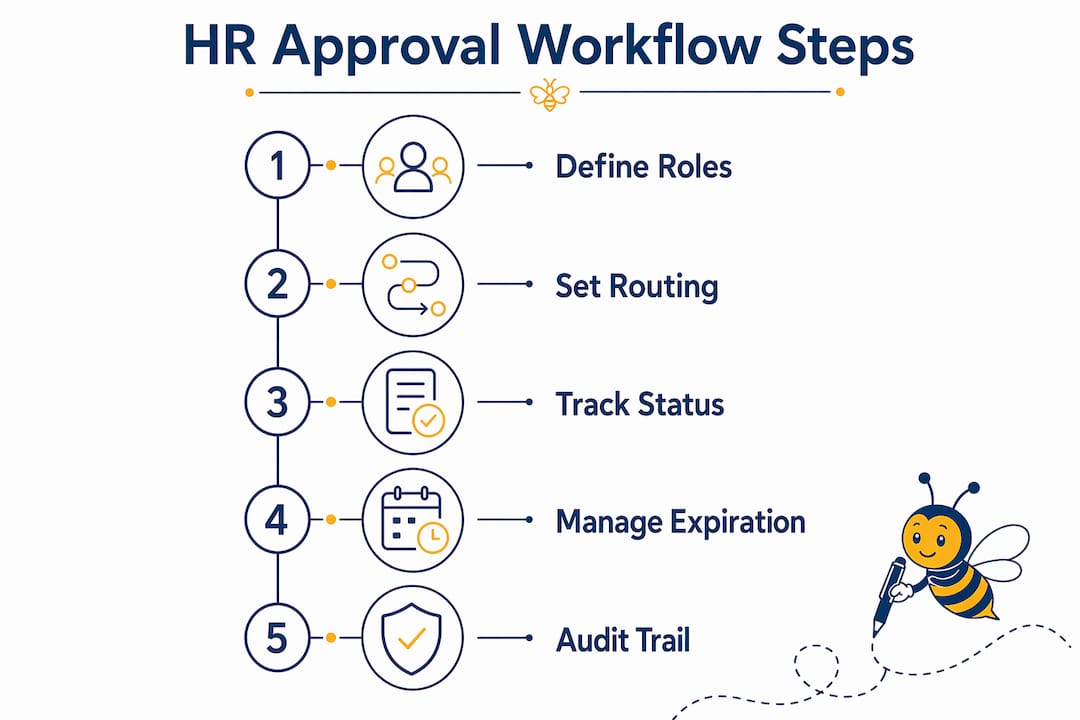
Every multi-signature workflow needs clearly defined roles. Each approver should have a specific section of the document assigned to them, with completed signatures locked so later reviewers cannot alter earlier decisions. Cognito Forms builds sequential signing workflows where each role signs their section and triggers the next signer’s notification automatically.
Status tracking gives HR teams real-time visibility into where a document sits at any moment. Version control prevents confusion when a document is revised mid-approval. Conditional routing handles exceptions: if an approver denies or requests changes, the system automatically notifies the initiator and routes the document to a remediation path rather than stalling the entire chain.
Pro Tip: Map your conditional routes before you build your workflow. Knowing what happens when someone rejects a document is just as important as knowing what happens when they approve it.
What tools and prerequisites do you need to implement multi-signature approval?
Choosing the right e-signature platform
The platform you choose determines how much of the process you can automate. Beesign, DocuSign, and HelloSign each support multi-party signing, but they differ in integration depth, identity verification, and compliance coverage. Beesign centralizes contracts, templates, and identity verification in one platform and supports ESIGN, eIDAS, and HIPAA compliance out of the box.
Key features to require from any platform:
-
Multi-role signing: Assign distinct signer roles with separate sections and permissions.
-
Automated routing: Route documents to the next approver automatically after each signature.
-
Identity verification: Confirm each signer’s identity through email, SMS, or ID checks before they can sign.
-
Audit trail: Capture timestamps, IP addresses, and signer identities for every action.
-
HRIS integration: Connect to your HR information system so employee data populates documents automatically.
Organizational prerequisites
Technology alone does not fix a broken approval process. Before deploying any platform, your organization needs written approval policies that define who approves what, under which conditions, and within what timeframe.
| Prerequisite | Why it matters |
|---|---|
| Defined approval policy | Sets authority levels and document categories |
| Role assignments | Prevents gaps or overlaps in the approval chain |
| Training for approvers | Reduces delays caused by unfamiliarity with the tool |
| Integration with HRIS | Eliminates manual data entry and reduces errors |
| Compliance review | Confirms the workflow meets ESIGN, eIDAS, or HIPAA requirements |
Identity verification and encryption embedded in e-signature tools increase the legal enforceability of every signed document. Without them, a signature is just an image on a page.
How do you create and automate a multi-signature HR approval workflow?
Follow these steps to build a workflow that handles offer letters, leave requests, terminations, and policy documents without manual intervention.
-
Define your document categories. Group HR documents by risk level. High-risk documents like terminations need more approvers and stricter routing than routine leave requests.
-
Assign signer roles and sections. Create a distinct role for each approver. Assign each role a specific section of the document. Lock each section after it is signed so subsequent approvers cannot alter completed fields.
-
Configure automated routing. Set rules that determine who receives the document next based on document type, department, or approval outcome. Rule-based conditional approval steps with real-time status updates and automated reminders keep the process moving without manual follow-up.
-
Set expiration dates on every request. Approval requests with expiration dates prevent stale documents from blocking workflows indefinitely. Timeouts between 3 and 20 days are standard depending on document sensitivity.
-
Build conditional exception paths. Define what happens when an approver rejects or requests changes. The system should notify the initiator immediately and route the document to the correct remediation step without manual intervention.
-
Enable full audit logging. Every approval must be timestamped. Capture the approver’s identity, any comments they added, and any attachments they reviewed. A complete audit trail includes timestamps, approver identities, comments, and attachments for every action taken.
-
Test with real document scenarios. Run your offer letter workflow, your leave request workflow, and your termination workflow through the system before going live. Confirm that notifications fire, routing works, and locked sections cannot be edited.
Pro Tip: Set reminders at the 50% mark of your expiration window. If a request expires at 10 days, send an automated reminder at day 5. This catches delays before they become compliance problems.
You can use Beesign’s approval workflow setup to configure these steps directly within the platform, including role assignments, routing rules, and expiration controls.
What are common challenges in multi-signature HR approvals and how do you fix them?
Bottlenecks and stale approvals
The most common failure point is an approver who does not act. Without expiration controls, a single delayed reviewer can freeze an entire hiring or termination process. Expiration rules force a resolution: either the approver acts, or the request expires and the initiator is notified to resubmit or escalate.
Automated reminders solve most delay problems before they escalate. Set your platform to send reminders at regular intervals after a request is sent.
Missing conditional routing
Lack of conditional routing causes stalled approval chains when an approver denies a document or requests changes. Without a defined exception path, the document sits in limbo. Build denial and change-request paths into every workflow from the start, not as an afterthought.
Common configuration mistakes to avoid:
-
Sending all document types through the same approval chain regardless of risk level.
-
Failing to lock completed signature sections, which allows later approvers to alter earlier decisions.
-
Skipping identity verification steps on high-risk documents.
-
Building workflows with no expiration dates, leaving requests open indefinitely.
-
Neglecting to test exception paths before going live.
Compliance and audit trail gaps
A well-constructed multi-signature process includes timestamping all approvals, capturing approver identities, comments, and attachments for a full audit trail. Without this, the workflow may satisfy operational needs but fail a legal or regulatory review.
HR approval workflows that lack complete audit trails create liability. Regulators and employment attorneys look for documented evidence that the right people approved the right documents at the right time. Your platform must capture this data automatically, not rely on manual record-keeping.
Why I think most HR teams overcomplicate their approval workflows
Most HR teams I have seen build approval workflows by adding approvers until they feel safe. The result is a 6-step chain for a routine leave request that takes longer to approve than the leave itself. That is not governance. That is friction dressed up as process.
The principle that actually works is proportionality. High-risk documents like terminations and policy changes deserve multiple approvers, strict sequential routing, and identity verification. Routine documents like expense approvals and shift changes need speed, not ceremony. Applying the same workflow to both creates bottlenecks that erode trust in the entire system.
Automation is where most teams leave real value on the table. Clear automated routing rules based on document type or department make workflows faster and less error-prone than any manual process. When the system routes the document, sends the reminders, and logs the audit trail automatically, HR professionals can focus on decisions rather than administration.
The teams that get this right treat auditability as a design requirement, not an afterthought. They build the audit trail into the workflow from day one. When a dispute arises, they pull a complete record in seconds. That capability is worth more than any number of extra approvers added out of caution.
— Mustafa
How Beesign supports your HR approval workflows
HR teams that need compliant, automated multi-signature workflows have a direct path with Beesign. The platform handles multi-party document signing with built-in identity verification, conditional routing, and real-time audit trails, all within a single interface that connects to your existing HRIS.

Beesign supports ESIGN, eIDAS, and HIPAA compliance, so your signed HR documents meet legal standards across jurisdictions. The HR and operations solution covers offer letters, onboarding packets, terminations, and policy acknowledgments without paper or manual routing. For organizations that need to run the service under their own brand, Beesign’s white-label option keeps data within your own infrastructure. You get the workflow automation without giving up control of your data.
Key takeaways
A multi-signature approval HR process requires defined roles, automated routing, expiration controls, and a complete audit trail to deliver both efficiency and compliance.
| Point | Details |
|---|---|
| Match workflow type to risk level | Use sequential routing for terminations and parallel routing for routine requests. |
| Set expiration dates on every request | Timeouts between 3 and 20 days prevent stale approvals from blocking workflows. |
| Build conditional exception paths | Define denial and change-request routes before going live to avoid stalled chains. |
| Require full audit logging | Capture timestamps, approver identities, and comments on every document action. |
| Choose a platform with identity verification | Verified signatures increase legal enforceability under ESIGN, eIDAS, and HIPAA. |
FAQ
What is a multi-signature approval HR process?
A multi-signature approval HR process is a structured workflow requiring multiple authorized reviewers to sign an HR document before it takes effect. It distributes accountability across roles like HR, Legal, and Finance to prevent unilateral decisions.
What is the difference between sequential and parallel approval workflows?
Sequential workflows route a document through approvers one at a time in a fixed order, while parallel workflows send the document to multiple approvers simultaneously. Sequential suits high-risk documents; parallel works for routine approvals where order does not matter.
How do you prevent stale approvals from blocking HR workflows?
Set expiration dates on every approval request. Systems like Google Ads use 20-day timeouts, while admin consoles use 3-day limits. Automated reminders sent before expiration catch delays before they become compliance issues.
What security features should an HR e-signature platform include?
The platform must include identity verification, encryption, and a full audit trail that captures timestamps, approver identities, and any comments or attachments. These features support compliance with ESIGN, eIDAS, and HIPAA.
How do you handle a rejected approval in a multi-signature workflow?
Configure a conditional exception path that automatically notifies the document initiator when an approver denies or requests changes. Without this path, a rejection stalls the entire workflow with no clear resolution route.
Recommended
Ready to transform your workflow?
Start using BeeSign today and experience the future of document signing