HR Document Template Management: 2026 Guide for Businesses
Discover the benefits of HR document template management. Streamline processes, ensure compliance, and improve employee retention in 2026.

What is HR document template management, and why does it matter?
HR document template management is the practice of creating, storing, and controlling digital HR templates linked to live employee data to automate personalized document generation and maintain compliance. Rather than copying and pasting employee details into Word files by hand, your HR team works from centralized, dynamic templates that pull data automatically from your HR system and produce accurate, branded documents every time.
The business case is concrete. Structured onboarding supported by integrated document workflows retains 58% of new hires for at least three years. That figure alone justifies moving away from manual document handling.
Here is what a well-run HR document template system delivers:
- Consistency: Every offer letter, policy acknowledgment, and employment contract follows the same format and approved language.
- Compliance: Automated version control and audit trails support requirements under ESIGN, HIPAA, and ISO 27001.
- Speed: Documents that once took hours to prepare generate in seconds, with data pulled directly from your HR system.
- Accuracy: Placeholder-based templates eliminate the transcription errors that come with manual copy-paste workflows.
- Security: Role-based access controls keep sensitive employee data visible only to authorized personnel.
Platforms like Beesign are built specifically for this model, combining centralized template libraries, digital signing, and compliance-grade audit trails in one place.

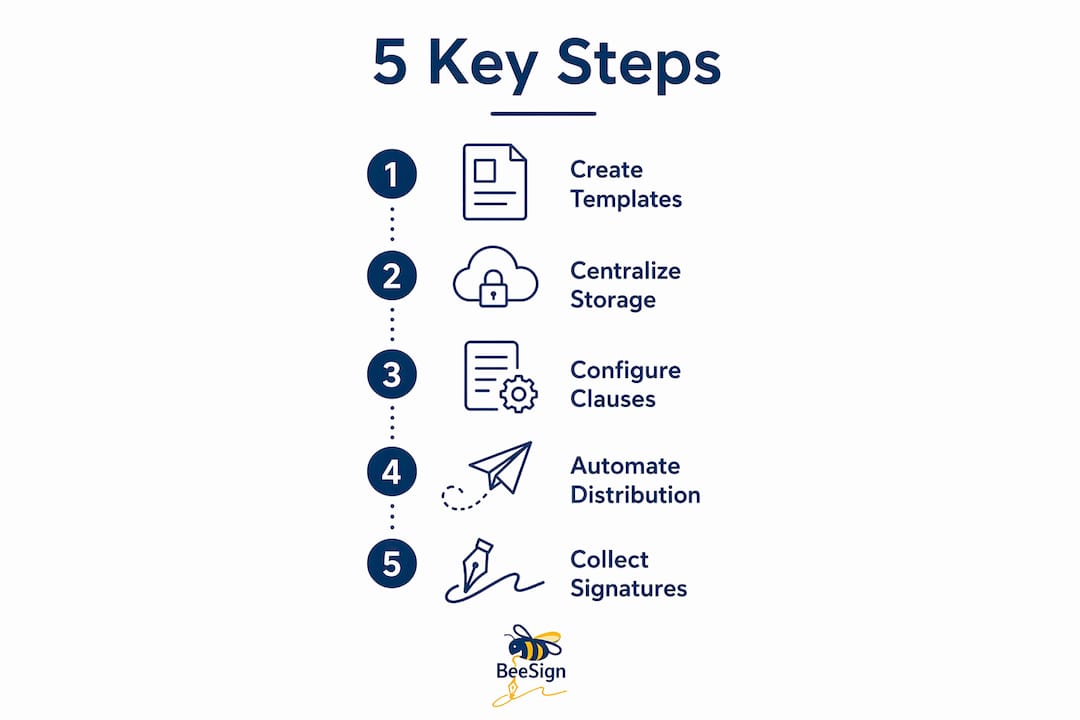
How to implement HR document template management in five steps
Effective HR document automation follows a clear, repeatable process. These five steps come from how enterprise HR systems like UKG HR Service Delivery approach document generation at scale.
-
Create standardized templates. Build your master documents in Microsoft Word (.docx) format using placeholders for all variable data fields, such as employee name, job title, start date, and salary. Keep the template itself generic; the data fields handle all personalization. Lock global formatting, headers, footers, and brand elements so they cannot be accidentally altered.
-
Map placeholders to HR system attributes. This is the most critical step. Each placeholder in your Word template must link precisely to a corresponding field in your HR system, whether that is an HCM platform, a payroll database, or a custom dataset. Accurate data mapping is what separates a dynamic, auto-populated document from a template that still requires manual entry.
-
Configure generation triggers. Decide what event fires the document creation. Common triggers include a new hire record being created, a promotion being approved, a policy update being published, or a batch upload via CSV for high-volume hiring. API-based triggers work well for teams that want fully automated, event-driven workflows.
-
Generate and review document output. The system produces a personalized PDF or document for each employee based on the template and mapped data. Test every new template in a staging environment before rolling it out in production to catch formatting errors or missing field mappings early.
-
Distribute securely and archive. Route the generated document to the employee for review and signature, then store the signed copy in a controlled document manager. Centralized template libraries prevent version conflicts and give every employee the current, approved version of each document.
Pro Tip: Use master templates with configurable clauses rather than creating separate templates for every role or location. One master template with conditional clause logic can cover dozens of scenarios, which reduces template sprawl and cuts maintenance time significantly.
What security and compliance features should your platform include?
A shared drive full of Word files is not an HR document management system. It is passive storage with no version control, no audit trail, and no access governance. Active document management means the platform generates, distributes, and tracks documents rather than just storing them.
When evaluating HR document management platforms, look for these capabilities:
- Role-based access controls: Restrict who can view, edit, publish, or download specific templates and employee documents. Separate authoring permissions from publishing permissions for stronger governance.
- Automated audit trails: Every document action, including creation, editing, viewing, and signing, should be logged with a timestamp and user ID. This is the foundation of ISO 27001 compliance and legal defensibility.
- Digital signature integration: The platform must support e-signature standards including ESIGN (U.S.), eIDAS (EU), and HIPAA for health-related documents. Signatures collected outside these frameworks may not hold up in a legal dispute.
- Centralized template library: One master library prevents managers from pulling outdated files from local drives and making unauthorized edits. Brand styling, approved legal language, and formatting stay locked.
- Multi-language support: For organizations with employees across multiple states or countries, templates should generate in the employee’s preferred language without requiring a separate template for each locale.
- Configurable business rules: Templates should support conditional clause logic so a single master document can adapt to different employment types, locations, or compensation structures automatically.
- Secure cloud storage: Data should be encrypted at rest and in transit, with backup and recovery processes that meet your industry’s regulatory requirements.
Pro Tip: Before selecting a platform, ask specifically whether it supports separated authoring and publishing permissions. Many entry-level tools allow anyone with edit access to publish changes, which creates compliance risk in regulated industries.
How Beesign connects digital signing to your HR document workflows
Generating a document is only half the process. Getting it signed, tracked, and archived in a legally defensible way is where many HR teams still lose time. Beesign addresses this by combining template management, eSignature in HR workflows, and compliance tracking in a single platform.
Integrating document generation with digital signature workflows removes the gap between “document created” and “document signed and filed.” Automated routing, real-time signing status, and tamper-evident audit trails mean HR teams spend less time chasing approvals and more time on work that actually requires human judgment.
Here is how Beesign supports end-to-end HR document workflows:
- White-label deployment: Beesign runs under your own brand, including custom domains and cloud storage, so employees interact with your company’s identity rather than a third-party tool.
- ESIGN, eIDAS, and HIPAA compliance: Every signature collected through Beesign meets the legal standards required for U.S. employment documents and health-related records.
- Automated reminders and status tracking: The platform tracks who has viewed, signed, or ignored a document and sends automated reminders, which is critical for onboarding document workflows where delays cost time and money.
- Centralized dashboard: HR teams publish templates, manage version control, and target distribution to specific employee groups from one place.
- API access: Beesign’s API lets you trigger document generation and signature requests programmatically, connecting your HR system events directly to document workflows without manual intervention.
- Audit trail on every document: Each document carries a complete electronic signature audit trail, showing exactly when it was sent, opened, and signed, which satisfies both internal compliance requirements and external audits.
For teams managing high-volume onboarding or annual policy acknowledgments, Beesign’s bulk generation and distribution capabilities handle hundreds of documents in a single workflow run.
What do businesses actually gain from automating HR document workflows?
The efficiency gains from HR document automation are real and measurable across several dimensions. Automation replaces manual copy-paste workflows with dynamic templates linked to live HR data, which cuts document preparation time from hours to minutes and removes the human error that comes with repetitive data entry.
Beyond speed, here is what your HR team gains:
- Fewer compliance gaps: Automated version control means employees always receive the current, legally approved document. Manual processes create the risk that a manager pulls an outdated template and distributes language that no longer reflects current law or company policy.
- Better employee experience: Faster document turnaround during onboarding signals organizational competence. Companies with structured, automated onboarding processes retain 58% of new hires for at least three years.
- Consistent branding: Every document that leaves your HR department carries the same formatting, tone, and approved language, which matters for both legal defensibility and employer brand.
- Support for bulk events: Seasonal hiring, annual policy renewals, and compensation cycle letters all require generating hundreds of personalized documents quickly. Batch generation handles this without adding headcount.
- Strategic HR capacity: When routine paperwork runs automatically, HR professionals can focus on coaching managers, improving programs, and supporting employees rather than formatting documents.
The HR document automation guide from DocuPOW reinforces this point: automation’s primary value is not just faster paperwork but freeing HR teams to concentrate on work that requires human judgment.
Beesign gives your HR team a secure, branded document platform
Most HR teams are managing templates across email threads, shared drives, and disconnected signing tools. Beesign consolidates all of it.

Beesign is built for businesses that need a secure, white-label platform for contract and template management with integrated signing and compliance. Unlike generic file storage or standalone e-signature tools, Beesign keeps your templates, your signing workflows, and your audit trails in one place, under your own brand. Your data stays within your infrastructure. Your employees sign documents that look like they came from you, not a third-party vendor.
For HR teams specifically, Beesign handles the full document lifecycle: template creation, dynamic data population, digital routing, signature collection, and compliant archiving. The platform meets ESIGN, eIDAS, and HIPAA requirements out of the box, and the API connects directly to your existing HR systems. Whether you are onboarding ten people or a thousand, the workflow scales without adding manual steps.
Start with Beesign to see how quickly you can centralize your HR templates, automate document distribution, and collect legally compliant signatures under your own brand.
Key Takeaways
Centralized, automated HR document template management is the most direct path to consistent compliance, faster onboarding, and reduced administrative overhead in 2026.
| Point | Details |
|---|---|
| Automate with dynamic templates | Link Word-based templates to live HR data to eliminate manual entry and reduce errors. |
| Centralize your template library | One master library prevents version conflicts and ensures every employee receives current, approved documents. |
| Prioritize audit trails and access controls | Role-based permissions and automated audit logs are required for ESIGN, HIPAA, and ISO 27001 compliance. |
| Retention impact of structured onboarding | Companies with integrated document workflows retain 58% of new hires for at least three years. |
| Beesign for end-to-end HR document management | Beesign combines template management, digital signing, and compliance-grade audit trails under your own brand. |
Recommended
Ready to transform your workflow?
Start using BeeSign today and experience the future of document signing