Medical Consent E Signature: 6 IRB Required Steps for Clinical Teams
IRB focused guide for clinical teams. Six practical steps to make medical e consent defensible: identity checks, audit trails, and retention.

Yes. Electronic signatures can legally document medical informed consent when the system provides a verifiable audit trail, signer attribution, and a copy for the subject, and when the process satisfies IRB and applicable regulations. If your study is FDA-regulated, confirm your platform meets 21 CFR Part 11 before you launch, and get IRB sign-off on the specific e-consent workflow, not just the consent language.
TL;DR:
- An electronic signature for medical consent is only valid if it includes a verifiable audit trail, signer attribution, and a copy for the subject, complying with all applicable regulations.
- The signing process must meet four conditions: clear signer intent, specific record association, explicit consent to electronic signing, and retention of reproducible records.
- For FDA-regulated research, systems must be validated with strict audit controls under 21 CFR Part 11, while IRB-funded studies primarily follow ESIGN, UETA, and OHRP guidance.
- Proper identity verification methods range from institutional login to biometric matching, with audit trails needing detailed signer data, timestamps, IP info, and tamper-evident records.
- Building a compliant e-consent workflow requires transparent communication, comprehension checks, separate electronic signing affirmation, and immediate, accessible copies of signed records.
Table of Contents
- What Rules Govern a Medical Consent E-Signature?
- When Does an E-Signature Count as Legally Valid Consent?
- How Do You Build an E-Consent Workflow That Holds Up?
- What Identity Verification and Audit Trail Standards Apply?
- What Belongs on Your IRB E-Consent Checklist?
- How Does a Compliance-First Platform Support E-Consent?
- Where to Find the Underlying Guidance
- An Editorial Take on Where Teams Get E-Consent Wrong
- Get Your E-Consent Workflow Compliant Without Building It From Scratch
- Sources
What Rules Govern a Medical Consent E-Signature?
Three regulatory layers decide whether an e-signature counts for medical consent, and you need to satisfy all three that apply to your situation, not just the easiest one.
The ESIGN Act (federal) and its state-law counterpart, the Uniform Electronic Transactions Act (UETA), set the baseline. Both say an electronic signature carries the same legal weight as ink on paper, as long as the signer intended to sign, the record can be reliably linked to that signer, and the format allows retention. Neither law singles out healthcare. They apply the same way to a mortgage closing as they do to a consent form, which is why most healthcare e-signature disputes turn on implementation details rather than on whether e-signatures are allowed at all.
The Office for Human Research Protections (OHRP) layers healthcare-specific expectations on top of that baseline. OHRP guidance confirms that electronic informed consent (eIC) is acceptable for human-subjects research, provided the electronic version meets the same information and documentation requirements as a paper form under 45 CFR 46.116 and 46.117. Section 46.117© specifically permits an electronic version of the written consent document. That is the provision your IRB submission should cite.
Then there is FDA’s 21 CFR Part 11, which governs electronic records and signatures for FDA-regulated research: drug trials, device studies, anything that will support a submission to the agency. Part 11 is stricter than ESIGN/UETA. It requires validated systems, specific audit-trail controls, and documented procedures for who can sign, how identity is confirmed, and how records are protected from tampering. If your study touches an FDA application, Part 11 compliance is not optional, and it changes which vendors your institution will even let you use.
Here is the practical breakdown of when each layer applies:
- ESIGN/UETA: Applies to essentially all electronically signed consent, everywhere in the US. This is the legal floor.
- OHRP/45 CFR 46: Applies to federally funded or federally regulated human-subjects research overseen by an IRB.
- 21 CFR Part 11: Applies specifically to FDA-regulated research, and often to any study that is greater than minimal risk, per institutional policy.
- HIPAA: Applies whenever the consent or authorization process touches protected health information, regardless of whether the study is federally funded.
The mistake teams make is treating these as one rulebook. They are not. A study can be fully ESIGN-compliant and still fail an FDA audit because it never validated Part 11 controls. Get the layering right before you build anything.
When Does an E-Signature Count as Legally Valid Consent?
Legal validity for medical consent e-signature hinges on a handful of tests, and IRBs check for them specifically during protocol review, not just at audit time.
Under ESIGN and UETA, an e-signature is valid when four conditions are met: the signer clearly intended to sign, the signature is logically associated with the specific record it signs, the signer affirmatively agreed to conduct the transaction electronically, and the record can be retained and reproduced by both parties. Miss any one of these and you have a document that looks signed but is not legally defensible.
That third condition, consent to do business electronically, is where most implementations go wrong. It cannot be implied by the fact that someone clicked through a form. The University of Virginia’s Human Research Protection Program guidance is explicit: participants need a distinct, visible action affirming they agree to sign electronically, separate from agreeing to the substance of the consent form itself. Bundling both into one checkbox is a common cause of IRB revision requests.
Key legal checkpoints for your review:
- Signature intent: The interface must make clear that clicking or typing constitutes signing, not just acknowledging.
- Record association: The signature must be cryptographically or logically tied to the exact version of the form the person reviewed.
- Electronic consent to transact: A separate “I agree to sign electronically” action, distinct from consenting to the study itself.
- Retention: The signer and the institution both need durable, reproducible access to the signed record.
IRBs also have discretion over documentation requirements that most teams underuse. Under 45 CFR 46.117©, an IRB can waive the requirement for a signed consent document entirely for minimal-risk research, such as some anonymous surveys, when the main risk to participants would come from a breach of confidentiality tied to the signature itself. That waiver does not eliminate the consent process, the consent discussion still has to happen. It just removes the documentation burden. If your study genuinely qualifies, raising this with your IRB early can simplify your workflow considerably, though the Johns Hopkins IRB notes that institutions still tend to require some record of the consent interaction even under a waiver, so confirm expectations before assuming you can skip signature capture altogether.
How Do You Build an E-Consent Workflow That Holds Up?
Electronic consent has two distinct halves: the consent discussion, where you inform the participant, and the consent documentation, where you capture their signature. Building a workflow that satisfies regulators means designing for both, not just wiring up a signature field.
Start with the discussion layer. The University of Virginia’s HRPP is clear that IRBs want a documented plan for how consent information gets communicated, not just what document gets signed. That plan should specify how questions get answered, whether by phone, video, or a monitored chat, and how much time the participant has before signing.
Here is a workflow structure that satisfies both IRB expectations and ESIGN requirements:
- Present the consent elements in full. Every required element under 45 CFR 46.116 needs to appear, in an order that mirrors the paper version your IRB already approved.
- Insert comprehension checkpoints. Short prompts, read-time minimums, or brief questions before the signature page reduce the risk that someone signs without reading. Research on e-consent comprehension is blunt about this: technology alone does not guarantee understanding; the interface has to slow people down enough to actually process the material.
- Offer a clear path to ask questions. A visible contact method, live chat, phone number, or scheduled call, before the signature step, not buried in a footer.
- Capture the separate “agree to sign electronically” action. This is its own checkbox or button, distinct from the substantive consent agreement.
- Capture the signature itself, tied to the specific document version reviewed.
- Deliver a copy immediately. Print, download, or email, and preserve any hyperlinks, videos, or interactive elements the participant saw during review, not just a flattened PDF.
For remote and hybrid studies, that comprehension layer matters even more, since you lose the in-person cues that tell a coordinator someone is confused. Video-based consent discussions, followed by an asynchronous signature step, tend to work better than a single unattended electronic form.
Pro Tip: Build the “agree to sign electronically” field as its own screen, not a checkbox tucked at the bottom of the consent text. IRBs specifically look for this as a separate, visible action, and its absence is one of the more common reasons e-consent protocols get sent back for revision.
Policy alignment, not technology, is usually the real bottleneck here. Teams that plan their organizational workflow and security review early avoid the multi-month delays that come from discovering, mid-study, that IT and compliance never agreed on which platform to use.
What Identity Verification and Audit Trail Standards Apply?
Regulators do not just want a signature. They want proof of who signed, when, and under what conditions, in a form that survives an audit years later.
Identity verification for medical consent e-signature exists on a spectrum, and your risk level should determine where you land on it:
- Institutional login: Adequate for low-risk internal consent processes where the participant already has verified credentials with your health system.
- Video confirmation: A coordinator visually confirms identity during a live or recorded session, common for remote consent in clinical trials.
- Government ID verification: The signer photographs a driver’s license or passport, matched against the name on the consent record.
- Biometric matching: A selfie or live capture matched against the ID photo, the strongest tier, typically reserved for higher-risk or FDA-regulated studies.
Whichever tier you choose, your audit trail needs to capture a consistent set of fields: signer identity, a precise timestamp, IP address and device metadata, the specific method used to sign, and an unbreakable link between the signer and the exact document version they signed. Regulators expect this data to produce a tamper-evident Certificate of Completion, a record that shows the full sequence of events and cannot be edited after the fact.
For FDA-regulated studies operating under Part 11, the bar goes up again. The system needs validated controls linking the signature to the record, documented access restrictions, and often institutional pre-approval of the specific platform before anyone can use it. The Johns Hopkins IRB notes that some institutions name specific Part 11-capable tools while requiring custom setup for others, which means your choice of platform can determine your approval timeline as much as your protocol design does.
Audit trail checklist: signer identity, timestamp, IP/device metadata, signature method, document version linkage, and a tamper-evident completion record. Missing any one of these fields is a common finding in regulatory review.
What Belongs on Your IRB E-Consent Checklist?
Most e-consent delays trace back to the same handful of gaps in the protocol submission, not to the technology itself.
Before you submit, your protocol should describe:
- The full e-consent flow, from initial contact through signature and copy delivery.
- How you will verify signer identity, matched to the risk level of the study.
- Your record retention plan, including where signed documents live and for how long.
- How the signer receives their copy, print, download, or email, and when.
- Whether a security or validation review has already occurred, and by whom.
A few administrative habits separate smooth submissions from repeated resubmissions. Upload only the signature or “agree to participate” page to your IRB unless your electronic consent form’s visual presentation differs materially from the paper version your IRB already reviewed. Uploading the entire interactive interface when only the layout changed slightly creates unnecessary resubmission cycles for changes that do not actually affect the substance of consent. Request your institution’s security or validation review as early as possible; for FDA-regulated, greater-than-minimal-risk studies, that review alone can take months if the platform is new to your institution.
The most common pitfalls worth flagging before submission:
- Missing the separate consent-to-sign field. Bundling it with substantive consent is the single most frequent revision request.
- Weak identity verification for the risk level. A high-risk trial using nothing but institutional login invites scrutiny.
- Incomplete audit trails. Missing timestamp precision or device metadata undermines your defense in an audit.
Pro Tip: Document the e-signature step as its own line item in your protocol, separate from the consent content description. Reviewers specifically look for this separation, and combining them into one paragraph is a frequent reason submissions bounce back for clarification.
How Does a Compliance-First Platform Support E-Consent?
The regulatory requirements above translate directly into platform features, and mapping one to the other is how you evaluate whether a tool is actually built for this use case or just adapted to it.
An audit trail satisfies your record retention and auditability obligations, giving reviewers the tamper-evident sequence of events they need without you building that logging system yourself. Identity verification, whether government ID capture or biometric face matching, satisfies the attribution requirement that ties a signature to a specific, confirmed person. Bring-your-own-cloud (BYOC) storage addresses data residency and institutional compliance concerns directly, since your signed consent records stay inside infrastructure your institution already controls rather than a vendor’s general-purpose cloud.
Beesign builds around this exact mapping. Its audit trail captures signer identity, timestamps, and device metadata automatically, which supports the record-keeping practices regulators expect during review. Identity verification, including government ID checks and biometric matching, handles the attribution problem that trips up simpler e-signature tools. BYOC storage lets healthcare organizations and research institutions keep signed consent records inside their own infrastructure, which matters when HIPAA and institutional data-governance policies require it.

For study teams running multiple protocols, reusable templates and a developer API turn a one-off consent form into a repeatable workflow: the same consent structure, comprehension checkpoints, and signature fields can be deployed across sites, with signed records routed automatically into your study archive instead of collected manually. That is the difference between a tool built for general document signing and one built for the specific mechanics of medical consent documentation.
Where to Find the Underlying Guidance
For anyone building or auditing a consent process, these are worth bookmarking directly:
- HHS/OHRP guidance on electronic informed consent, the primary federal Q&A on eIC and applicable CFR citations.
- Johns Hopkins IRB’s remote and electronic consent FAQ, covering Part 11 and institutional platform approval.
- UVA HRPP’s electronic consent guidance, a practical template-style resource for protocol language.
- Washington State’s ConsentLink program, a real-world example of a CMS-certified, SOC 2 consent-management deployment at state scale.
An Editorial Take on Where Teams Get E-Consent Wrong
The conventional advice on e-consent treats it as a legal question: can you use an e-signature, yes or no. That framing misses where the actual risk lives. ESIGN and UETA settled the legal question decades ago. The failures that show up in audits are almost never “the signature wasn’t legally valid.” They are process failures: no separate consent-to-sign action, an identity verification tier that does not match the study’s risk level, or an audit trail missing a field a reviewer expected to see.
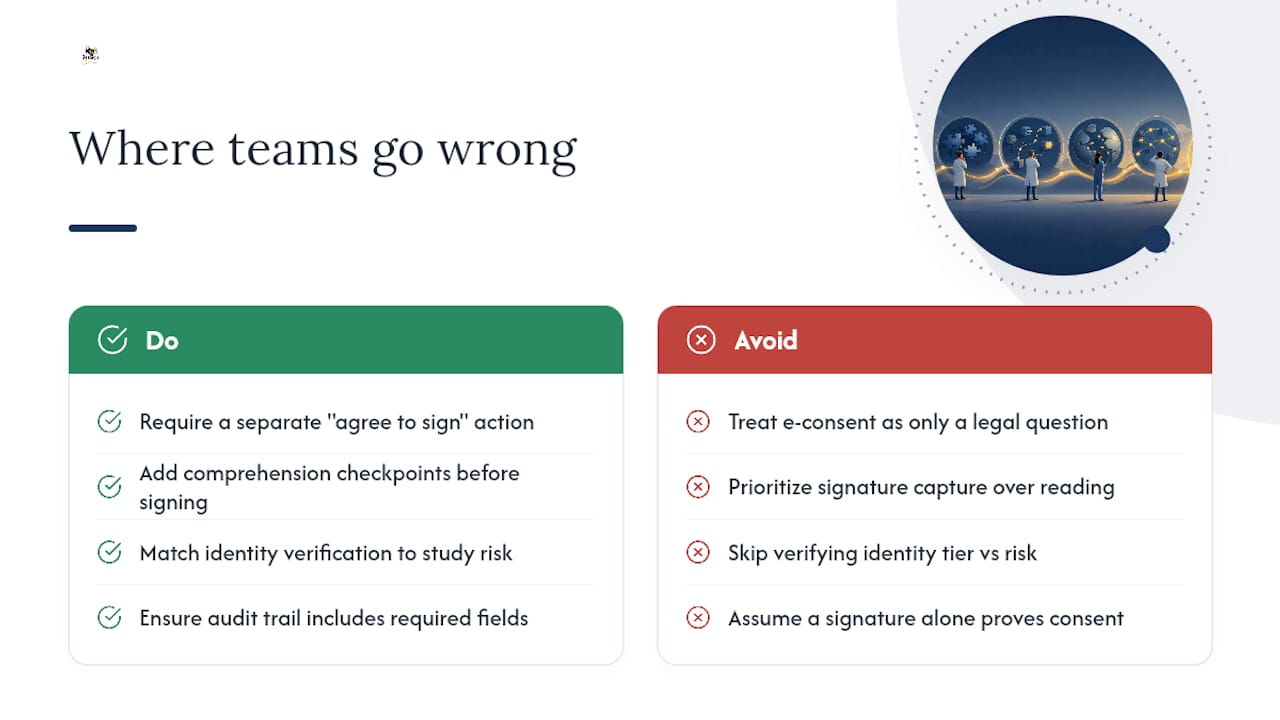
What gets underrated is comprehension design. Teams pour effort into signature capture and treat the reading experience as an afterthought, when the research on e-consent adoption points the other direction: the interface has to slow people down enough to actually process what they are agreeing to. A legally airtight signature on a form nobody read is still a weak consent process, even if it survives a Part 11 audit.
If you take one thing from this guide, prioritize the separate “agree to sign electronically” step and the comprehension checkpoints before you optimize anything else. Everything downstream, the audit trail, the IRB approval, the vendor selection, gets easier once those two pieces are solid.
— Mustafa Abusharkh
Get Your E-Consent Workflow Compliant Without Building It From Scratch
Beesign gives clinical teams and healthcare administrators a faster path to a defensible e-consent process than building audit trails, identity checks, and retention systems in-house. Instead of stitching together separate tools for signature capture, ID verification, and document storage, you get all three in one platform, plus BYOC storage that keeps signed records inside your institution’s own infrastructure.

Reusable consent templates mean your team builds the workflow once, comprehension checkpoints, the separate consent-to-sign field, signature capture, and copy delivery, then deploys it across every protocol that needs it. The developer API automates handoff to your study archive, so signed consent records do not sit in someone’s inbox waiting to be filed. For teams also handling PHI in adjacent document workflows, resources on HIPAA-compliant document practices can help you think through retention alongside your signature process. If your institution needs a documented compliance trail before it will approve a platform, Beesign’s audit trail and identity verification features are built to answer that review directly. Start a free trial and map your current consent form to the workflow in an afternoon.
This article is general information, not a substitute for advice from a qualified doctor. Consult a qualified healthcare professional about your own circumstances before acting on anything here.
Sources
Recommended
Ready to transform your workflow?
Start using BeeSign today and experience the future of document signing