Sales Proposal Templates: Download, Customize, and Send
Download customizable sales proposal templates to create client-ready proposals quickly. Choose from four formats to fit your needs!

Use these downloadable, editable sales proposal templates to build a client-ready proposal in 20–60 minutes, then collect signatures with an e-sign workflow. Every package below includes four formats so you can start in whichever tool you already have open.
What’s included in each download:
- Word (.docx): Fully editable, offline-friendly, compatible with Microsoft’s free online business proposal templates and AI editing tools for real-time collaboration
- Google Docs copy: Share a link, leave comments, and co-edit with your team without version confusion
- Editable Canva file: Drag-and-drop layout with your logo, brand colors, and Canva’s professionally designed proposal templates as a starting point
- Print-ready PDF: Fixed formatting for formal submissions or RFP responses where layout integrity matters
Which template fits your deal right now?
- Quick SMB deal (under $10K, single decision-maker): one-page template
- Mid-market opportunity ($10K–$100K, multiple stakeholders): multi-page template (5–10 pages)
- RFP or enterprise response: full structured template with team bios, compliance section, and appendices
Once you’ve downloaded your file, jump to the pre-send checklist in the “Download Links” section before you hit send.
Pro Tip: Save a “master” copy of each template in a shared drive before you customize. That way you always have a clean version ready for the next deal without hunting through sent emails.
Key Takeaways
A well-structured sales proposal template paired with an e-sign workflow reduces time-to-sign, prevents post-signature disputes, and gives buyers a frictionless path to yes.
| Point | Details |
|---|---|
| Match template length to deal size | Use a one-page format for SMB deals and a 5–10 page format for mid-market; RFPs need a full structured template. |
| Write the executive summary last | Draft all body sections first, then compress them into a one-page summary covering problem, solution, price, timeline, and decision requested. |
| Use tiered pricing | Present three tiers (anchor, recommended, entry) so buyers choose between options rather than deciding yes or no. |
| Include an out-of-scope section | List at least three explicit exclusions to prevent post-signature disputes and protect your margin. |
| Send with Beesign for faster close | Beesign’s template library, identity verification, and automated reminders remove every manual step between proposal sent and deal signed. |
Table of Contents
- Which template should you use: one-page, multi-page, or industry-specific?
- What sections does every winning sales proposal need?
- How do you convert a template into a tailored proposal?
- What file format should you send your proposal in?
- Copy-ready examples: one-page and multi-page proposal snippets
- Design and copy practices that actually improve win rates
- Why your e-signature and template workflow matter as much as the proposal itself
- Download links, what’s in each file, and your pre-send checklist
- Beesign closes the gap between “proposal sent” and “deal signed”
- Sources
Which template should you use: one-page, multi-page, or industry-specific?
Picking the wrong length is one of the most common proposal mistakes. A 12-page document sent to a solo founder who asked for a quick quote signals you didn’t listen. A one-pager sent to a procurement committee signals you’re not serious.
Run through these three questions before you open any file:
- How many decision-makers will read this? One person with budget authority: use the one-page format. A buying committee or procurement team: go multi-page so each stakeholder finds their section.
- What’s the deal value and complexity? Straightforward deliverables with a fixed price fit on one page. Custom scopes, phased timelines, or multiple service lines need room to breathe.
- Did the buyer send an RFP or a specific format request? If yes, match their structure exactly, even if it means a longer document than you’d normally send.
For industry-specific templates, the rule is simple: use one when your buyer’s language, compliance requirements, or deliverable categories differ from a generic format. A real estate agency expects different line items than a SaaS company. A generic business proposal template works well for most service businesses; industry-specific versions save time when you’re selling into a vertical you work in repeatedly.
Pro Tip: Keep versioned templates for your three most common deal types, named clearly (e.g., “SMB-One-Page-v2,” “Mid-Market-Services-v3”). Pipedrive’s guide on customizing proposals per prospect confirms that teams using pre-built, customized templates close faster than those drafting from scratch each time.
What sections does every winning sales proposal need?
The structure below reflects an 11-section format that Cobl’s analysis of real proposals identifies as the most effective sequence. Each section has a specific job.
| Section | What it does | SMB length | Mid-market | Enterprise |
|---|---|---|---|---|
| Cover page | First impression, buyer name, date | Half page | Half page | Full page |
| Executive summary | Stand-alone decision page | 1 page | 1 page | 1–2 pages |
| Buyer challenge | Shows you listened | 1–2 paragraphs | 1 page | 1–2 pages |
| Proposed approach | Your method, not just your service | 1–2 paragraphs | 1–2 pages | 2–4 pages |
| Deliverables | Specific outputs, not vague promises | Bullet list | 1 page | 1–2 pages |
| Roadmap / timeline | Milestones and dates | 3–5 bullets | Table | Gantt or table |
| Pricing | Investment options | 1 table | 1–2 tables | Full pricing section |
| Team | Who does the work | Optional | 1–2 bios | Full bios + org chart |
| Terms and conditions | Legal protection for both sides | Attached or inline | Inline | Full section |
| Out-of-scope | Prevents disputes | 3–5 bullets | Bullet list | Full section |
| CTA and signature block | Clear next step | 1 line + e-sign | 1 paragraph | 1 paragraph |
The executive summary is the most important page you’ll write. Busy executives often read only that page, so it must stand alone. Write it last, after every other section is complete, as Indeed recommends.
The out-of-scope section is non-optional. List three to five things your proposal explicitly does not cover. This single line item prevents the most common post-signature disputes and protects your margin.
How do you convert a template into a tailored proposal?
The process is six steps: Research, Outline, Draft, Customize, Proof, Send and follow up. Each step is short, but skipping any one of them is where proposals lose deals.
-
Research your buyer before you open the template. Pull their recent press releases, LinkedIn activity, and any notes from your discovery call. Your goal is to find the exact language they use to describe their problem. Mirror that language in the executive summary and buyer challenge sections.
-
Outline before you draft. Fill in the section headers with one-sentence placeholders. “Their challenge: scaling outbound without adding headcount.” “Our approach: a 90-day managed sequence program.” This takes ten minutes and prevents blank-page paralysis.
-
Draft the body sections first, executive summary last. Write deliverables, roadmap, and pricing while the details are fresh. Then write the executive summary as a compression of everything you just wrote. Indeed’s drafting guidance specifically recommends this order.
-
Customize every buyer-facing field. Replace every placeholder: buyer name, company name, specific pain points, dates, and pricing figures. Add one relevant case study or result that maps to their industry. Shopify’s proposal guidance highlights that process descriptions and team information build credibility when they’re specific to the buyer’s context.
-
Proof with this pre-send checklist before you send:
- Buyer name and title spelled correctly throughout
- All dates are accurate and internally consistent
- Pricing math checks out (unit price × quantity = total)
- In-scope and out-of-scope sections are both present
- Attachments (T&C, case study, team bios) are linked or appended
- E-sign fields are placed and assigned to the right signer
-
Send and plan your follow-up before you hit send. Decide your follow-up cadence now: a check-in email at 48 hours, a call at day five if no response. Pipedrive’s five-step process treats follow-up as part of the proposal workflow, not an afterthought.
When to include an ROI calculation: Add a simple business case when your deal value is above $15K or when the buyer’s primary objection is cost. Keep it to one table: current cost, projected cost with your solution, and net savings or revenue gain over 12 months. Buyers who can show their CFO a number approve faster.
What file format should you send your proposal in?
| Format | Best for | Pros | Cons |
|---|---|---|---|
| Word (.docx) | Internal drafting, collaborative editing | Easy to edit, tracked changes | Layout can break on different systems |
| Google Docs | Team collaboration, fast sharing | Real-time co-editing, comment threads | Requires Google account to edit |
| Canva | Design-forward proposals, brand-heavy pitches | Visual polish, easy logo/color swap | Less flexible for long text sections |
| Formal submissions, RFP responses | Fixed layout, universally readable | Not editable by the buyer | |
| Web-based proposal | Mid-market and enterprise deals | Interactive pricing, real-time tracking, e-sign | Requires proposal software subscription |
Canva’s editable templates are the fastest path to a visually polished document if design matters to your buyer. For most B2B service proposals, a clean Word or Google Docs draft converted to PDF at the end is the standard workflow.
Web-based proposals are worth the extra step for larger deals. Proposify’s research shows that interactive pricing tables and embedded e-signatures reduce approval friction and let buyers accept faster than static PDFs. You can also see exactly when the buyer opened the document and which sections they spent time on.
Export checklist before you send any PDF:
- Images at 150 DPI minimum (300 DPI for print)
- Branded header and footer on every page
- Print margins set to at least 0.75 inches
- Fonts embedded (not just referenced)
- All hyperlinks tested and working
- File size under 10 MB for email delivery
Pro Tip: Record a 60–90 second Loom walkthrough of your proposal and embed the link in the cover email. Buyers who watch the video before reading the document close at a noticeably higher rate because the context removes ambiguity before they hit the pricing page.
Copy-ready examples: one-page and multi-page proposal snippets
One-page executive summary (fill in the brackets)
[Buyer Company] is losing an estimated [X hours/week or EX/month] to [specific problem]. [Your Company] proposes a [solution name] that [primary outcome] within [timeline], for a total investment of [price]. We’re asking for your approval by [decision date] to begin [first milestone].
That’s two sentences. Every word earns its place.
Multi-page deliverables section (paste and edit)
What you’ll receive:
- [Deliverable 1]: [specific output, format, and delivery date]
- [Deliverable 2]: [specific output, format, and delivery date]
- [Deliverable 3]: [specific output, format, and delivery date]
Roadmap: Phase 1 (Weeks 1–2) covers discovery and setup. Phase 2 (Weeks 3–6) is active delivery. Phase 3 (Weeks 7–8) is review, handoff, and documentation. All milestones are confirmed in writing before each phase begins.
Sample pricing table
Prospeo’s analysis of winning proposals consistently shows that tiered pricing outperforms single-price proposals because it gives buyers a choice rather than a yes/no decision. Consider adding an “Essentials,” “Recommended,” and “Premium” row to your pricing table.
Signature block and e-sign CTA
Design and copy practices that actually improve win rates
Personalization is the highest-leverage move you can make on a proposal, and most of it takes under ten minutes.
Copy personalization:
- Mirror the buyer’s exact language from your discovery call. If they said “reduce churn,” use “reduce churn,” not “improve retention.”
- Attach one case study that matches their industry and company size. Generic testimonials are ignored; a specific result from a comparable client is read.
- Name the decision criteria you discussed. “You mentioned speed-to-market and budget predictability as your two priorities. Here’s how we address both.”
Design rules that work:
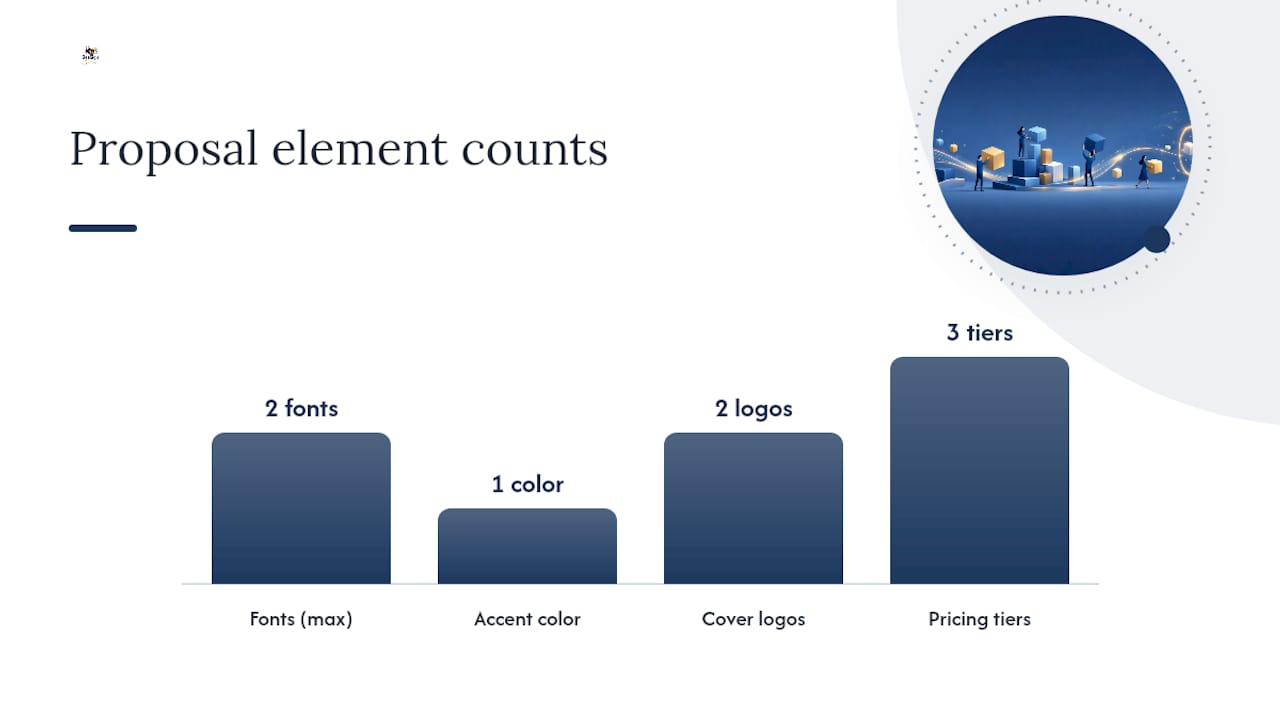
- Two fonts maximum: one for headings, one for body text. More than two reads as unpolished.
- One accent color tied to your brand (or the buyer’s brand if you’re going deep on personalization). Canva’s design-forward templates demonstrate how a single accent color creates visual hierarchy without clutter.
- White space is not wasted space. Dense pages signal effort; clean pages signal confidence.
- Place both logos on the cover page (yours and the buyer’s). Design-focused template libraries consistently show that adding the buyer’s logo and name on the cover communicates “made for you” before the buyer reads a single word.
Pricing presentation dos and don’ts:
- Do present three tiers: an anchor (premium), a recommended (your target), and an entry option. Buyers gravitate toward the middle.
- Do show milestone-based payment schedules for projects with higher budgets. It reduces perceived risk.
- Don’t bury fees in footnotes. Surprise fees discovered after signing are the leading cause of post-close friction.
- Don’t use round numbers for everything. “$9,750” reads as calculated; “$10,000” reads as guessed.
Pro Tip: Add a 60–90 second Loom video link at the top of your proposal email. Walk the buyer through the executive summary and pricing page verbally. It reduces the number of “I have a few questions” replies and shortens the approval cycle.
Why your e-signature and template workflow matter as much as the proposal itself
A well-written proposal that sits unsigned for two weeks is a lost deal in slow motion. The gap between “sent” and “signed” is where most B2B opportunities stall. Templates paired with an e-sign workflow close that gap by removing every manual step between approval and execution.
The legal foundation for e-signatures in the United States is the ESIGN Act and UETA (Uniform Electronic Transactions Act), which together make electronically signed agreements legally binding for the vast majority of commercial contracts. For deals with international counterparts, eIDAS covers the European standard. Any workflow you use for B2B proposals should include identity verification and a complete audit trail, both because buyers increasingly expect it and because it protects you if a signature is ever disputed.
The operational benefits of a template-plus-e-sign workflow are concrete:
- Faster approval: Buyers can sign from any device the moment they’re ready, without printing or scanning.
- Real-time tracking: You see when the document was opened, which pages were viewed, and when the signature was completed.
- Automated reminders: Scheduled follow-up nudges replace manual “just checking in” emails.
- Consistent branding: Every proposal goes out with the same header, footer, and formatting, regardless of who on your team sends it.
- Audit trail: A timestamped record of every action (sent, opened, signed) is stored automatically, which matters for compliance and dispute resolution.
Proposify’s research on web-based proposals confirms that interactive pricing and e-sign integration speed approvals compared to static PDFs. For teams sending more than a handful of proposals per month, agreement workflow automation removes the manual handoffs that slow down every deal.
Beesign supports ESIGN, UETA, and eIDAS compliance out of the box, with identity verification (including government ID capture and biometric face matching) and blockchain-timestamped audit trails built into every signing workflow.
Download links, what’s in each file, and your pre-send checklist
What’s in each package:
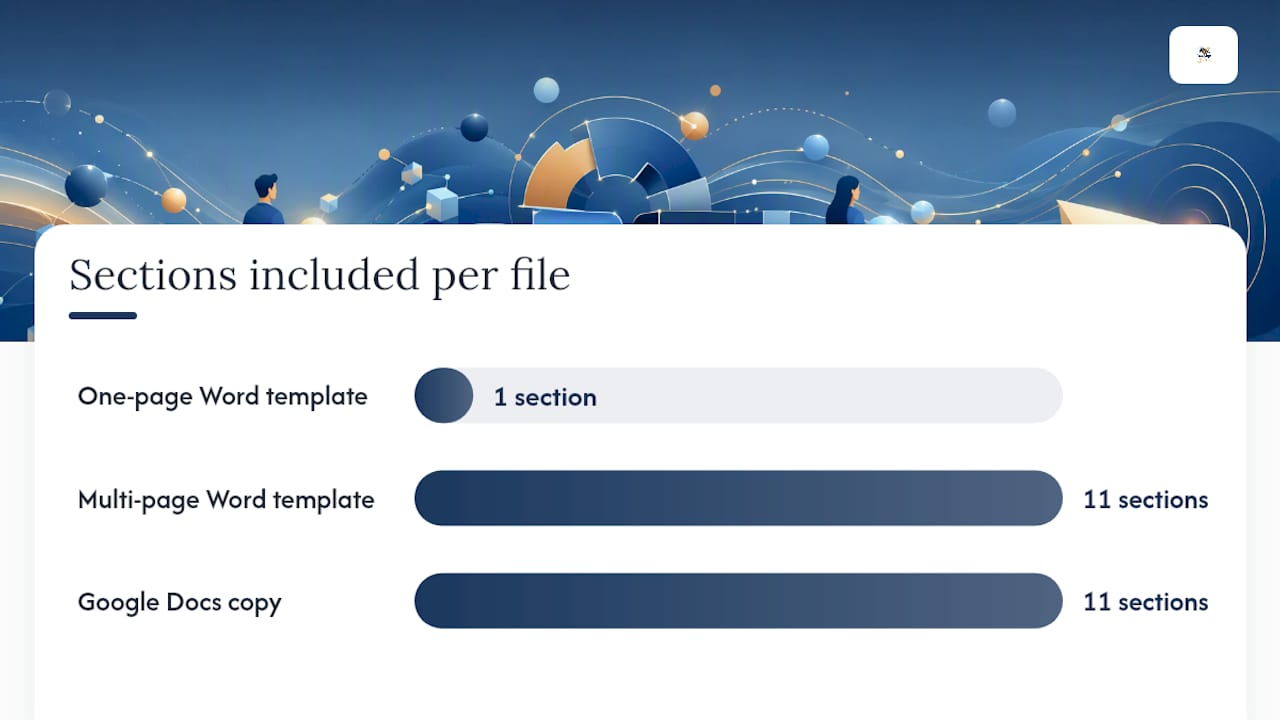
- One-page Word template: Cover, executive summary, pricing table, out-of-scope bullets, signature block. Best for SMB deals under $10K.
- Multi-page Word template: All 11 sections (cover through CTA), team bio placeholders, roadmap table, tiered pricing table, T&C attachment placeholder.
- Google Docs copy: Identical structure to the multi-page Word version, shared as a Google Drive link for collaborative editing.
- Editable Canva file: Design-forward layout with logo placement, accent color fields, and a visual timeline block. Export as PDF when ready.
- Print-ready PDF: Pre-formatted, locked layout for formal RFP submissions.
Pre-send checklist:
- Buyer’s full name and correct title appear on the cover and in the executive summary
- All timeline dates are accurate and match what you discussed in discovery
- Pricing math is verified (unit price × quantity = line total; line totals sum to the grand total)
- In-scope deliverables are specific; out-of-scope section lists at least three exclusions
- Terms and conditions are attached or linked, with the signature block clearly labeled
- E-sign fields are assigned to the correct signer(s) and positioned after the T&C section
- All file attachments (case study, team bios, references) are accessible via the links you included
Where to place the signature block: Put it on the final page, immediately after the terms and conditions summary. Label it clearly: “Authorized signature,” “Printed name,” “Title,” and “Date.” If you’re using e-sign, assign the field to the buyer’s email address and add a second field for your countersignature. Enerpize’s workflow guidance recommends keeping the T&C and signature on the same page so buyers don’t have to flip back to confirm what they’re agreeing to.
Setting up automated signature reminders after you send is the single most effective way to reduce the time between “sent” and “signed” without adding manual follow-up to your day.
The case for pairing every proposal with a signing workflow
Templates solve the drafting problem. The signing workflow solves the closing problem. In practice, the two are inseparable: a proposal that requires the buyer to print, sign, scan, and email back introduces enough friction that some deals simply don’t close on the timeline they should. Pairing a well-structured template with a workflow that handles identity verification, automated reminders, and a complete audit trail is the standard for any sales team serious about time-to-sign. Beesign was built specifically for this combination, and the guidance in this article maps directly to how its template and e-sign features work together.
Beesign closes the gap between “proposal sent” and “deal signed”
Most sales teams spend hours on a proposal and then lose days waiting for a signature. Beesign eliminates that wait by centralizing your template library, identity verification, and e-sign workflow in one platform, so the moment a buyer is ready to sign, there’s nothing in the way.

What Beesign gives your sales team:
- Reusable proposal templates with fillable fields that auto-populate buyer details
- Identity verification (government ID capture and biometric face matching) for high-value deals
- Blockchain-timestamped audit trails that document every action from open to signed
- Real-time tracking so you know exactly when to follow up
- Automated signature reminders that replace manual “just checking in” emails
- White-label capabilities and bring-your-own-cloud storage for enterprise compliance (ESIGN, UETA, eIDAS, HIPAA)
- REST API for teams that want to trigger proposal sends directly from their CRM
Start your 7-day free trial at Beesign and send your first proposal with a full e-sign workflow today.
Sources
- Free Business Proposal Template - Word, PDF | HubSpot
- Best Sales Proposal Template
- Sales proposal format: a real annotated example - Cobl
- Free, printable, editable proposal templates for work or …
- Sales Proposal Template - Document Template
- Free Business Proposal Template - Shopify
Recommended
Ready to transform your workflow?
Start using BeeSign today and experience the future of document signing