Freemium eSign Plans: What Small Businesses Need to Know
Discover what is a freemium eSign plan and how it can benefit small businesses. Learn when you might need to upgrade beyond the free tier.

A freemium eSign plan is a permanently free tier of electronic signature software that gives you limited signing capability at no cost, with no expiration date. For individuals and very light users, it works fine. For small businesses sending more than a handful of documents per month or anyone with compliance obligations, the free tier will hit its ceiling faster than you expect.
The short answer: A freemium eSign plan is usable for one-off or occasional signing. It stops working the moment your team grows, your volume climbs, or a regulated workflow enters the picture. The three most common upgrade triggers are document volume caps, missing identity verification, and the absence of automation or API access.
The most common reasons small businesses outgrow a free tier:
- Signature request caps block normal business volume (most free plans cap signatures at 2–3 per month)
- Single-user restrictions prevent team collaboration
- No government ID capture or biometric verification for regulated transactions
- No API access for CRM or workflow automation
- Audit trails too basic for HIPAA or real estate compliance
If any of those apply to you now, skip to the evaluation checklist in Section 7. If you want to understand the model before deciding, read on.
Table of Contents
- What does a freemium eSign plan actually include?
- How is freemium different from a free trial?
- Why do vendors offer freemium tiers?
- When does a freemium eSign plan fail you?
- What features do freemium eSign plans typically include or gate?
- How do you test a freemium eSign plan and decide if it’s enough?
- What does upgrading from freemium actually cost?
- U.S. legal and compliance requirements for eSign plans
- Why Beesign is worth trying when a free tier no longer fits
- Key Takeaways
- The moment the free tier stops being enough
- Try Beesign free for 7 days with a focused test plan
- Useful sources for further reading
What does a freemium eSign plan actually include?
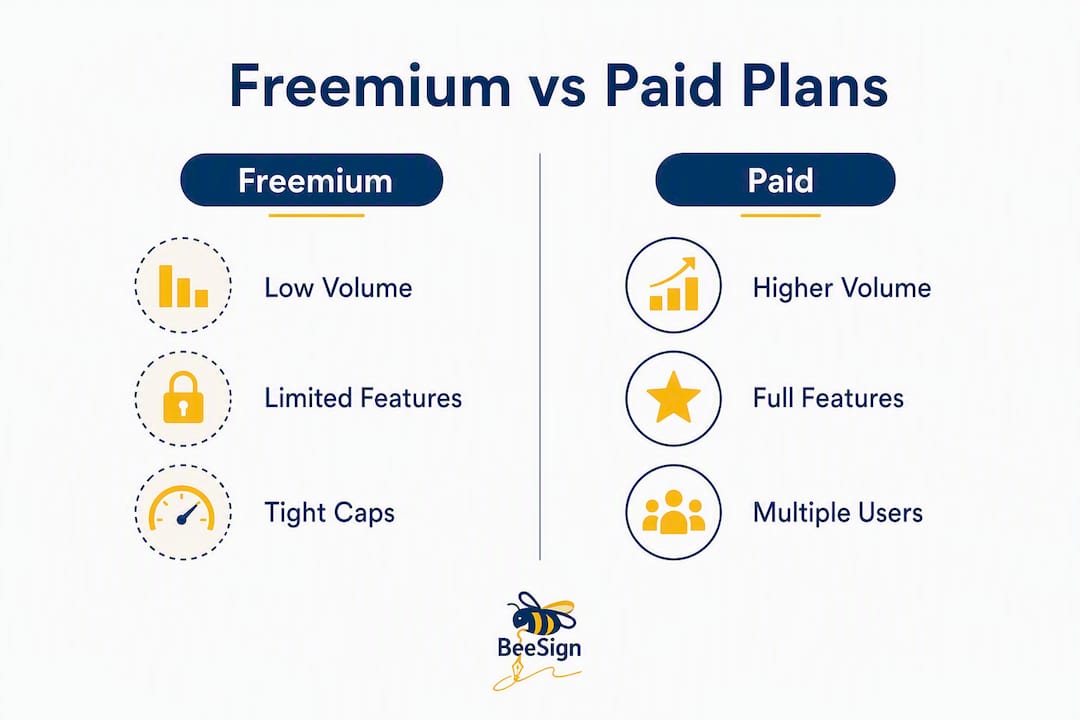
Freemium is a pricing model where a vendor gives you a permanently free tier with capped features, hoping you convert to a paid plan when your needs grow. In the context of electronic signature software, that means you get a real, working account with no expiration, but the features and volume are deliberately limited.
Most free tiers include:
- A set number of signature requests per month, usually very limited
- Basic email delivery of documents to signers
- A simple audit trail showing who signed and when
- One user seat
- Standard electronic signature (click-to-sign)
What free tiers almost always exclude:
- Advanced identity verification (government ID capture, biometric face matching)
- Reusable templates beyond one or two
- Team management or multi-user access
- API access for automation
- White-label branding or custom domain
- HIPAA-compliant data handling
- Integrations with CRMs, Google Drive, or Salesforce
- Priority or live customer support
The free tier is a real product, not a demo. You can send and receive legally valid signatures under the U.S. ESIGN Act. The limits are on volume and capability, not on legal validity.

How is freemium different from a free trial?
This distinction matters more than most guides acknowledge. A free trial gives you temporary full or near-full access for a set period, typically 14–30 days, then cuts you off unless you pay. Freemium gives you permanent access to a stripped-down version with no deadline.
The practical difference for evaluation:
- Free trial: You see the full product, including advanced features. You get a realistic picture of what paid looks like. Conversion pressure is high because access disappears.
- Freemium: You see only the limited version. You may never encounter the features that would actually solve your problem. Conversion pressure is low, which is comfortable but can delay a decision you should make sooner.
For small businesses, a free trial is usually the better evaluation tool. You can test identity verification, API calls, and team routing in a real workflow before committing. A freemium plan tells you whether basic signing works; it rarely tells you whether the platform can handle what you actually need.
When freemium makes sense for evaluation: You have a single, simple use case (one-off contracts, occasional NDAs) and want a permanent low-cost option without a subscription. You are not testing the platform’s ceiling; you are using its floor.
Why do vendors offer freemium tiers?
Vendors use freemium for three concrete business reasons. First, it lowers customer acquisition cost: instead of paying for ads or sales calls to reach small users, the product acquires them organically. Second, it drives viral adoption, because every document a free-tier user sends exposes the platform’s brand to a new signer. Third, it creates a pipeline of users who upgrade when their needs grow.
Freemium reduces acquisition costs but also creates ongoing costs supporting non-paying users, which is why vendors cap features tightly. The free tier is designed to be genuinely useful for a narrow use case, not broadly useful for free.
The use cases where freemium eSign plans genuinely work well:
- Freelancers sending one or two client contracts per month
- Sole proprietors who need occasional NDAs or service agreements
- Individuals signing personal documents (lease agreements, consent forms)
- Small teams piloting a workflow before requesting a budget
If your use case is that narrow and that stable, a freemium plan may serve you indefinitely. The problem is that most small businesses grow past that point within a few months of adopting e-signatures.
When does a freemium eSign plan fail you?
The failure is rarely dramatic. You do not get locked out. You just hit a wall at the worst possible moment: a client is waiting, a deadline is real, and your account indicates you have used your monthly limit.
Free plans work for under roughly five envelopes per month per user; teams exceed that quickly. The more common failure modes:
- Volume caps: Sending 2–3 documents per month sounds like enough until you have three clients closing in the same week.
- Single-user restriction: One person can send; everyone else waits. When a team needs collaboration, vendors often require converting all active users to paid seats, which multiplies costs compared to a single-seat price.
- Missing identity verification: A basic email signature is fine for low-stakes documents. For contracts above a certain value, real estate transactions, or anything touching HIPAA, you need government ID capture or biometric matching. Free tiers do not include these.
- No automation: Manual sending is fine for two documents. At twenty, you need routing rules, CRM triggers, and API calls. None of that is available on a free tier.
Hidden costs that catch small businesses off guard:
- Overage fees when you exceed monthly limits on a paid entry plan
- Per-seat pricing that multiplies when you add team members
- Integration fees for connecting to tools like Salesforce or HubSpot
- Support costs: free-tier users often get email-only support with multi-day response times
Pro Tip: Before you sign up for any freemium plan, ask the vendor what happens when you need a second user. If the answer is “upgrade all seats,” calculate that total cost now, not after you have built workflows on the platform.
Total cost of ownership includes integration, administrative overhead, and support, not just the subscription line item.

What features do freemium eSign plans typically include or gate?
Here is a concrete breakdown of what you usually get and what you usually do not, based on publicly available free-tier specifications.
Commonly available on free tiers:
- Basic electronic signature (click-to-sign)
- Email delivery to signers
- Basic audit trail (timestamp, IP address, email)
- One user seat
- Limited template access (one or two)
- Document storage (limited retention period)
Commonly gated behind paid plans:
- Advanced identity verification (government ID, biometric face matching)
- API access and webhooks
- Team management and role-based permissions
- White-label branding and custom domain
- HIPAA-compliant data handling
- Bulk sending
- CRM and cloud storage integrations
- Priority support
The table below shows example free-tier limits from publicly documented sources:
| Provider | Free Signatures/Month | User Seats | Identity Verification | API Access |
|---|---|---|---|---|
| Adobe Sign (free plan) | 2/month | 1 | No | No |
| Sign.Plus Free | 3/month | 1 | No | No |
| Dropbox Sign Free | 3/month | 1 | No | No |
These caps are not edge cases. They are the standard. Most free tiers cap signatures at 2–3 per month, which is a realistic ceiling for a freelancer; it is not a ceiling for a business.
How do you test a freemium eSign plan and decide if it’s enough?
Evaluate on operational outcomes, not feature lists. Contract turnaround speed and error reduction tell you more about whether a platform fits your workflow than a checkbox comparison ever will.
Run a structured pilot using this checklist:
- Send five test envelopes covering your most common document types (contracts, NDAs, onboarding forms). Note how long each takes from send to completed signature.
- Measure time to signature. Track the gap between sending and receiving a completed document. If it exceeds your acceptable turnaround, the workflow has friction.
- Test your authentication requirement. If any document requires identity verification, confirm whether the free tier supports it. If it does not, you already have your upgrade trigger.
- Check integration points. Does the platform connect to the tools you use daily? Test at least one connection (Google Drive, a CRM, or your email client).
- Review the audit trail. Download the completed document’s audit report. Confirm it captures the data your compliance or legal team requires.
- Contact support once. Send a non-urgent question and measure response time. Free-tier support quality predicts paid-tier support quality.
- Calculate your real monthly volume. Count every document you sent in the last 90 days. Divide by three. If that number exceeds the free cap, you need a paid plan.
Statistic to track: A successful transition from free to paid is often triggered by workflow friction, specifically automation needs, routing or CRM integrations, or team-level tracking, not simply headcount growth.
Use a document signing platform checklist to structure your comparison across vendors before committing.
What does upgrading from freemium actually cost?
Paid eSign plans use three main pricing shapes, and which one fits your business depends on how you send documents.
Per-envelope pricing charges you for each signature request sent. It suits businesses with variable, unpredictable volume. Low months cost less; high months cost more.
Per-user (seat-based) pricing charges a flat monthly fee per team member. It suits teams with consistent volume where predictability matters more than flexibility.
Tiered flat plans bundle a set number of envelopes and users at a fixed monthly price. Most small businesses land here.
Common upgrade triggers and typical timelines:
- Volume cap hit within the first 30 days of real use
- Team expansion requiring a second user seat (often months 2–4)
- A regulated transaction requiring identity verification (can happen immediately in real estate, healthcare, or financial services)
- Automation need when manual sending becomes a bottleneck
Example entry-level paid pricing from public sources:
| Plan Type | Example Starting Price | Signatures Included | Identity Verification |
|---|---|---|---|
| Entry paid (typical) | $10/month | 5–10/month | Basic (email only) |
| Mid-tier | $40/month | Unlimited or high cap | Optional add-on |
| Beesign entry plan | From $9.99/month | Varies by plan | Included (biometric + ID) |
The jump from free to paid is usually modest in dollar terms. The real cost question is seat multiplication: a $10/month plan becomes $50/month the moment you add five users.
U.S. legal and compliance requirements for eSign plans
The ESIGN Act and the Uniform Electronic Transactions Act (UETA) establish the legal baseline for electronic signatures in the United States. Under both, a basic click-to-sign signature on a free-tier plan is legally valid for most commercial contracts. The legal validity is not the issue. The compliance gap is.
Security checklist for evaluating any eSign plan:
- Identity verification: — Does it support government ID capture or biometric matching for high-stakes documents?
When a paid plan is required:
For a deeper look at how signature types affect legal standing, the digital vs. electronic signature distinction matters in regulated contexts.
This article provides general information, not legal advice. Confirm your specific compliance requirements with a qualified attorney or your industry’s primary regulatory source.
Why Beesign is worth trying when a free tier no longer fits
When your freemium plan hits its ceiling, the question is not whether to upgrade but where. Beesign is built specifically for the upgrade triggers this article covers: identity verification, templates, API automation, white-labeling, and compliance-grade audit trails.
What Beesign includes that free tiers typically do not:
- Government ID capture and biometric face matching for high-stakes or regulated documents
- Reusable templates for contracts, onboarding forms, and recurring workflows
- REST API for automating document routing, CRM triggers, and approval chains
- White-label capabilities including custom domain, branded emails, and your own logo
- Bring-your-own-cloud (BYOC) storage so your data stays in your infrastructure
- Complete audit trails with blockchain timestamp proof for legal defensibility
- ESIGN, UETA, HIPAA, and GDPR compliance built into the platform
Entry plans start at $9.99/month. For small businesses that have been manually managing signing workflows on a free tier, the time savings alone typically justify the cost within the first month.
If you are in real estate, legal services, HR, or any regulated sector, the compliance-grade features for legal teams Beesign provides are not optional extras; they are the baseline your workflows require.
Key Takeaways
A freemium eSign plan works for occasional, low-volume signing but creates compliance gaps and operational friction the moment your business scales, making a paid plan with identity verification and API access the practical choice for most small businesses.
| Point | Details |
|---|---|
| Free tier limits are tight | Most free plans cap signatures at 2–3 per month and restrict access to one user seat. |
| Freemium vs. free trial | Freemium is permanent with capped features; a free trial gives temporary full access for 14–30 days. |
| Compliance gaps are real | Free tiers rarely include HIPAA-compliant handling, government ID verification, or granular audit tools. |
| Upgrade triggers to watch | Volume caps, team expansion, identity verification needs, and automation requirements drive most upgrades. |
| Beesign as next step | Beesign starts at $9.99/month and includes biometric ID verification, API access, white-label, and BYOC storage. |
The moment the free tier stops being enough
There is a specific moment when a freemium eSign plan stops being a smart choice and starts being a liability. It is not when you hit the document cap for the first time. It is when you hit it on a deadline, with a client waiting, and you realize the workaround (downloading, printing, scanning, emailing) costs more in time and credibility than a paid plan ever would.
What actually drives the upgrade decision is rarely a single feature. It is friction accumulating across three or four small failures: a signer who needed ID verification you could not provide, a team member who could not access the account, an integration that did not exist, a support ticket that took four days to answer. Each one is manageable in isolation. Together, they signal that the free tier is costing you more than it is saving.
The evaluation framework that matters is not “does this plan have feature X?” It is “how long does it take to get a signed document back, and what breaks when volume doubles?” Those two questions surface the real ceiling faster than any feature comparison.
Freemium is a legitimate starting point. For most small businesses, it is not a permanent destination.
Try Beesign free for 7 days with a focused test plan
Beesign’s 7-day free trial gives you full access to the features that matter most when you are evaluating whether to move off a freemium plan. That means identity verification, templates, API access, and white-label branding, all available from day one of your trial.

Here is a focused test plan to run during your trial:
- Send three envelopes using your most common document type and measure time to completed signature.
- Test government ID capture on one document requiring identity verification.
- Make one API call to confirm your CRM or workflow tool can connect.
- Send one document using a branded email with your company name and logo.
- Download the audit trail from a completed document and confirm it meets your compliance requirement.
By day 7, you will know whether Beesign fits your workflow. If it does, request pricing for the plan that matches your monthly volume. If you are in sales or a deal-driven business, the sales and business solution page shows exactly how Beesign handles high-velocity contract workflows.
Start your free Beesign trial and run your first envelope today.
Useful sources for further reading
These sources informed this article and are worth bookmarking for your own compliance reviews and platform evaluations:
- Investopedia: Freemium Business Model — Clear definition of freemium mechanics, including the permanent-free-tier distinction from free trials.
- CIO: The 2026 Guide to eSignatures — Covers security, cost, ROI, and operational evaluation criteria for eSign platforms; strong resource for procurement teams.
- eSignCompare: How to Choose an eSignature Platform — Practical framework with real free-tier examples and feature comparisons across providers.
- TrueLayer: Guide to Freemium Business Models — Explains vendor incentives behind freemium pricing and the trade-offs between CAC reduction and ongoing support costs.
Recommended
Ready to transform your workflow?
Start using BeeSign today and experience the future of document signing