Contractor Agreements and E-Signature: A US Guide
Learn how to send, sign and store contractor agreements electronically in the US: what the law requires, which documents qualify, and a workflow that holds up.

Yes, you can sign contractor agreements electronically in the United States, and they are enforceable on the same footing as paper ones. Federal law says a contract cannot be denied legal effect solely because it is electronic. What decides a dispute is your process: clear intent to sign, consent to transact electronically, and a record that stays complete and unchanged. This guide covers the law, the documents involved, the exceptions, and a step-by-step workflow you can set up today.
TL;DR
- Under 15 U.S.C. § 7001(a), a contract cannot be denied validity solely because it is electronic or signed with an electronic signature.
- Enforceability depends on intent to sign, consent to use electronic records, and a signed document that is accessible and cannot be altered afterward.
- The usual contractor paperwork (agreement, statement of work, NDA, change orders, purchase orders) can be signed electronically. A short list of document types, such as wills, is excluded.
- Use templates, identity checks where the risk calls for them, and an audit trail so every signature can be proven later.
Table of Contents
- Are electronically signed contractor agreements legally binding?
- What makes an e-signed contractor agreement enforceable
- Which contractor documents can be signed electronically
- A reliable workflow for sending, signing and keeping contractor agreements
- Our perspective
- Set up contractor signing with BeeSign
- Common mistakes to avoid
- FAQ
- Sources
Are electronically signed contractor agreements legally binding?
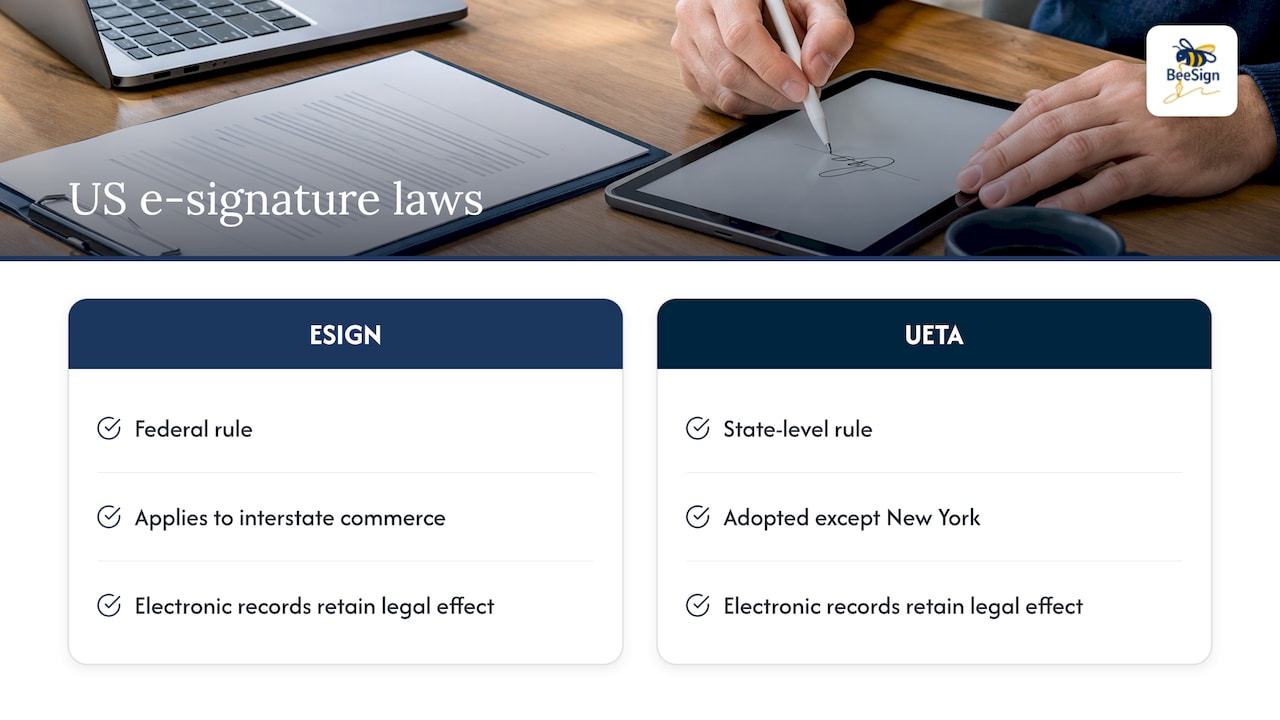
They are. Two laws do the work. The federal ESIGN Act sets the national rule. The Uniform Electronic Transactions Act (UETA) does the same at state level. According to Holland & Knight’s 2025 overview of US contract formation, UETA has been adopted by every state except New York, and both laws provide that a signature, contract or record cannot be denied legal effect solely because it is electronic.
New York has its own statute. The state’s Electronic Signatures and Records Act (ESRA) regulation establishes that electronic signatures and records have the same force and effect as those produced by non-electronic means. Federal ESIGN also applies to transactions in or affecting interstate commerce, which covers most business relationships with contractors.
The American Bar Association’s 2020 comment on electronic signatures puts the practical result simply: because UETA is the law in nearly all jurisdictions and E-SIGN is federal law, the rules are substantially the same everywhere. When parties to a business contract agree to use an electronic signature, it ordinarily has legal effect, and that agreement can be implicit from the circumstances.
For a deeper look at the general question, see our guide on whether electronic signatures are legally binding.
What about 1099 and independent contractor agreements?
Independent contractor agreements are ordinary commercial contracts. No special federal rule bars signing them electronically. Cinderblock’s April 2026 guide for contractors notes that the ESIGN Act covers the vast majority of contractor paperwork, including estimates, change orders, subcontractor purchase orders and invoices, and that no US state treats a contractor’s signature as unenforceable simply because it is electronic.
What makes an e-signed contractor agreement enforceable
The law removes the “it’s electronic” objection. It does not fix a weak agreement or a sloppy process. Four things matter.
1. The contract is a valid contract
The basics are unchanged. Nolo explains that an e-contract needs the same elements as a paper one: an offer, acceptance, consideration and mutual assent, and mutual assent includes the intent to contract electronically. Holland & Knight adds that ESIGN and UETA do not rescue a transaction that fails the applicable state statute of frauds. If the agreement would be defective on paper, it is defective on screen.
2. Each party intends to sign
The ABA comment notes that electronic signatures include those in emails and PDFs, and those from commercial signing platforms, as long as they are attached to or associated with the agreement with intent to sign. A deliberate action, such as clicking “Sign” after reviewing the document, shows that intent. A name typed into a shared PDF with no record of who did it shows much less.
3. Both parties consent to transact electronically
Cinderblock says consent is usually implied when a person clicks a link to review and sign. Nolo’s summary of the requirements under ESIGN, UETA and most state laws is more detailed: get consent, tell signers what their signature means, offer other options including paper, tell them they can withdraw consent, and keep copies. A short consent line at the start of the signing flow covers most of this.
4. The signed record is accessible and unchanged
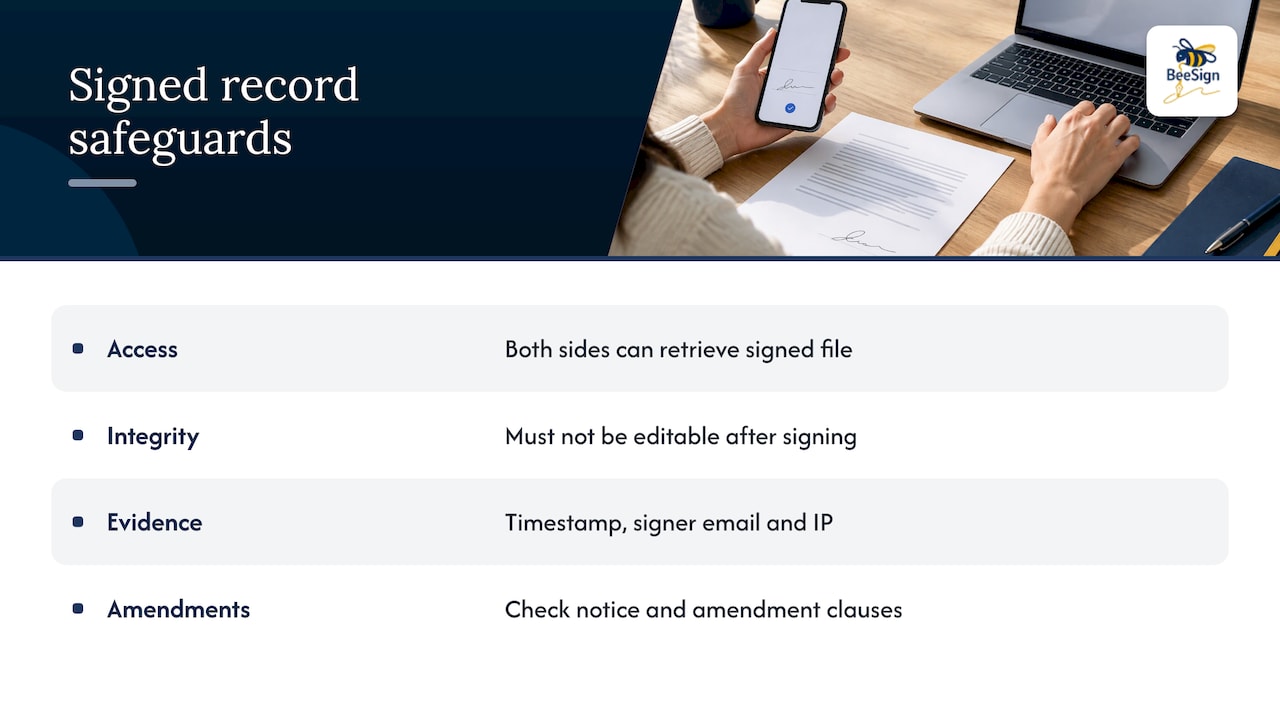
The signed file must be stored so both sides can retrieve it, and it must not be editable after signing. This is where your tool matters most. A platform that timestamps each signature, records the signer’s email and IP address, and locks the document after execution gives you evidence that holds up. Our posts on what makes an eSignature valid and choosing a UETA-compliant platform go through the criteria in detail.
One more check from the ABA: some agreements themselves require that amendments be signed manually. If you are amending an existing contractor agreement, read its notice and amendment clauses first.
Which contractor documents can be signed electronically
Most of what you hand a contractor can go through an e-signature flow. A typical package looks like this:
| Document | What it does | When to get it signed |
|---|---|---|
| Independent contractor agreement | Sets scope, term, payment, and the contractor relationship | Before work starts |
| Statement of work (SOW) | Defines deliverables, milestones and fees for a project | Before work starts |
| NDA | Protects confidential information | Before sharing anything sensitive |
| IP assignment | Transfers rights in the work product | With the agreement or at delivery |
| Change order | Approves out-of-scope work and cost changes | Before the extra work begins |
| Subcontractor purchase order | Authorizes materials or services | Before work starts |
| W-9 | Collects taxpayer information from US contractors | At onboarding |
The list of core hiring documents comes from Rivermate’s contractor hiring guide, which includes the agreement, SOW, tax forms, IP assignment, NDA and a data processing addendum. Cinderblock advises getting estimates signed before work, change orders before any out-of-scope work, and purchase orders before work begins. It also suggests signed invoices when there was no written estimate, the final amount differs significantly, or payment is deferred.
Quotes and invoices often sit in separate software from your contracts. If you run a trade business, demolition contractor invoicing software can handle quoting and invoicing while your signing platform handles the agreements around them.
Exceptions to check
ESIGN carves out a few categories. The ABA comment notes that UETA and E-SIGN do not apply to agreements to the extent they are governed by the UCC, apart from Articles 2 (sales of goods) and 2A (leases of goods), though the UCC’s own definitions of “sign” and “authenticate” give substantially the same results for electronic signatures. Wills and testamentary trusts, certain court documents and documents a specific statute requires on paper are the usual exclusions, and they rarely come up in contractor work. If your agreement touches real property, regulated industries or state licensing rules, ask your attorney whether a particular form has its own signing requirement. Our post on whether legal documents can be signed electronically covers the wider picture.
A reliable workflow for sending, signing and keeping contractor agreements
The steps below match how payroll and HR platforms describe the process. Gusto’s help center walks through creating or selecting a template, filling in the agreement details such as expiration date, responsibilities and duration, adding smart text fields, previewing, sending for online signature, and storing the signed copy. It also notes that once accepted, the agreement cannot be changed or deleted. You can follow the same sequence in any signing platform.
- Build a template once. Put your standard terms in a reusable template. Mark the fields that change per contractor (name, rate, start date, term) as fillable fields so nobody edits the legal text by accident.
- Fill in the specifics. Enter scope, payment terms, duration and expiration. Attach the SOW or NDA to the same signing request so everything is signed together.
- Preview before sending. Check every field the way the contractor will see it, on a phone as well as a desktop. Many contractors sign from a job site.
- Send with a clear consent step. The signer should see that they are agreeing to sign electronically and that they can ask for a paper copy.
- Verify identity when the risk justifies it. For high-value agreements, remote contractors or regulated work, add an ID check before the signature.
- Lock and store the signed record. The final PDF and its audit trail should be saved together, with copies delivered to both parties.
- Set a retention rule. Keep the executed agreement for as long as your tax, insurance and contract obligations require. Ask your accountant or attorney for the right period for your business.
Identity checks and security practices
For routine agreements, an email link and a recorded signature event are usually enough. For larger engagements, add stronger verification. Useful practices include:
- Sending the signing link only to the contractor’s verified email address.
- Requiring personal details from the signer that you can match to your records.
- Capturing a timestamp for each step: opened, viewed, signed, completed.
- Preventing any edits to the document once it is submitted.
- Using government ID capture and face matching for high-stakes agreements.
This is consistent with a Texas Supreme Court decision described by Your HelpDesk for HR, which looked at system controls, required personal information, timestamps and restrictions on modifying submitted documents as ways to show who signed.
Keep the audit trail
If a contractor later says they never signed or that terms changed, the audit trail is your answer. It should show who signed, when, from where, and that the document was not altered afterward. We explain how it works in how an audit trail works in eSignatures and electronic signatures with an audit trail. If a dispute is possible, see how to protect audit trails with a signature hold in the first 72 hours, and our guide to tamper-evident audit trails for teams.
Our perspective
Contractor agreements are rarely a one-off. A growing business signs the same agreement, SOW and NDA again and again, with people it may never meet in person. That is a workflow problem more than a legal one, and we built BeeSign around it.
We think a signature tool should do four jobs well. It should keep contracts, templates and identity checks in one place. It should produce a complete audit trail for every signature. It should fit your brand, so contractors see your name and your domain instead of a stranger’s. And it should keep your data where your compliance rules say it belongs.
That is why we offer white-label options, including a custom domain, branded emails and bring-your-own-cloud storage, so signed agreements can stay in your own infrastructure. Our approach to pricing is also deliberately simple: flat-rate plans without per-envelope fees, so sending one more contractor agreement does not change your bill.
The law gives electronic signatures a solid footing. Our job is to make the process behind each signature easy to repeat and easy to prove.
Mustafa Abusharkh
Set up contractor signing with BeeSign
BeeSign is an e-signature platform for teams that send agreements regularly. You can create reusable templates and fillable forms, collect signatures, add approvals, run identity verification with government ID capture and biometric face matching, and keep a complete audit trail for each document. A developer REST API is available if you want to send agreements from your own systems.
The Individual plan is $9.99 per month, and every plan starts with a 7-day free trial. Enterprise and customized integration plans are quoted individually. See the pricing page for details, or explore electronic signatures and our white-label and BYOC options.
Common mistakes to avoid
Most problems with e-signed contractor agreements come from process gaps, not from the law.
- Signing after work starts. If a contractor begins before the agreement is executed, you create ambiguity about which terms applied. Get signatures first.
- Informal change orders. A text message saying “go ahead” is weaker than a signed change order that states the scope and cost.
- Editable files. Sending a Word document that either side can alter after signing undermines the record. Use a platform that locks the final version.
- No consent language. Add a brief electronic consent statement so there is no argument about whether the signer agreed to transact electronically.
- Missing copies. Make sure the contractor receives a signed copy and that you can retrieve yours without hunting through inboxes.
- Ignoring state-specific rules. Licensing rules for certain trades and industries can add their own paperwork. Confirm with your attorney.
Contracts also differ from the rest of your hiring paperwork in one respect: classification. Whether someone is truly an independent contractor is a separate question from how the agreement is signed. A signed agreement does not decide worker classification, so talk to an employment attorney or your accountant if you are unsure.
FAQ
Is an e-signature on a contractor agreement as valid as a handwritten one?
Yes, in general. Federal law provides that a signature or contract cannot be denied legal effect solely because it is electronic, and state law follows the same rule. The agreement still has to meet normal contract requirements, and both parties need to intend to sign.
Do contractors have to agree to sign electronically?
Both sides need to consent to transact electronically, though consent can be implied from the circumstances, such as a contractor clicking a link to review and sign. Best practice is to state it plainly in the signing flow and offer a paper alternative on request.
Can I use an e-signature in every state?
In practice, yes for ordinary contractor agreements. UETA applies in every state except New York, which has its own ESRA law, and federal ESIGN applies to transactions in or affecting interstate commerce. Specific document types or industries may carry extra rules, so check with an attorney.
What proof do I need if the agreement is challenged?
Keep the final signed document together with its audit trail: signer identity details, timestamps, IP address and a record showing the document was locked after signing. For higher-risk agreements, an identity verification step adds further support.
Which documents should a contractor sign besides the agreement?
Common additions are a statement of work, an NDA, an IP assignment and a W-9. During the job, use signed change orders for out-of-scope work and purchase orders for subcontractor materials or services.
Sources
- 15 U.S.C. § 7001: General rule of validity
- American Bar Association: Comment Concerning Use of Electronic Signatures
- Holland & Knight: Contract Formation and Enforcement in the United States
- New York ITS: Electronic Signatures and Records Act (ESRA) Regulation
- Nolo: Everything to Know About Electronic Contract Signing
- Cinderblock: Electronic Signatures for Contractors
- Gusto Help Center: Create, send and manage independent contractor agreements
- Rivermate: How to Hire an Independent Contractor
- Your HelpDesk for HR: Are Electronic Signatures Legal in Texas?
Recommended
Ready to transform your workflow?
Start using BeeSign today and experience the future of document signing