Procurement Compliance: Map ESIGN to PO Workflows in One Minute
Map ESIGN and UETA to your PO process with a one minute procurement checklist. Learn when internal approval suffices, when an electronic signature is...

Use e-approval for internal PO authorization and reserve a legally binding e-signature for any purchase order that creates a contract or requires a supplier countersignature. ESIGN and UETA set the legal baseline that separates the two. When a PO involves a supplier countersignature, crosses your high-value contract threshold, or falls under a statutory signature requirement, route it for e-signature instead of a simple internal approval click.
TL;DR:
- Use e-approval for routine internal purchase orders that do not require a legal contract or supplier acceptance.
- Reserve e-signatures for high-value POs, statutory-required signatures, or documents needing legal enforceability or audit survival.
- Ensure e-signature processes include strong identity verification, tamper-evident seals, and comprehensive audit logging compatible with ESIGN and UETA.
- Integrate signature workflows into procurement systems with automatic status updates, vendor tracking, and clearly labeled partial signature states.
- Avoid rolling out signature capture universally; apply it selectively based on risk level, order value, and legal or regulatory requirements.
Table of Contents
- E-Approval vs. PO E-Signature: How to Choose the Right Control
- What U.S. Law and Audit Standards Require for PO Signatures
- Building PO Signing Into Your Procurement System
- Security, Identity Verification, and Audit Trail Requirements
- Common Challenges When Rolling Out PO E-Signature Workflows
- Why Workflow-Native Signing Beats Bolted-On Tools for Procurement
- Getting Your Procurement Team Set Up on BeeSign
- Sources
- FAQ
E-Approval vs. PO E-Signature: How to Choose the Right Control
E-approval and e-signature solve two different problems, and mixing them up is where most procurement teams get into trouble. E-approval is an internal workflow consent, a manager or department head clicking “approve” to confirm budget and business justification. It’s fast, low friction, and appropriate for the vast majority of routine POs. A purchase order e-signature, on the other hand, is legal evidence of signer intent to be bound. It carries weight in a dispute the way an internal approval click never will.
Here’s a checklist you can run against any PO in under a minute:
- Does this PO require supplier countersignature or vendor acceptance? If yes, use e-signature.
- Does the order value exceed your organization’s contract threshold? High-value POs typically warrant signature-level evidence, not just approval.
- Is there a statutory or regulatory signature requirement tied to this purchase category? Government contracts and certain regulated goods often require it.
- Is this a recurring internal reorder against an existing blanket PO? Stick with e-approval; a signature adds no legal value here.
- Will this document need to hold up in a future audit or legal dispute? If there’s any doubt, sign it.
A few quick scenarios make this concrete. An internal reorder of office supplies against a pre-approved catalog needs only e-approval from a supervisor. A new supplier contract for custom manufacturing tooling needs a full e-signature workflow with vendor countersignature, because that PO functions as the contract itself. A one-time vendor acceptance of revised delivery terms also needs signature, since you’re capturing the vendor’s binding agreement to changed terms, not just your own internal sign-off.
What U.S. Law and Audit Standards Require for PO Signatures
Under the Electronic Signatures in Global and National Commerce Act (ESIGN) and the Uniform Electronic Transactions Act (UETA), enforceability doesn’t hinge on any particular signing technology. It hinges on four things: consent, intent, attribution, and reliable recordkeeping. Federal Trade Commission guidance on electronic signatures makes clear that legal tests focus on whether the signer clearly intended to sign and whether that intent is properly linked to the record, not on whether you used one particular cryptographic method over another.
That means your PO signature process needs real technical backbone, not just a button labeled “sign.” At minimum:
- Signer authentication that ties the signature to a verified identity
- Explicit consent capture showing the signer agreed to sign electronically
- Tamper-evident seals that flag any post-signature alteration
- Immutable audit logs recording every action, timestamp, and IP address
Pro Tip: Don’t treat your audit log as an afterthought. When a signature dispute reaches legal review, the completeness of your metadata trail often matters more than the signature graphic itself.
Recordkeeping matters just as much as capture. Store signed POs in a format that survives system migrations, apply a retention policy that matches your industry’s document-hold requirements, and make sure records are discoverable on demand. An auditor asking for three-year-old signed POs shouldn’t trigger a scavenger hunt.
Building PO Signing Into Your Procurement System
Most procurement platforms route POs through configured approval hierarchies before any signature step begins. Once a PO clears internal approval, it moves into signature routing, which can run serial (one signer at a time, in sequence) or parallel (multiple signers notified simultaneously, whoever completes first or all required signers as your rules dictate).
Enterprise systems like Oracle Purchasing let administrators define voting methods, first responder wins, consensus, or strict serial order, and set signer requirements per PO type. That configuration matters because status automation depends on it: once the final required signer completes their signature, the PO status updates automatically from Pending Signature to Open or Approved, eliminating manual status tracking entirely.
Supplier-side signing needs its own rules. A few practical patterns worth copying:
- Send signature requests to vendors by email; most platforms let vendors sign without creating an account
- Track signature status columns like “Request sent,” “Signed,” and “Expired” so nothing sits stalled
- Use a “Mark as signed” override when a vendor countersigned a paper copy or accepted terms off-platform, a common flow documented in procurement tools like Adaptive
- Set up the procurement-contracts feature and register your external signature provider account before go-live, a setup step vendor documentation frequently requires
Partial signings deserve attention too. If one of three required signers completes their portion and the other two haven’t, the PO should stay in a clearly labeled “partially signed” state rather than silently sitting in limbo.
Security, Identity Verification, and Audit Trail Requirements
Not every PO needs the same identity verification rigor. Risk-tiered verification matches the control to the stakes: email confirmation plus two-factor authentication covers most low-risk, internal-facing approvals. High-value POs, new supplier onboarding, or anything crossing a regulatory threshold warrants stronger checks, government ID capture, biometric face matching, or knowledge-based verification.
Tamper evidence is non-negotiable regardless of PO size. A cryptographic seal applied at signing, combined with a signed timestamp, proves the document hasn’t been altered since execution. That matters for long-term integrity too. A PO signed today may need to hold up in an audit five years from now, so your platform’s sealing method needs to remain verifiable that far out.
A few technical details that trip teams up during implementation:
- Attachment and document size limits vary by platform; some procurement systems cap page counts or file sizes on signature-bound documents, so verify limits before attaching full contract exhibits
- Audit logs should capture signer IP, device, timestamp, and every status change, not just the final signature event
- REST API endpoints for envelope and status management let you automate PO status updates the moment a signature completes, instead of relying on someone checking a dashboard
- Admin accounts sometimes need to be explicitly added to the external signature provider’s console before platform-to-provider automation will work
Common Challenges When Rolling Out PO E-Signature Workflows
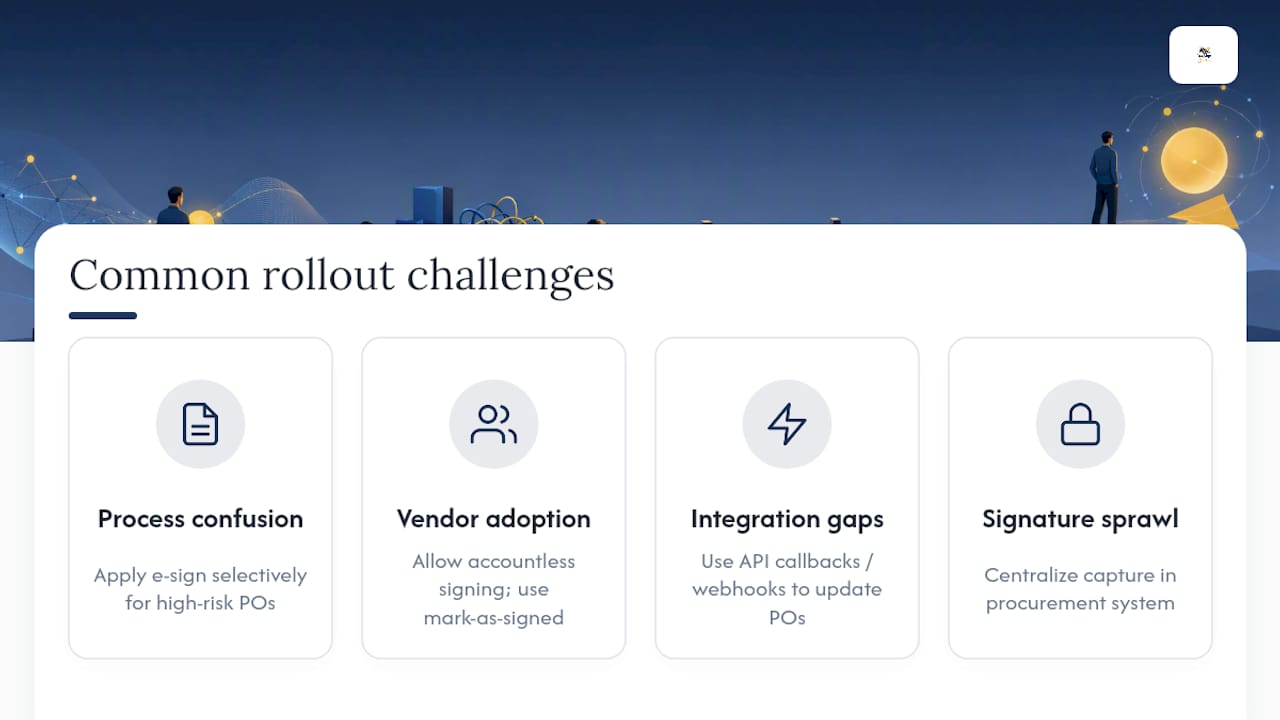
The most frequent breakdown isn’t technical, it’s process confusion. Teams roll out e-signature for every PO regardless of risk level, which slows down routine reorders that never needed signature-level friction in the first place. The fix is the checklist from earlier in this article: apply e-signature selectively, not universally.
A second common snag is vendor adoption. Suppliers used to signing paper contracts sometimes resist a new signing link, especially smaller vendors without dedicated procurement staff. Platforms that let vendors sign without creating an account remove most of that friction, but you’ll still need a fallback for genuinely offline acceptance, which is why the “mark as signed” override matters so much in practice.
Integration gaps cause the third major headache. If your e-signature step lives outside your procurement platform, someone ends up manually updating PO status after every signature completes, and that manual step is where POs get lost or duplicated. Instrumenting API callbacks that trigger status changes directly off envelope webhooks removes that reconciliation burden and keeps your PO record synchronized in real time.
Finally, watch for signature sprawl across multiple tools. Procurement, legal, and finance sometimes adopt separate signature tools independently, which fragments your audit trail across systems and makes discovery painful during a dispute or compliance review. Centralizing signature capture into one workflow, ideally one that already speaks your procurement system’s language, avoids that fragmentation before it starts.
Why Workflow-Native Signing Beats Bolted-On Tools for Procurement
Procurement teams don’t need another disconnected tool. They need signature capture built into the same workflow templates that already govern approval routing, so status moves automatically and nothing gets re-keyed by hand. That’s the practical case for a workflow-native platform with serial and parallel signing support, which preserves approval context instead of losing it at the handoff to supplier signature.
White-label and bring-your-own-cloud storage matter more than they get credit for, too. When signed POs live in infrastructure your compliance team already trusts, under your own branding, internal audits and vendor-facing documentation both get simpler.
— Mustafa Abusharkh
Getting Your Procurement Team Set Up on BeeSign
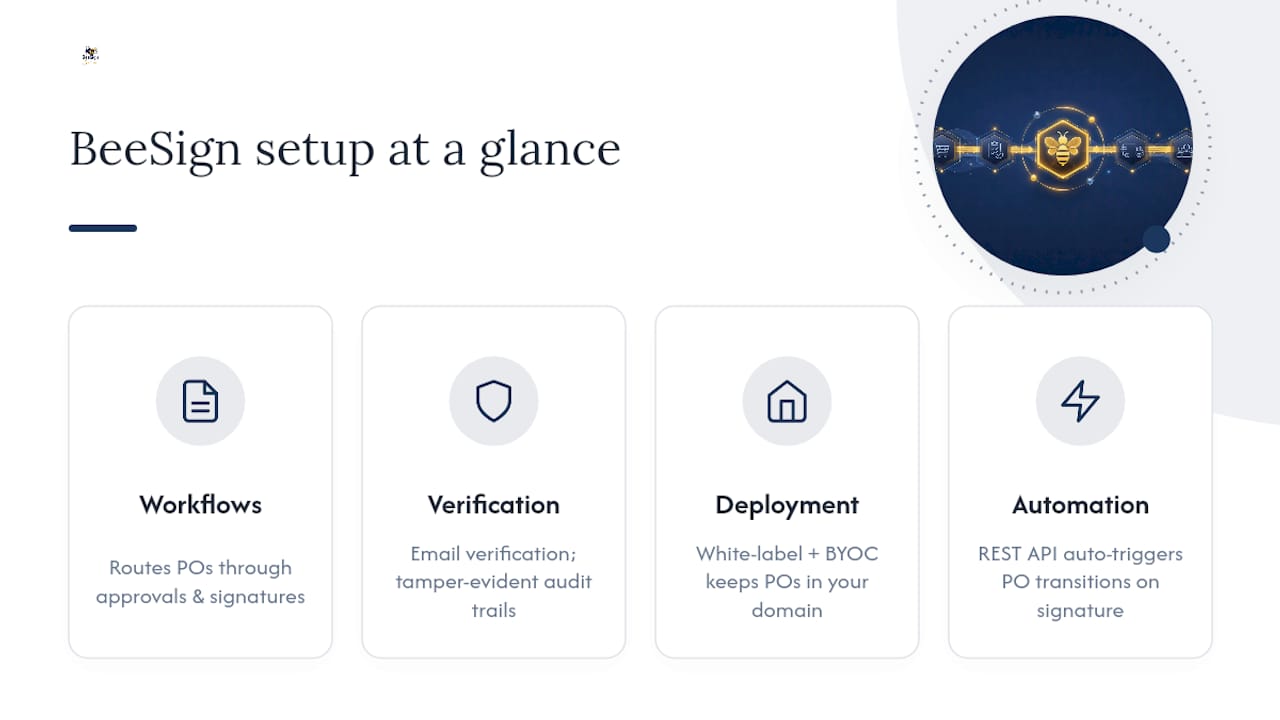
Several platforms give procurement teams a single place to run workflow templates that route POs through approval and signature stages automatically, provide identity verification options such as email confirmation, and maintain audit trails with tamper-evident timestamps that hold up under review.

For teams with strict compliance or branding requirements, white-label deployment with BYOC storage keeps signed POs inside infrastructure you already control, under your own domain. A REST API handles the status automation piece directly, triggering PO transitions the moment a signature completes instead of waiting on someone to check a dashboard. If your procurement workflows involve frequent vendor contracts and sales-side approvals, the sales and business solution page walks through how those templates map to real deal cycles.
Start a free trial at BeeSign and set up your first PO approval workflow this week. Most teams have their signature routing configured and their first PO through the pipeline within a day.
Sources
For legal grounding, review the FTC’s commentary on electronic signature enforceability. For implementation, the BeeSign approval workflow setup guide and Image One’s electronic signature resources cover practical configuration steps.
- FTC commentary on electronic signatures and related legal principles
- Adaptive: Sending purchase orders for signature (help center)
FAQ
Does a Purchase Order Need a Signature?
Not always. Routine internal reorders typically need only e-approval, but a PO that functions as a contract, especially one requiring supplier countersignature, needs a legally binding e-signature to be enforceable.
Can I Use an E-Signature for an Authorization Letter?
Yes. Authorization letters fall under the same ESIGN and UETA framework as purchase orders, meaning they’re enforceable as long as signer consent, intent, and attribution are properly captured and recorded.
Can a Power of Attorney Be Signed Digitally?
In many states, yes, though requirements vary by jurisdiction and some POA documents still require notarization or witness signatures regardless of signing method. Check your state’s specific statute before relying solely on electronic signature for a POA.
Does the IRS Accept Electronic Signatures on a Power of Attorney?
The IRS accepts electronic signatures on certain power of attorney submissions when filed through approved electronic channels, but requirements and accepted formats can change, so confirm current IRS guidance before submitting.
What’s the Difference Between PO Approval and PO E-Signature?
PO approval is an internal workflow consent confirming budget and business justification. A purchase order e-signature is binding evidence of signer intent, typically required when a supplier must countersign or the PO carries contractual weight.
Recommended
Ready to transform your workflow?
Start using BeeSign today and experience the future of document signing