What Is a Secure Document Platform? 2026 Guide
Discover what a secure document platform is and how it safeguards sensitive files. Learn to protect your business from data breaches.

A secure document platform is a dedicated, encrypted system that protects sensitive files from unauthorized access at every stage of their lifecycle. Unlike general cloud storage, these platforms combine end-to-end encryption, granular access controls, and detailed audit trails into a single purpose-built environment. The financial stakes are real: data breach costs average $4.88 million per incident. That figure makes document security a business priority, not an IT afterthought. Whether you manage contracts, financial records, or client data, understanding what a secure document platform does is the first step toward protecting your organization.
What is a secure document platform, and how does it work?
A secure document platform is the industry term for what practitioners also call a secure document management system (DMS). It goes far beyond a shared folder or a basic file-hosting service. The platform controls who can view, edit, share, or download a document, and it logs every one of those actions with a timestamp and user identity.
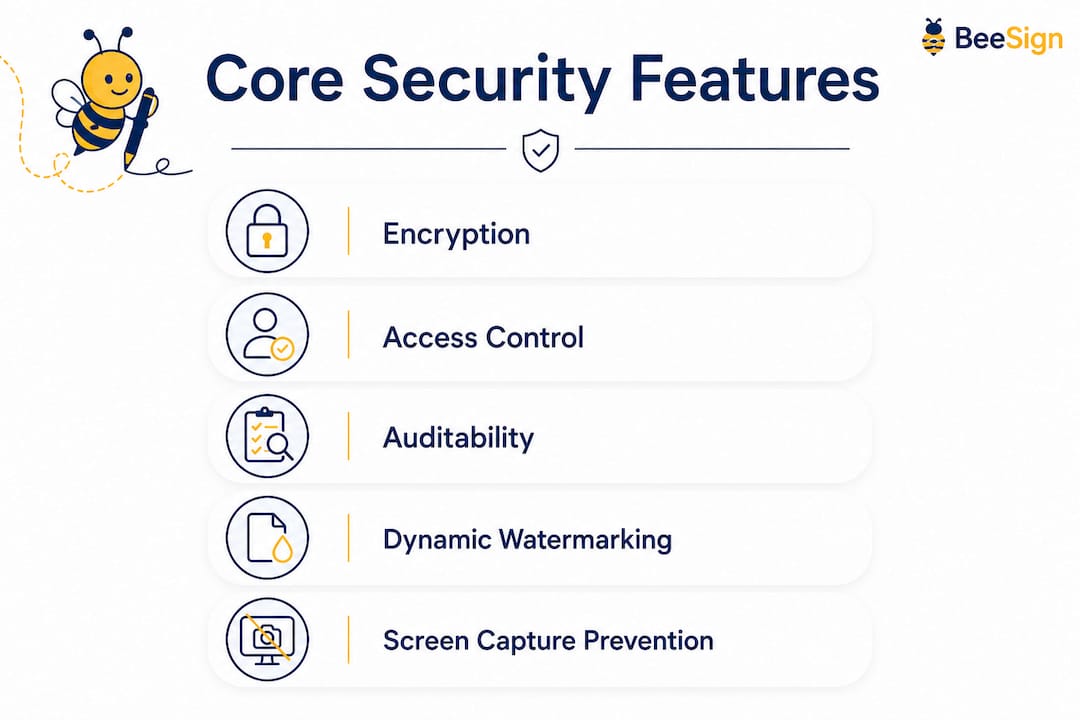
The core architecture rests on three pillars: encryption, access control, and auditability. Encryption protects files both at rest and in transit, so data stays unreadable whether it sits on a server or travels across a network. Access control defines exactly who can do what with a file. Auditability creates a permanent, tamper-evident record of every document interaction.

Many organizations confuse encryption at rest with true end-to-end encryption. Encryption at rest only protects a file sitting on a server. End-to-end encryption protects the file throughout the entire handling process, including while it is being transmitted and processed. That distinction matters enormously when sensitive contracts or health records are involved.
What are the core security features of a secure document platform?
Core features of a secure document platform include end-to-end encryption, granular access controls, multi-factor authentication (MFA), detailed audit trails, and Digital Rights Management (DRM). Each feature addresses a specific attack surface, and together they form a defense that general file-sharing tools cannot replicate.
Here is what each feature does in practice:
- End-to-end encryption: Files are encrypted before they leave your device and decrypted only by the intended recipient. No one in between, including the platform provider, can read the content.
- Granular access controls: Role-based permissions let you grant view-only access to one user and full editing rights to another. You can restrict access by IP address, time window, or device type.
- Multi-factor authentication (MFA): Users must verify identity through a second channel, such as a one-time code or biometric check, before accessing documents.
- Audit trails: Every action, including viewing, editing, downloading, and sharing, is logged with a precise timestamp and user ID. These logs are the foundation of compliance reporting.
- Digital Rights Management (DRM): DRM provides persistent protection that follows a file even after it is downloaded or shared externally. It enforces usage policies beyond the platform’s initial environment, which is a capability missing from traditional file-sharing tools.
The highest level of document security comes from a multi-layered approach that combines overt, covert, and forensic measures. Overt measures include visible watermarks. Covert measures include hidden metadata embedded in the file. Forensic measures allow investigators to trace a document back to its source if a leak occurs.
Pro Tip: Enable DRM on any document that leaves your organization’s network. Once a file is outside your perimeter, encryption alone cannot prevent a recipient from forwarding it. DRM enforces your usage rules regardless of where the file ends up.
How does a secure document platform protect documents throughout their lifecycle?
Lifecycle protection means security persists from the moment a document enters the system through its final deletion. Most breaches happen not at storage but during active use, which is exactly where general cloud storage leaves gaps.
A well-designed platform covers four stages:
- Secure ingestion: Documents enter the platform through encrypted upload channels. The system scans for malware, validates file integrity, and applies classification tags automatically.
- Controlled collaboration: Users work on documents inside the platform’s environment rather than downloading local copies. Version control prevents conflicting edits, and permission changes take effect in real time.
- Protected storage: Files rest in encrypted storage with customer-managed keys. Zero-trust architecture requires that encryption keys are controlled client-side, so even if the service provider is compromised, your documents remain unreadable.
- Secure disposal: When a document reaches its retention limit, the platform deletes it according to a defined policy and logs the deletion event. This satisfies regulatory requirements under frameworks like GDPR and HIPAA.
Dynamic watermarking and screen capture prevention add another layer during active collaboration. Watermarks display the viewer’s name and timestamp on every page, which deters unauthorized photography. Screen capture prevention blocks common screenshot tools at the application level.
Pro Tip: Map your document lifecycle before you select a platform. Identify where files enter your organization, who touches them, and how they are eventually retired. A platform that covers all four stages will close security gaps that a point solution cannot.
General cloud storage like Google Drive lacks the granular logs and purpose-built workflows needed for compliance. That gap is not a minor inconvenience. It is a structural weakness that auditors and regulators will find.
What are the key benefits for businesses that adopt secure document platforms?
Adopting a secure document platform delivers measurable benefits across risk reduction, compliance, and operational efficiency. The $4.88 million average breach cost is the most visible risk, but the operational and reputational damage often exceeds the direct financial loss.
The primary benefits break down as follows:
- Reduced breach risk: Encryption, MFA, and DRM work together to close the attack vectors that cause most breaches. A document that is encrypted, watermarked, and access-controlled is far harder to exfiltrate than one sitting in an email thread.
- Compliance readiness: A secure document portal provides bank-grade encryption, granular permissions, and audit trails that satisfy GDPR, HIPAA, and similar frameworks. Audit-ready documentation means you spend less time preparing for reviews and more time running your business.
- Operational efficiency: Secure platforms replace the chaotic, insecure practice of emailing sensitive files with structured, logged workflows. Teams spend less time tracking document versions and more time acting on them.
- Client and partner confidence: Demonstrating a documented security posture builds trust with clients who handle their own compliance obligations. A signed NDA stored in a secure, auditable platform carries more weight than one buried in an inbox.
- Competitive advantage: Organizations that can prove their document security practices win contracts in regulated industries where competitors cannot.
The shift from email-based sharing to a controlled, auditable environment is not just a security upgrade. It is an operational one. Teams that build structured approval workflows report faster turnaround times and fewer errors in document handling.
How can organizations implement secure document platforms effectively?
Effective implementation starts with evaluating the platform’s security architecture before you migrate a single file. Not all platforms that claim to be “secure” use the same standards, and the differences matter.
Key evaluation criteria include:
- Encryption architecture: Confirm whether the platform uses true end-to-end encryption or only encryption at rest. Ask specifically whether you control the encryption keys or the vendor does.
- Zero-trust model: A genuine zero-trust architecture assumes no user or device is trusted by default. Every access request is verified, every session is logged, and permissions are granted on a least-privilege basis.
- Compliance certifications: Look for SOC 2 Type II, ISO 27001, or equivalent certifications. These indicate the platform has been independently audited against recognized security standards.
- Integration capability: The platform should connect to your existing identity provider (such as Active Directory or Okta) and your existing workflows. A platform that requires users to work outside their normal tools will be bypassed.
- User training: Technology alone does not prevent breaches. Train your team on how to classify documents, set permissions correctly, and recognize phishing attempts targeting document credentials.
A common pitfall is treating a general cloud storage migration as a security upgrade. Moving files from a local server to Google Drive or a similar service does not add the secure intake workflows that compliance requires. Purpose-built platforms automate document handling and enforce compliance mandates at the workflow level, not just the storage level.
Use audit trails continuously, not just during compliance reviews. Regular review of access logs reveals unusual patterns, such as a user downloading large batches of files outside business hours, before they become incidents. Pair audit trail monitoring with identity verification in signing workflows to close the gap between document access and document authorization.
Key Takeaways
A secure document platform protects sensitive files through end-to-end encryption, granular access controls, and audit trails that cover every stage of the document lifecycle.
| Point | Details |
|---|---|
| Core definition | A secure document platform is a purpose-built encrypted system, not a general cloud storage service. |
| Essential features | End-to-end encryption, DRM, MFA, and audit trails work together to close the main attack vectors. |
| Lifecycle coverage | Protection must span ingestion, collaboration, storage, and disposal to satisfy GDPR and HIPAA. |
| Zero-trust architecture | Customer-managed encryption keys keep documents unreadable even if the provider is compromised. |
| Implementation priority | Evaluate encryption architecture and compliance certifications before migrating any sensitive files. |
The gap most organizations miss until it is too late
I have reviewed document security setups across organizations of every size, and the same blind spot appears repeatedly. Teams invest in a platform, complete the migration, and then assume the work is done. Security is not a one-time configuration. It is a continuous practice.
The most underrated risk is not a sophisticated external attack. It is an insider who has legitimate access but uses it incorrectly, whether through negligence or intent. Audit trails exist precisely to catch this, but most organizations never look at them until after an incident. That is like installing a security camera and never reviewing the footage.
The shift from DRM as an optional feature to a baseline requirement is the most significant change I have seen in document security over the past few years. Files leave your environment constantly, through email, downloads, and third-party integrations. Without DRM, your security posture ends at your perimeter. With it, your policies travel with the document.
Organizational culture shapes security outcomes more than any single feature. A team that understands why permissions matter and why watermarks are not optional will outperform a team with a better platform but no training. Technology sets the ceiling. Behavior determines where you actually land.
My advice: schedule a quarterly audit trail review as a standing meeting. Treat it the same way you treat a financial review. The patterns you find will tell you more about your actual security posture than any vendor dashboard.
— Mustafa Abusharkh
Beesign brings secure document workflows within reach
Organizations that have read this far know what a secure document platform needs to do. Beesign delivers exactly that: centralized contract management, identity verification, and eSignature workflows built to meet ESIGN, eIDAS, and HIPAA requirements.

Beesign’s white-label option lets your organization run the entire platform under your own brand and domain, with your own cloud storage. That means your documents stay within your infrastructure, not a shared vendor environment. Real-time tracking, a full API for workflow automation, and granular permissions give your team the control that general file-sharing tools cannot provide. If you are ready to replace insecure email chains with a documented, auditable process, explore Beesign’s secure platform and see how it fits your workflow.
FAQ
What is a secure document platform?
A secure document platform is a purpose-built encrypted system that protects sensitive files through end-to-end encryption, access controls, and audit trails across the entire document lifecycle. It differs from general cloud storage by providing compliance-grade workflows and persistent document protection.
What are the most important document security features?
The most critical features are end-to-end encryption, granular role-based access controls, multi-factor authentication, detailed audit trails, and Digital Rights Management. Together, these features protect documents both inside and outside the platform’s environment.
How does DRM differ from standard encryption?
Standard encryption protects a file while it is stored or transmitted. DRM enforces usage policies after the file is downloaded or shared externally, preventing unauthorized forwarding, printing, or copying regardless of where the file ends up.
What regulations require secure document management?
GDPR, HIPAA, and ESIGN are the most commonly cited frameworks. Each requires documented access controls, audit trails, and defined retention and disposal policies that general cloud storage cannot reliably provide.
How do I choose between a general cloud service and a secure document platform?
Choose a purpose-built secure platform whenever your documents contain personal data, financial records, health information, or legally binding agreements. General cloud services lack the granular audit logs, DRM, and compliance workflows that regulated industries require.
Recommended
Ready to transform your workflow?
Start using BeeSign today and experience the future of document signing